Known Participant
December 9, 2020
Answered

Transform - Scale not working when I try to scale my patterns

  • December 9, 2020
  • 2 replies
  • 2244 views

Hi there,


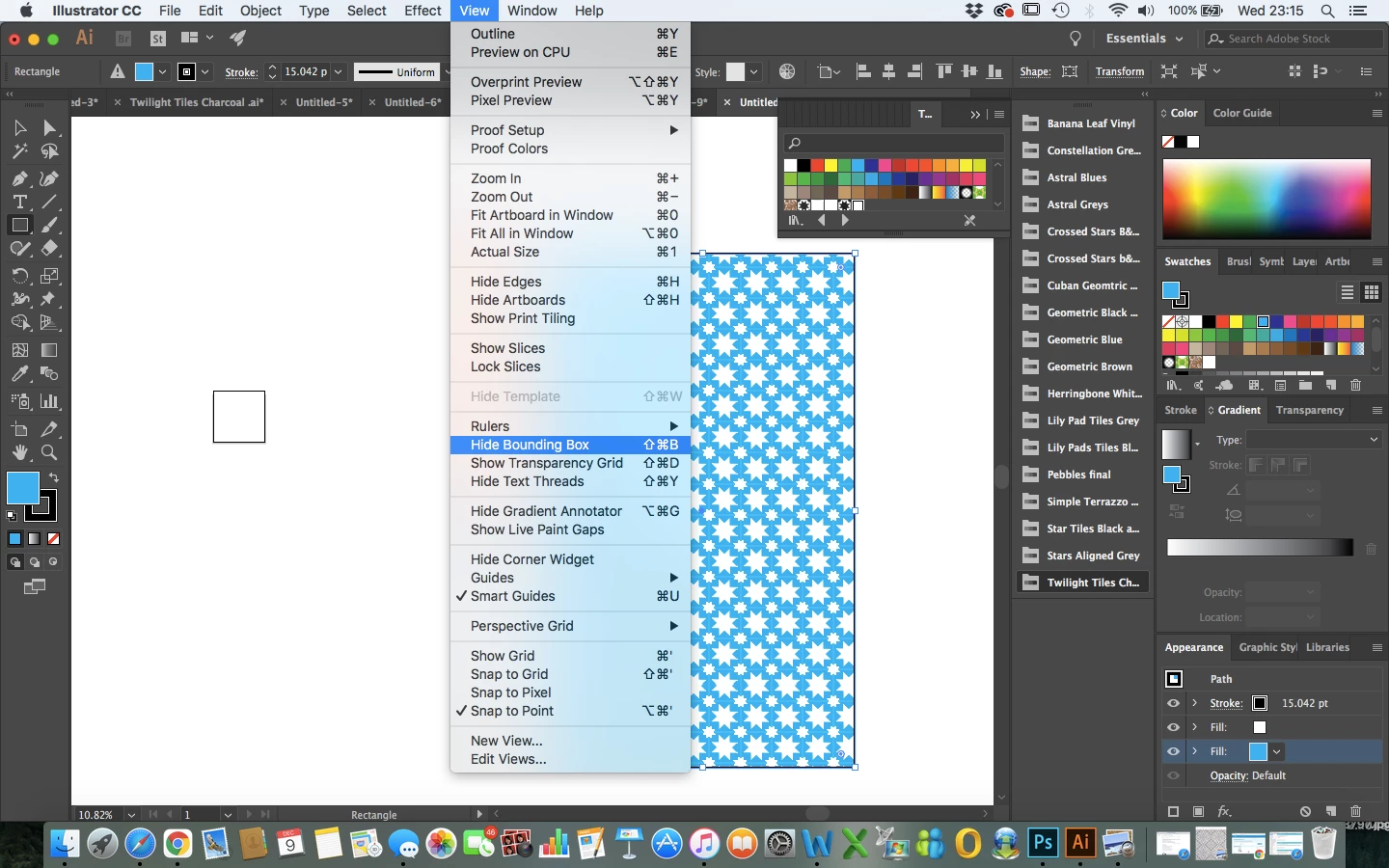
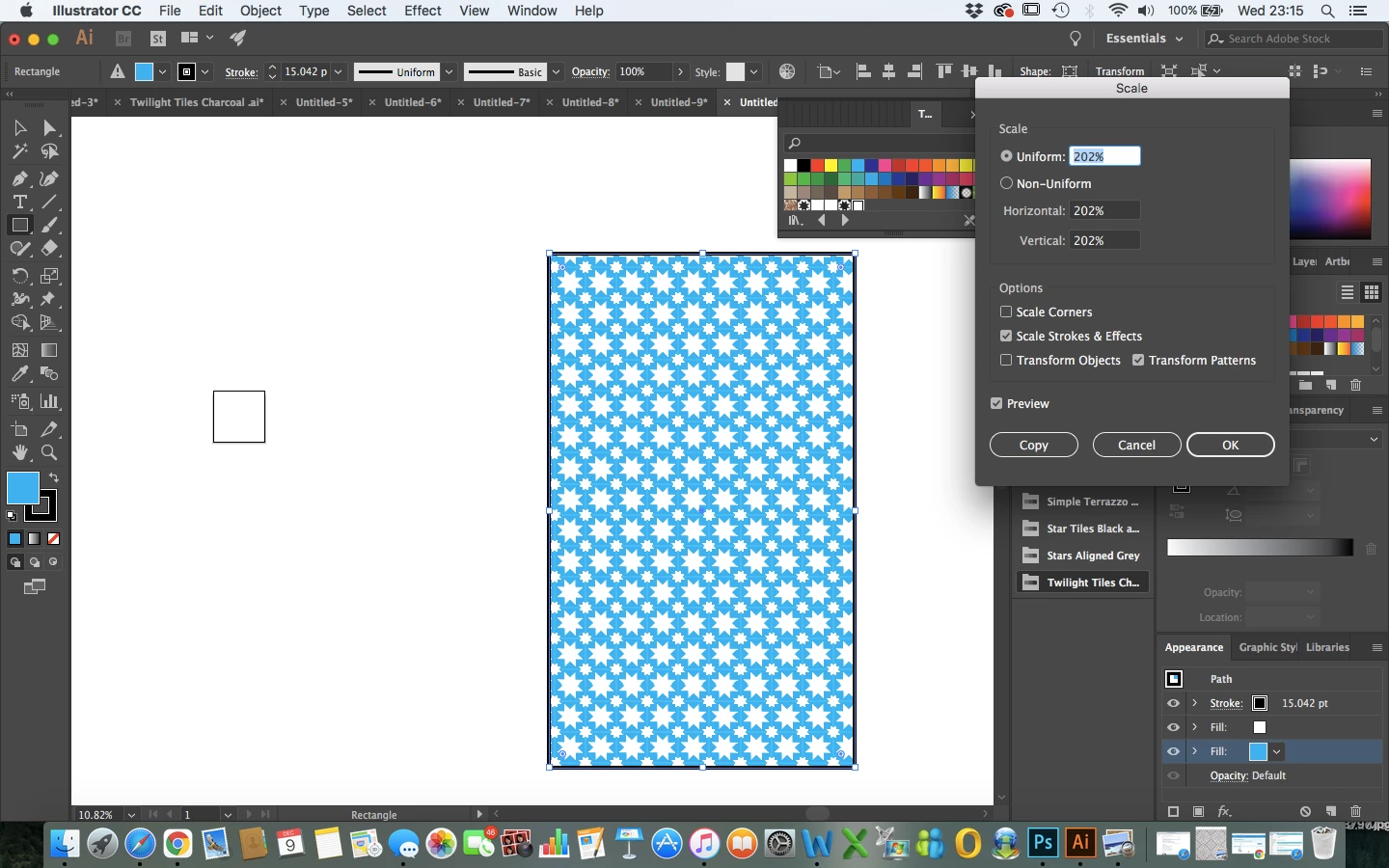
I'm hoping this is something simple but I no longer seem to be able to scale my patterns to larger sizes when I upload them into a basic rectangle. As you can see I've scaled all the way up to 200% and thr pattern still remains small?

The bounding box is on so that doesn't seem to be the issue. I'm hoping this is just something really obvious as I have designs that need to be printed in the next few hours and there doesn't seem to be an answer anywhere online.


Really hoping someone can help me with this! Thank you!


Many thanks,


Rebecca

Correct answer Ton Frederiks

Maybe you should select the pattern fill in your Appearance panel instead of the blue fill.

Or just click first outside the object and select it again to avoid selecting a specific item in the appearance panel.

2 replies

Participant
October 21, 2024

This is a reoccuring problem with Illustrator; you select your shape, use scale clicking "Transform Patterns" only and illustrator does not respond. This happens almost always when having multiple shape selection. You have to select one shape only, then apply the scale to that one shape (it should work but if not, try again and also ungroup if these shapes are), then select all the other shapes and then it should apply on all shapes. IT IS TRULY ANOYING AND TIME CONSUMING (using caps in hopes that some illustrator programmer finally sees this!!!) bug that the geniuses at Adobe can't seam to fix!

Monika Gause
Community Expert
Community Expert
October 21, 2024

Engineers do not read this forum. I could not reproduce that. Could you provide steps?

Also: since it's not related to the topic of this thread: please create a new thread, or post to https://illustrator.uservoice.com (to reach out to the engineers) 

Glenn WHO
Participant
February 26, 2025

Definately a bug.
I also cannot scale or rotate pattern. Checking the "Transform Patterns" Option also checks the "Transform Objects" checkbox so they both rotate. If i then click OFF on the Transform Objects button the item rotate to its original position as does the pattern.
Scale pattern also only works intermittantly.
This happens when I have just a single object selected.

Ton Frederiks
Community Expert
Ton FrederiksCommunity ExpertCorrect answer
Community Expert
December 9, 2020

Maybe you should select the pattern fill in your Appearance panel instead of the blue fill.

Or just click first outside the object and select it again to avoid selecting a specific item in the appearance panel.

Known Participant
December 9, 2020

Thank you so much! I knew it would be something simple I think I need to go to bed ha! Thanks again!

Ton Frederiks
Community Expert
Community Expert
December 9, 2020

Good to hear that helped (bedtime here too!).