

diatomdeb
Known Participant
October 13, 2020
Answered

Transparency grid in Libraries

  • October 13, 2020
  • 1 reply
  • 928 views

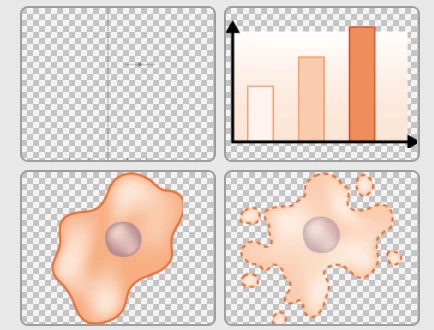
I have recently noticed that the thumbnails in my Library palette have a transparency grid behind them, which makes some of the images very hard to see. I'm sure it used to have a white background. Is there any way to change this back to white please? I'm on Illustrator 2020 version 24.1.3. Thanks for any advice!
 

This topic has been closed for replies.
Correct answer Mariia Novikova

Thanks a lot for the details!
CCLibraries team has revisited this experience and will be improving it in our future release.
Will keep you updated once the release is out.

Thank you for bringing this up!
CCLibraries team

1 reply

Mariia Novikova
Adobe Employee
Adobe Employee
October 13, 2020

Could you please let us know what CCLibrary version are you using? Should be in Creative Cloud -> About Creative Cloud? 
There is no grid in latest Libraries, so wondering if you still haven't got an update.

Thank you,
Mariia

diatomdeb
diatomdebAuthor
Known Participant
October 14, 2020

Hi Mariia,

Thanks for your reply. The CC Library version is 3.9.23.84.


Creative Cloud 5.3.1.470

Apps 5.3.1.470

CoreSync 4.3.60.8

CCX Process 4.0.6.2

CC Library 3.9.23.84


Thanks for your help!

Debbie.

diatomdeb
diatomdebAuthor
Known Participant
March 13, 2021

Thanks a lot for the details!
CCLibraries team has revisited this experience and will be improving it in our future release.
Will keep you updated once the release is out.

Thank you for bringing this up!
CCLibraries team


Very happy to see this has been fixed, it's so much more useable with a plain grey background now. Thank you CCLibraries Team!