This topic has been closed for replies.
Correct answer Michael Bullo

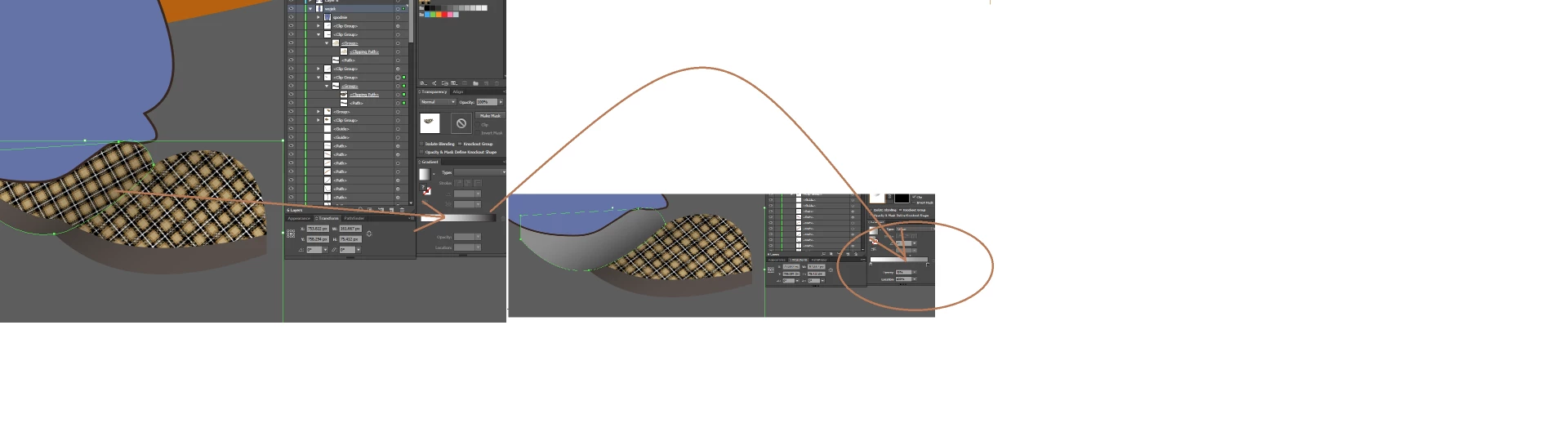
I'm not 100% sure but are you trying to fade away a shape where it overlaps another shape? If so, you might want to look into Opacity Masks.

In summary, you create a new shape that will become an opacity mask for the shape you wish to fade. This mask contains black where you want to hide the shape, white where you want to see the shape and shades of grey for partial transparency. The opacity mask is applied to the shape using the Transparency panel.

For a detailed explanation check out this page…

How to edit artwork using transparency and blending modes in Illustrator

4 replies

Inspiring
March 19, 2019

Transparency mask is the way to go...

Make a copy of the figure you want to fade. Place on top. Make a gradient - black i 100% transparent, white i 0%.
Select both the figure with the pattern, and the gradient figure. Make a transparency mask. Done

meganchi
Legend
March 19, 2019

Select the gradient shape (white to black) and change the transparency to "multiply".

thisizR2R
thisizR2RAuthor
Known Participant
March 19, 2019

this is exact thing what i did. It kinda looks like shadow (good for mimicking the 3d effect).

Michael Bullo
Community Expert
Michael BulloCommunity ExpertCorrect answer
Community Expert
March 19, 2019

I'm not 100% sure but are you trying to fade away a shape where it overlaps another shape? If so, you might want to look into Opacity Masks.

In summary, you create a new shape that will become an opacity mask for the shape you wish to fade. This mask contains black where you want to hide the shape, white where you want to see the shape and shades of grey for partial transparency. The opacity mask is applied to the shape using the Transparency panel.

For a detailed explanation check out this page…

How to edit artwork using transparency and blending modes in Illustrator

thisizR2R
thisizR2RAuthor
Known Participant
March 19, 2019

This How to Create a Pattern Fade in Illustrator + Photoshop - YouTube is something that would've been usefull. Unfortunatelly i cant use my pattern into gradient.