
Participant
May 26, 2020
Answered

Transparency Issue

  • May 26, 2020
  • 2 replies
  • 965 views

Hi, so I am having an issue with my opacity. Whenever I use the pen tool to create a shape and then select a color as a fill option and then set opacity to say 50% it just lightens the color. It does not make the shape transparent. I am relatively new to Illustrator and need help! Thank you. 🙂
This topic has been closed for replies.
Correct answer Luke Jennings3

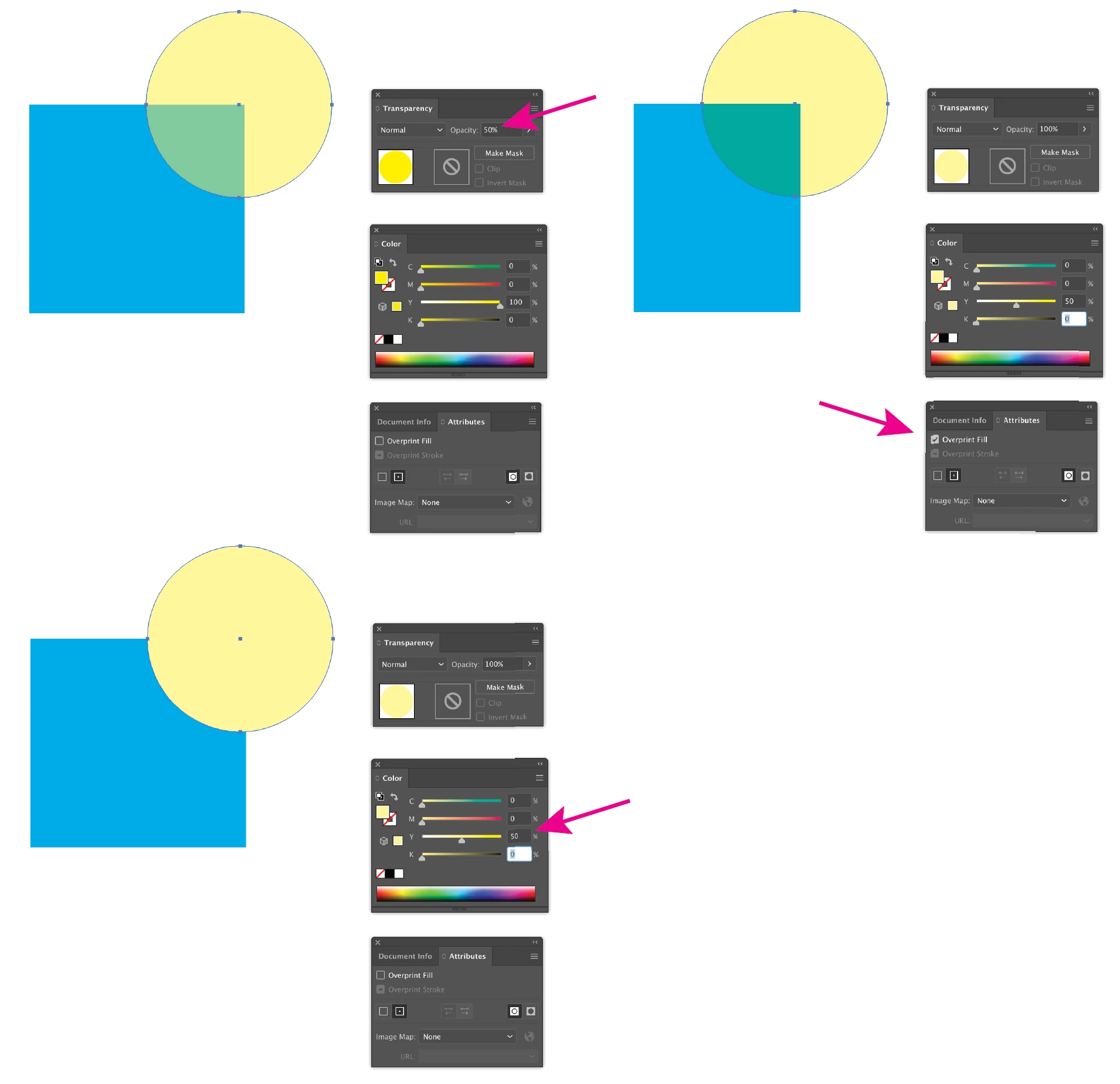
In addition to the good information above, It's important to understand the difference between opacity, tint and overprinting, and how they can work in combination to produce a desired effect. You are probably adjusting the tint value of your shape where you probably want to go to Window> Transparency> Opacity.

2 replies

Luke Jennings3
Community Expert
Luke Jennings3Community ExpertCorrect answer
Community Expert
May 26, 2020

In addition to the good information above, It's important to understand the difference between opacity, tint and overprinting, and how they can work in combination to produce a desired effect. You are probably adjusting the tint value of your shape where you probably want to go to Window> Transparency> Opacity.

Ashutosh_Mishra
Inspiring
May 26, 2020

Hi Maggie,


Thanks for reaching out. You can change the opacity of a single object, the opacity of all objects in a group or layer, or the opacity of an object’s fill or stroke. Please find more information on help article https://helpx.adobe.com/in/illustrator/using/transparency-blending-modes.html for more information about it.

Hope it helps.


Regards,

Ashutosh