
Exit
  • Global community
    • Language:
      • Deutsch
      • English
      • Español
      • Français
      • Português
  • 日本語コミュニティ
  • 한국 커뮤니티
0

Triangular mesh, as in the puppet pin tool

Community Beginner ,
Feb 08, 2021 Feb 08, 2021

Hi


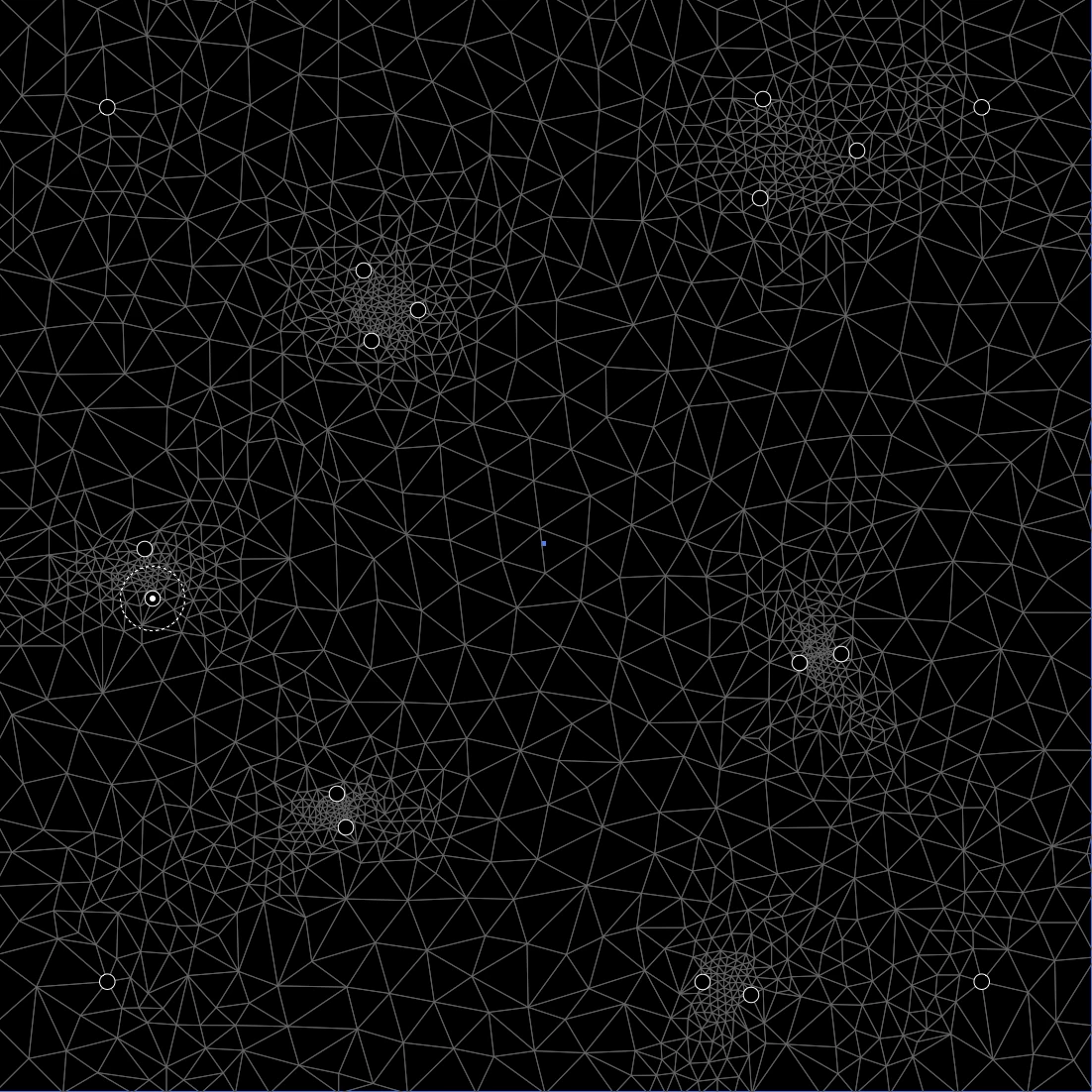
Is there a way to, either extract the mesh generated by the puppet pin tool, as vector - or a third party software, or script which can do the same?  The puppet pin tool does almost exactly what i want, but i just want the mesh created.


I want to create a triangular mesh with varied density, and i want the lines to be vector.

I've achieved good, but not satisfactory results, using pucker/bloat on a grid made by hand. I am looking for a more automated way of doing this. I am also aware of the possibilities to do this via low poly 3d stuff.


The attatched image resembles something along the lines of what i am trying to achieve.


Stan
 

mesh.png

TOPICS
Draw and design , Scripting
1.3K
Translate
Report
Community guidelines
Be kind and respectful, give credit to the original source of content, and search for duplicates before posting. Learn more
community guidelines

correct answers 1 Correct answer

Valorous Hero , Feb 08, 2021 Feb 08, 2021

Hey, you can take a really bit screenshot of the puppet warp lines and do an Image Trace. This produces a cool result but it doesn't create straight lines and some places are not filled in very well. A script could go afterwards and create the straight lines based on the coordinates of the paths' endings. However a real solution is bound to be a mathematical and well-thought-out code that does the triangles properly. Well, I don't do math so maybe someone else can take a crack at it, and there i

...
Translate
Adobe
Guide ,
Feb 08, 2021 Feb 08, 2021

I don't know if this will give you exactly what you want and furthermore I don't know if it still works (it's been a couple of years since I tried it), but you used to be able to create Voronoi diagrams with a plugin called scriptographer.

https://scriptographer.org/scripts/interactive-tools/voronoi-tool/

Translate
Report
Community guidelines
Be kind and respectful, give credit to the original source of content, and search for duplicates before posting. Learn more
community guidelines
Community Beginner ,
Feb 08, 2021 Feb 08, 2021

Thank you! It does not work, but voronoi seems like a good direction. There must(!) be someone that has made a voronoi-tool which can export vector paths. Ill keep searching, thanks again!


Translate
Report
Community guidelines
Be kind and respectful, give credit to the original source of content, and search for duplicates before posting. Learn more
community guidelines
Community Expert ,
Feb 08, 2021 Feb 08, 2021

There is one in Inkscape.

Translate
Report
Community guidelines
Be kind and respectful, give credit to the original source of content, and search for duplicates before posting. Learn more
community guidelines
Valorous Hero ,
Feb 08, 2021 Feb 08, 2021

Hey, you can take a really bit screenshot of the puppet warp lines and do an Image Trace. This produces a cool result but it doesn't create straight lines and some places are not filled in very well. A script could go afterwards and create the straight lines based on the coordinates of the paths' endings. However a real solution is bound to be a mathematical and well-thought-out code that does the triangles properly. Well, I don't do math so maybe someone else can take a crack at it, and there is probably an algorithm that is out there that can help.

Translate
Report
Community guidelines
Be kind and respectful, give credit to the original source of content, and search for duplicates before posting. Learn more
community guidelines
Community Beginner ,
Feb 08, 2021 Feb 08, 2021

https://websvg.github.io/voronoi/


I may settle with this, even tho it would be cool to do the same thing, with triangles. It can export .SVG

Translate
Report
Community guidelines
Be kind and respectful, give credit to the original source of content, and search for duplicates before posting. Learn more
community guidelines
Community Expert ,
Feb 08, 2021 Feb 08, 2021

femkeblanco, you probably know that already, but just in case you do not: Scriptographer was (unfortunately) discontinued for various reasons about 10 years ago and will not run in any recent version of Illustrator.


I think it only worked up to Illustrator CS 5.


Translate
Report
Community guidelines
Be kind and respectful, give credit to the original source of content, and search for duplicates before posting. Learn more
community guidelines
Community Expert ,
Feb 08, 2021 Feb 08, 2021

My memory as well, Kurt.

Translate
Report
Community guidelines
Be kind and respectful, give credit to the original source of content, and search for duplicates before posting. Learn more
community guidelines
Guide ,
Feb 08, 2021 Feb 08, 2021
LATEST

Thanks.  It must have been some time since I used it and it must have been on CS4 or CS5. 

Translate
Report
Community guidelines
Be kind and respectful, give credit to the original source of content, and search for duplicates before posting. Learn more
community guidelines