
Inspiring
April 21, 2020
Question

Trim An Image that is outside an artboard

  • April 21, 2020
  • 3 replies
  • 2340 views

Hi,


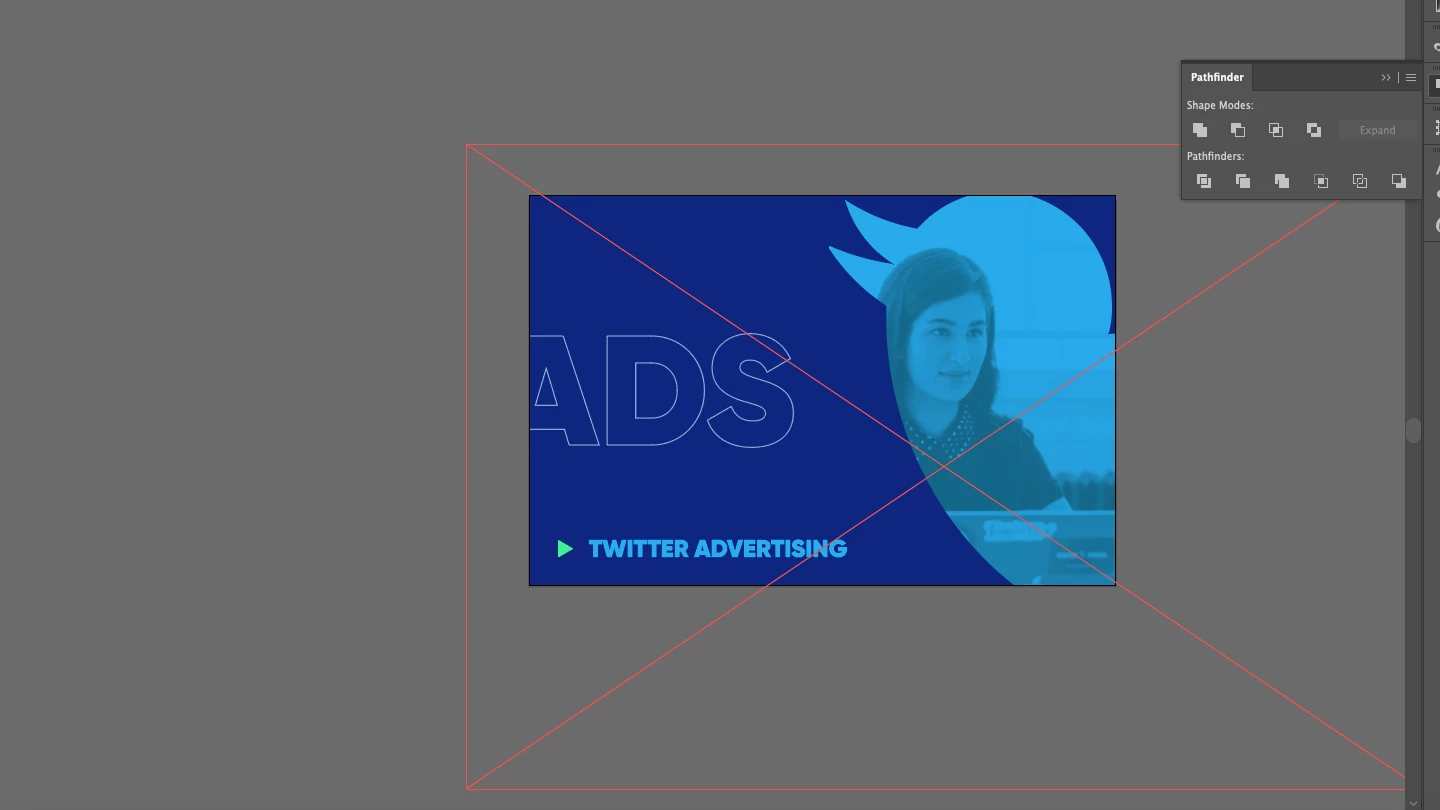
I have a clipped image for a presentation slide that is going to be a .svg file. I've clipped the Twitter logo into an image and offset the image but when I save the file, the excess of the image is saved. How do I save it so everything outside of the artboard size is removed? 

In the image below you can see the wireframe of the image that is outside of the artboard.

Any help would be awesome.


This topic has been closed for replies.

3 replies

CarlosCanto
Community Expert
Community Expert
April 22, 2020
キィィ─!!!
Participating Frequently
April 21, 2020

Why not create a clipping mask in the area of the image you want and rasterize it?

Mylenium
Legend
April 21, 2020

You have to clip the image itself by applying a clipping path, a transparency effect or whatever - anything that would force AI to re-calculate and flatten the image. Just letting a layer on top obscure parts of the image is not enough and it behaves as it should in this case.


Mylenium

Inspiring
April 21, 2020

Hi Mylenium,

I did clip the image though by right-clicking my mouse and doing 'make clipping mask'.  Is that what you mean?

Paul