
October 11, 2019
Question

Trouble when creating a compound path of a complex illustration

  • October 11, 2019
  • 6 replies
  • 1043 views

I'm having trouble when converting a complex black and white illustration to a compound path (I want it to be transparent where the white dots are). It not only looks much darker (even though both illustrations have the exact same path sizes) it also prints terribly.


Can you help me?
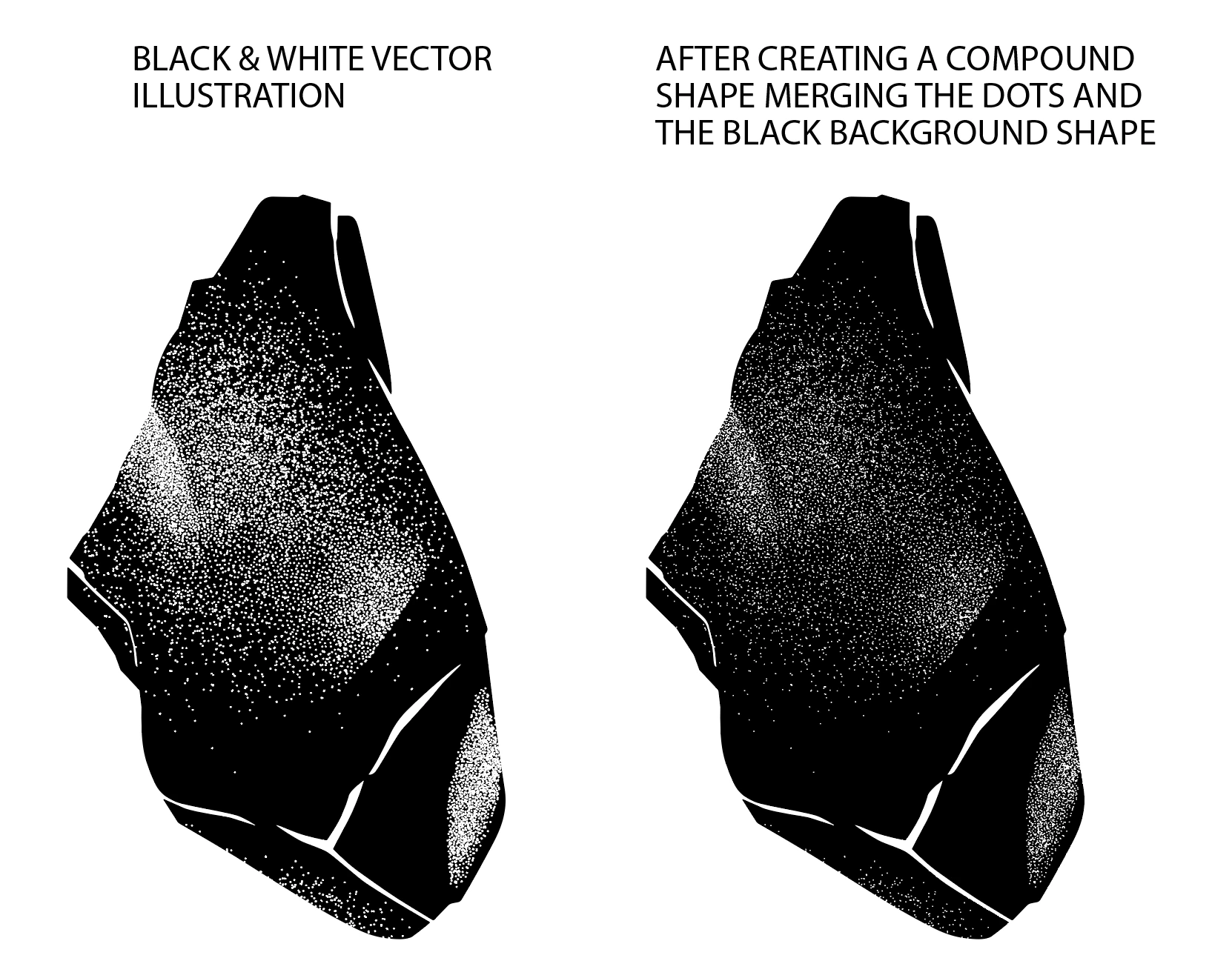


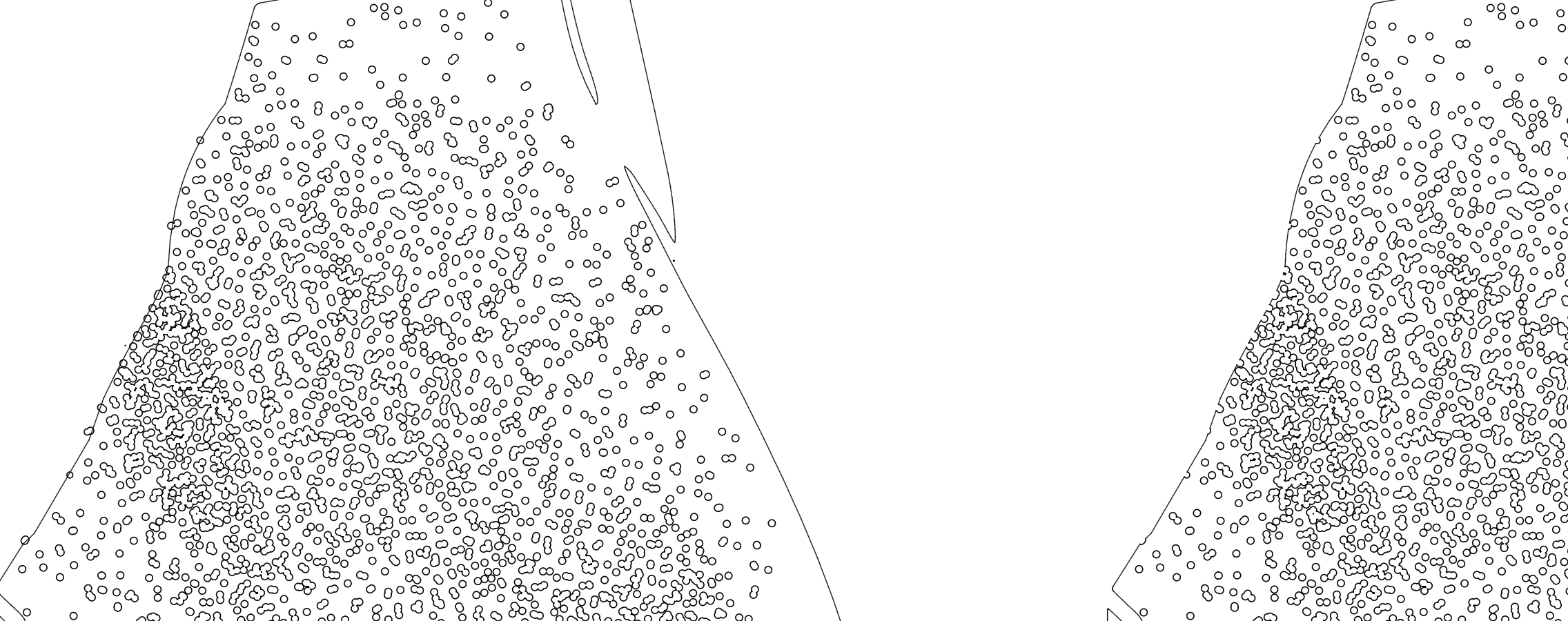
Detail (before and after the compound path)

:
 

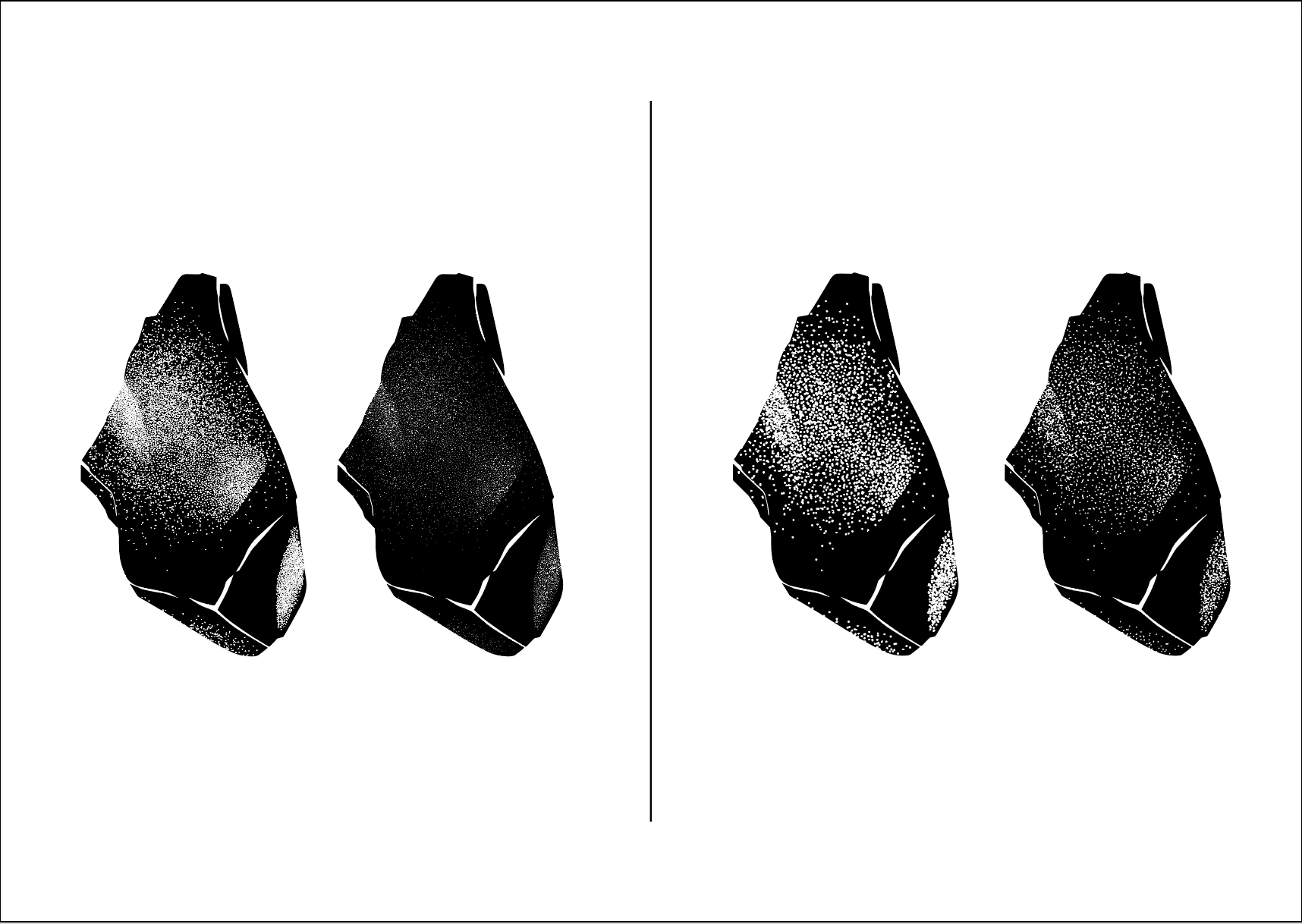
I've updated this question with the file itself. Both versions of the illustration are there:


    This topic has been closed for replies.

    6 replies

    Ton Frederiks
    Community Expert
    Community Expert
    October 13, 2019

    Good to hear that helped.

    I think the difference may have something to do with displaying the result on lower resolution devices. When you zoom in , the compound path version and the opacity mask version look the same.

    Ton Frederiks
    Community Expert
    Community Expert
    October 13, 2019

    I think you are better off with an Opacity mask to make the white dots transparent.

    See this file where I used white to Select > Same > Fill color, grouped the selection and made it in the Transparancy panel into a Mask:

    https://adobe.ly/2Bc7okI

    October 13, 2019
    I think this is it! It prints great and looks perfect on screen. Thank you so much Tron! This was a real headache. Cheers!
    Ton Frederiks
    Community Expert
    Community Expert
    October 13, 2019

    I don't think you can attach a pdf or ai fil in this forum, but you can share it using the CC files folder or othe sharing apps (google, dropbox etc.).

    October 13, 2019

    it's already done! can't you see (at the bottom of the main post)? Here's the link anyway: https://www.dropbox.com/s/1rdwkfg1dzrub7p/CompoundPath.pdf?dl=0

    Ton Frederiks
    Community Expert
    Community Expert
    October 13, 2019
    Sorry I missed that, I'll certainly have a look later.
    Ton Frederiks
    Community Expert
    Community Expert
    October 12, 2019

    Can you share an example file?

    October 13, 2019
    Hi Ton, thanks for answering. I've updated the question with the file itself. I had an error trying to attach the .ai, but saved in an editable pdf.
    Monika Gause
    Community Expert
    Community Expert
    October 12, 2019

    Is the printer PostScript enabled? Is it a compound path or a compound shape (they are different)? Sometimes it just makes a difference on screen and not in print, but only on a PostScript enabled printer.

    October 12, 2019

    Hi Monika! I believe this is a compound shape. Unfortunately the difference is both on screen and print. And because this is part of a logo it needs to work in both digital and print. I'm considering I will only be able use it transparent in a png or tiff, by "punching the holes" in photoshop with the magic wand. So far, doing it with the vectors only looks good if I maintain both shapes separated (with no compound shape), each filled with its respective color, black and white.

    P.S.: I added new images to the initial post for more detail.

    Monika Gause
    Community Expert
    Community Expert
    October 12, 2019
    If this is part of a logo you should reconsider the logo concept. It's far too detailed.
    tromboniator
    Community Expert
    Community Expert
    October 12, 2019

    Difficult to say without seeing at least what's in the Layers panel, but my guess would be that you have a stroke applied to the white dots, which disappears when the paths become part of the compound, so that the holes consist only of the area encompassed by the paths themselves.

    Peter

    October 12, 2019
    Hi Peter, thanks for answering. I know what you're talking about, but the shapes don't have any strokes applied. They're just shapes with colour inside (one black and the other one white).