
Participating Frequently
October 4, 2022
Question

Trouble with blend tool in neon effect.

  • October 4, 2022
  • 4 replies
  • 580 views

Hi

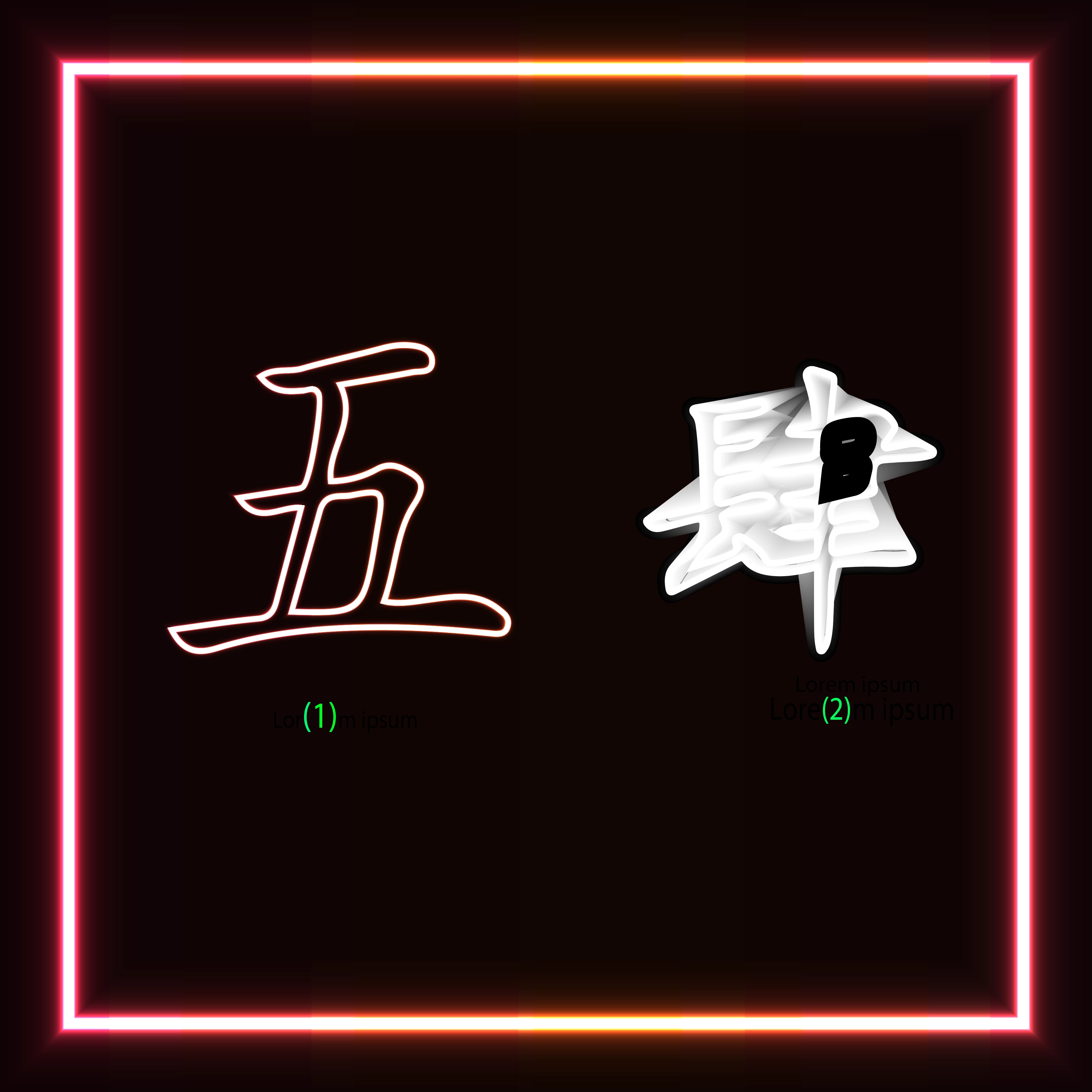
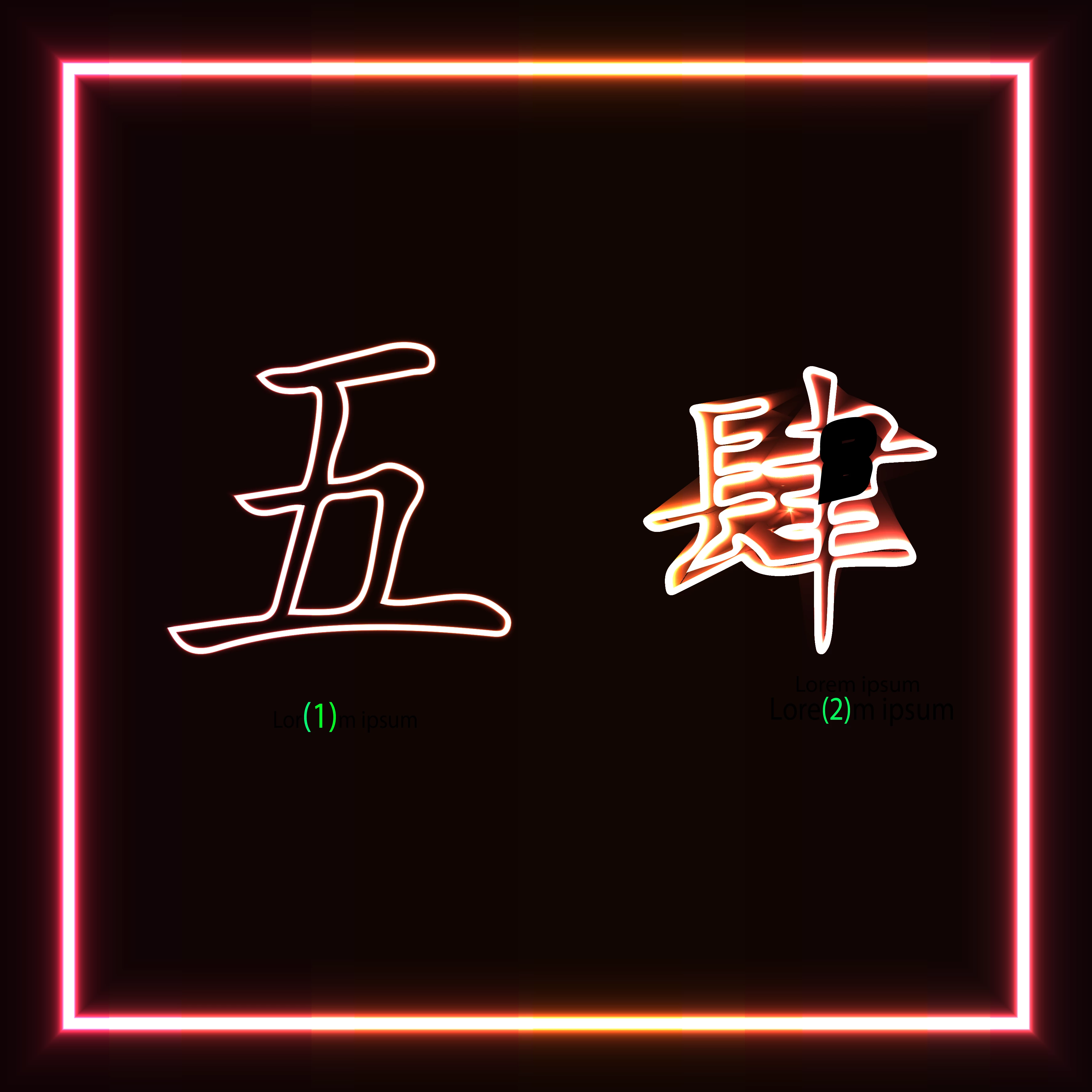
I was trying to create the neon effect for symbols using this yt tutorial below. I set the Stroke = 5, Offset Path = 4. I had no issues with 1 but couldn't get the same in 2 as the blend tool is giving me distorted image. Kind of messed up now.
This topic has been closed for replies.

4 replies

Lukas Engqvist
Community Expert
Community Expert
October 9, 2022

Offset path will work well for simple shapes but may not work for all shapes since it may add or remove points. (As is stated in the video 7:20) The second shape is an outlined character. Some of the "internal" shapes that should be a "hole" are behaving as an object, thihs is sometimes caused by the direction of the path (which can be corrected in tha advanced part of the attributes panel). I would suggest as @Monika Gause suggests you want the glyph (character) as a compound shape. Make sure that there is only one path on eact shape, best is to draw it as a filled shape so that you can see that the holes are as they should be. Once you have confirmed that the basic shape is clean and as it should be, then you can apply the neon effect. 


Note also that this neon effect using black and white works by mixing with the background. It will also vary in appearance if you use RGB or CMYK as colour workspace, and my be limited to creating shapes as simple as in the tutorial with screen as the intent. 

Mylenium
Legend
October 4, 2022

I agree with Mr. Gondek. You likely did not correctly use the Offset Path or it produced odd results due to the complexity of the shape. It probably has several self-intesecting edges and clustered up anchor points. In such a case you have to expand the offset and clean up the resulting path before creating the blend. The tutorial simply doesn't account for this and just assumes that all shapes would produce perfect results without extra intervention.


Mylenium

Participating Frequently
October 4, 2022

Thanks for the reply sir. For the first it went well; I think maybe the image is complex. I will try again cleaning up the the offset path anchor points and use the blend tool. Hope it might work out. I have posted the file can u look at it once if possible https://www.dropbox.com/s/sdp23b09xucr5cp/Neon%20Effect.ai?dl=0 

Mike_Gondek10189183
Community Expert
Community Expert
October 4, 2022

We are here to help, but expecting us to watch a lengthy video is not realistic, That would take us away from helping others who take the time to write the post so we can follow.


Did you apply offset using:

object >> path >> offset path

you can also apply as an effect, bit that I do not think would work

effect >> path >> offset path


Either something is wrong with the shape you are using, or the method. As a test/training try this on a simple rectangle, then on a simple compound path. Problems with the path might be stray points, incorrectly made compound path (you could release and remake the compound).

Participating Frequently
October 4, 2022

really sorry sir its my first time using illustrator. I followed the same procedure they used in the video from 5- 6 min. It worked well for 1 but not for 2.


Monika Gause
Community Expert
Community Expert
October 4, 2022

That video is too long. Please tell us where exactly they set up what you didn't get.

(2) looks like a compound path that has gone wrong.

Please upload the file to Dropbox or the like so that we may take a look.

Participating Frequently
October 4, 2022

Thanks for your reply mam. I turned off the fill in the expand. Applied offset path around 4px and applied white for the orginal path and the offset path black colour. Used the blend tool on them but didn't get the effect as in 1. I have posted the filehttps://www.dropbox.com/s/sdp23b09xucr5cp/Neon%20Effect.ai?dl=0 

Monika Gause
Community Expert
Community Expert
October 4, 2022

Thank you for the file.

There is one big difference between your objects: the correct working one is a compound path, the other one is a group.

I would release the groups and turn it into a compound path.

Then try again.


If you want to blend groups, then watch out for this: https://www.youtube.com/watch?v=2L_r_8PpaK8