
nic.turn3r
Participant
February 11, 2022
Question

Trouble with the pathfinder tool

  • February 11, 2022
  • 4 replies
  • 321 views

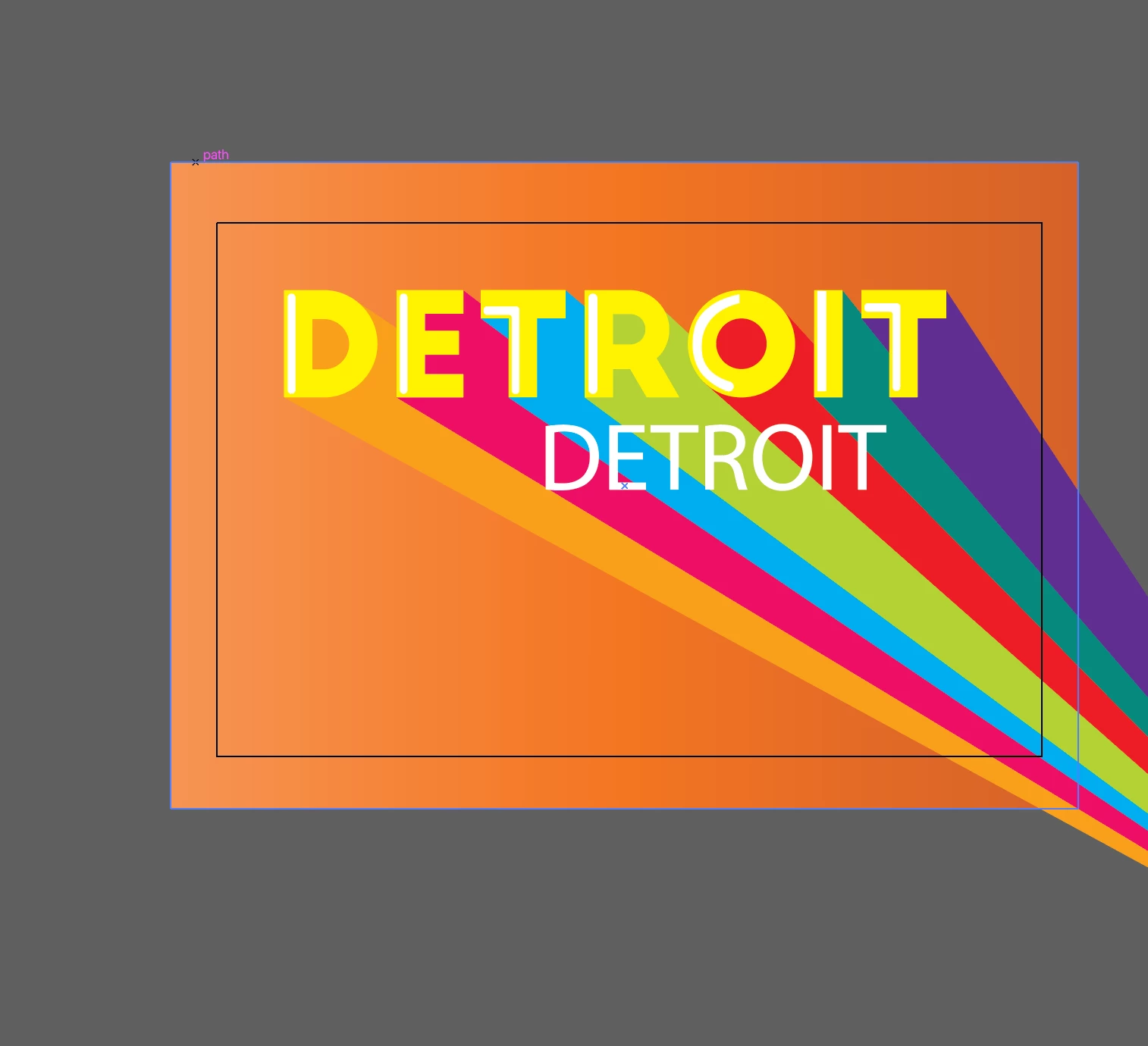
Hello. I am trying to subtract type from multiple colored shapes with the pathfinder tool. I have multiple shapes, all different colors.  I need the white type "DETROIT" cut out of these shapes so the background is visible through the letters. 

How do I cut the type out of these shapes without them turning into one color?
 

This topic has been closed for replies.

4 replies

Ton Frederiks
Community Expert
Community Expert
February 12, 2022

I would do what Jakob suggested, the result of an Opacity mask can be displayed by Browsers and non Adobe PDF viewers, but Knockout Groups will not be recognized by them. So it depends on where and how you want to use it.

Jacob Bugge
Community Expert
Community Expert
February 12, 2022

Soon today will be yesterday, Ton.


Ton Frederiks
Community Expert
Community Expert
February 12, 2022

Yes, today was tomorrow yesterday and will be yesterday tomorrow, Jacob.

Legend
February 11, 2022

In the transparency pallete. set the opacity of the word to 0%. Group the word with the rainbow strips, then, with the group selected click the Knockout Group checkbox  (also in the transparency pallet).


pixxxelschubser
Community Expert
Community Expert
February 11, 2022

It is not necessary to use the Pathfinder tool, the Live Paint tool, or the Shape Builder tool.

Try a knockout group. Text can remain editable.


[ edited by pixxxelschubser ]

Or what Jacob just said.


Jacob Bugge
Community Expert
Community Expert
February 11, 2022

nic,


You can use a(n Opacity) Mask in the Transparency panel, where the DETROIT can be live Type/Grouped paths/Compound Path, with Clip unticked and Invert Mask ticked: just select everything except the background and apply the Mask.


Or what Hans-Jürgen is about to say.