
Participant
August 15, 2023
Answered

Troubleshooting tracing complex shape

  • August 15, 2023
  • 1 reply
  • 412 views

Hello, 

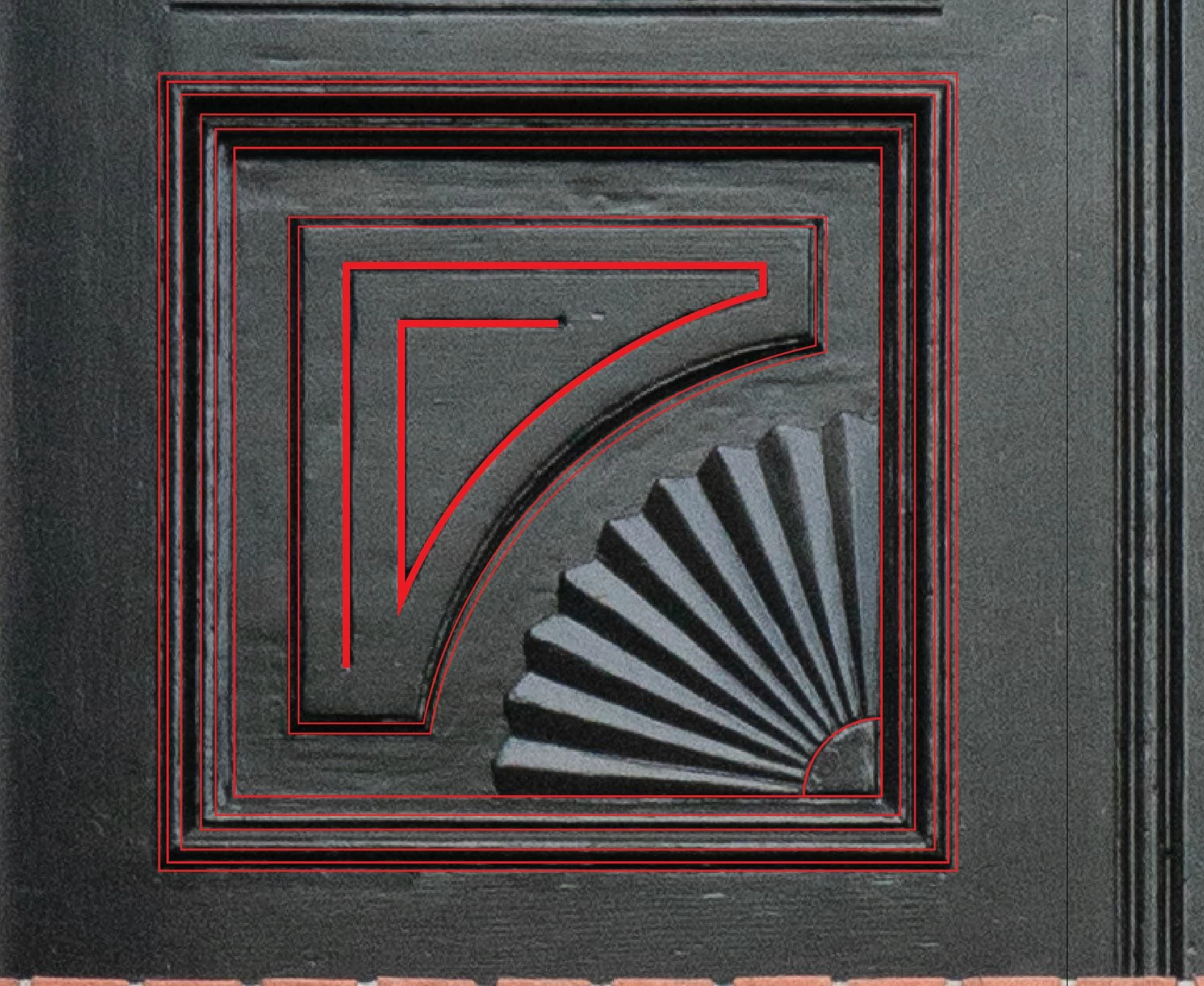
I have very basic skills in illustrator and have been trying to create a shape by outlining the following image.  I can't seem to figure out how to do that for the patterned part of the image below that looks like a fan.  I'm sure there's multiple ways to do it, but after hours of trying to figure it out I'm hoping someone else can help me.  Thanks.
This topic has been closed for replies.
Correct answer Monika Gause

You have a geometric design.

90° divided by 18 lines.

And then 2 radii for the ridges.

WIth smart guides turned on you can draw circles from that corner (press Alt to draw a circle from the center)

Then do this: https://youtu.be/dnjLT9aZtDE

Sorry for German interface. The commands are in the same places.

Ansicht = View

For the smart guides go into Preferences > Smart guides and turn on all the options.

Then you can snap the pen tool to all those intersections.

Finalize this with the shapebuilder tool to cut off what you don't need.

1 reply

Monika Gause
Community Expert
Monika GauseCommunity ExpertCorrect answer
Community Expert
August 16, 2023

You have a geometric design.

90° divided by 18 lines.

And then 2 radii for the ridges.

WIth smart guides turned on you can draw circles from that corner (press Alt to draw a circle from the center)

Then do this: https://youtu.be/dnjLT9aZtDE

Sorry for German interface. The commands are in the same places.

Ansicht = View

For the smart guides go into Preferences > Smart guides and turn on all the options.

Then you can snap the pen tool to all those intersections.

Finalize this with the shapebuilder tool to cut off what you don't need.

Participant
August 16, 2023

Amazing!  Thanks so much for the help and the video is much appreciated!

Monika Gause
Community Expert
Community Expert
August 16, 2023

You're welcome!