
Known Participant
July 21, 2018
Answered

Troubleshooting with finishing floral pattern in illustrator

  • July 21, 2018
  • 3 replies
  • 2048 views

Hi All,

I created the below pattern in illustrator. I added all my own vector png files of flowers leaves etc then went to OBJECT > PATTERN > MAKE
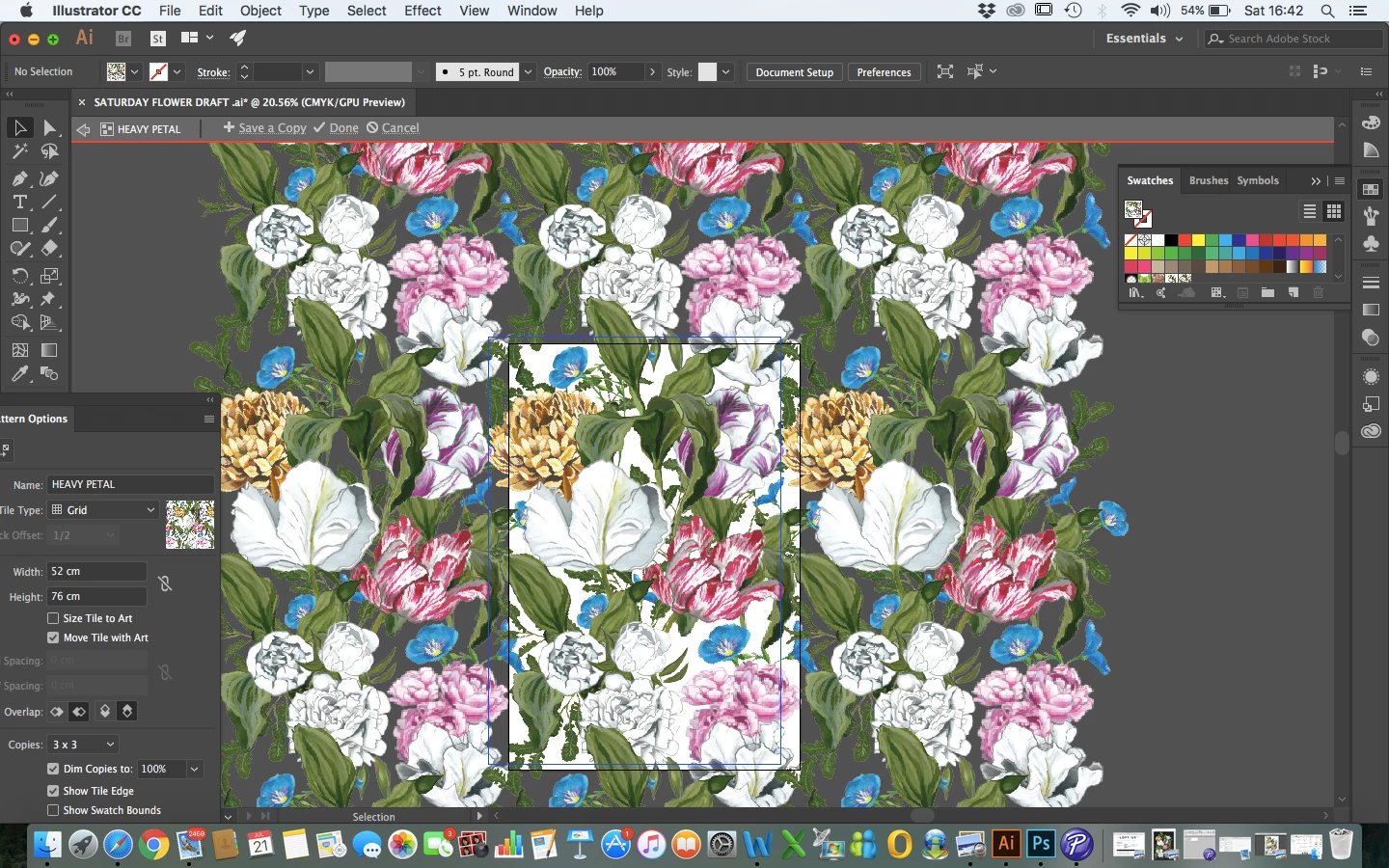
As you can see on PATTERN OPTIONS I  adjusted the width and height to the measurements I needed as the pattern is for wallpaper then tweaked the pattern, moving the flowers round etc and even getting rid of one powder blue hydrangea flower which did sit at the bottom right of the pattern.

So once I was happy with the placement of all the elements I hit DONE at the top but then my image reverted back to the old board I had originally where I had just placed all my elements on with arranging. Please see below.
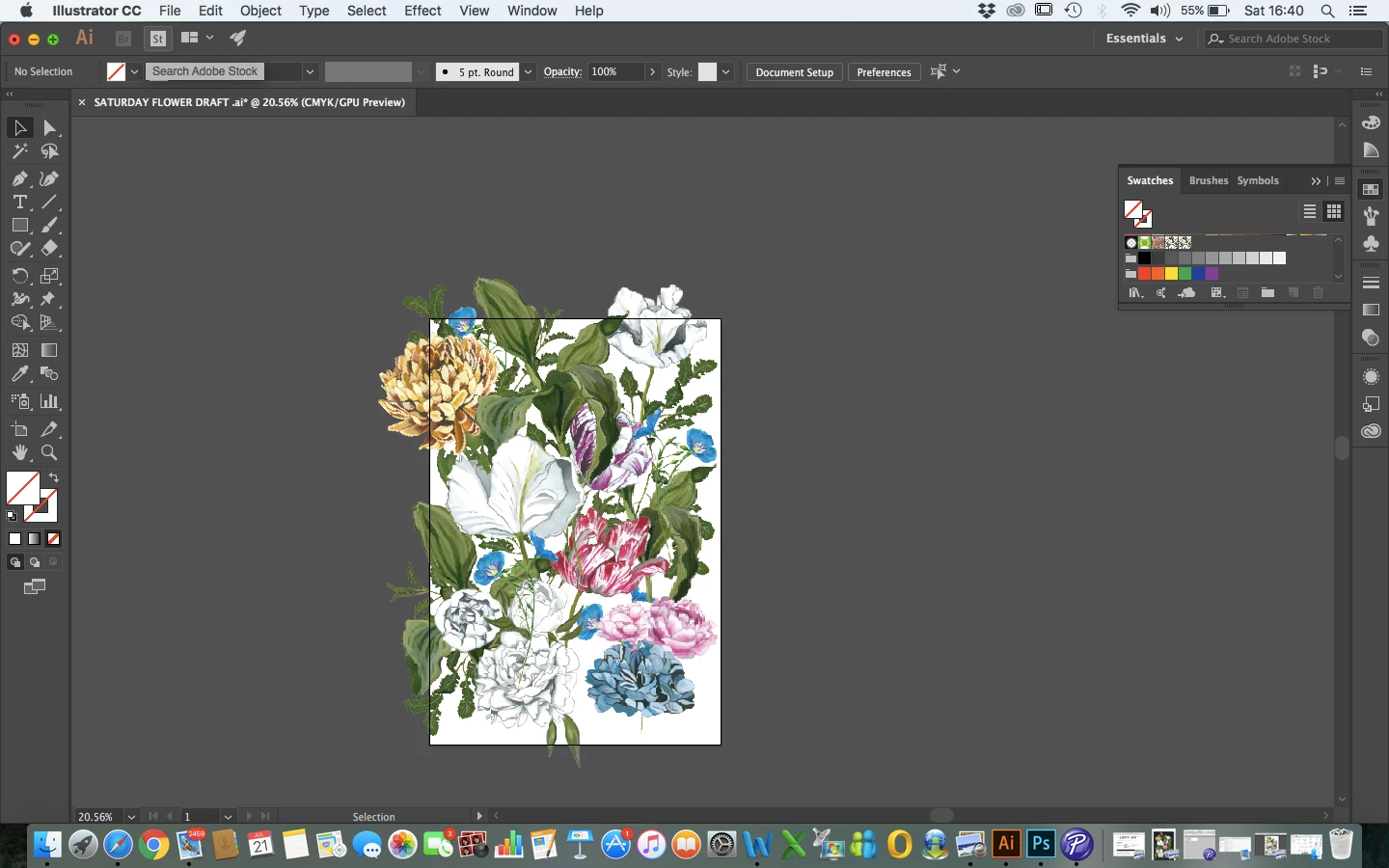
Can anyone please help? How do I get the swatch for the pattern I just created in the pattern maker? I also need to add a black background to the pattern yet so I'm basically just wondering where I went wrong as when I have seen other people press DONE at the top of the pattern maker the board that appears is with the new pattern they have just created.

Thankyou

R
    This topic has been closed for replies.
    Correct answer barbara_a7746676

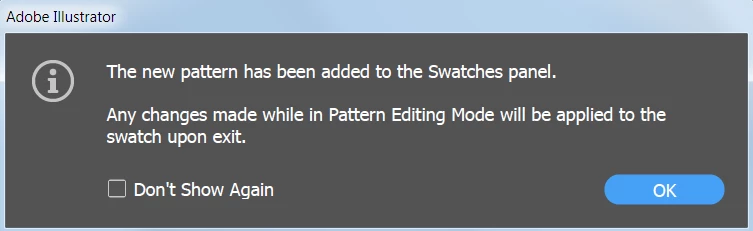
    When you go into pattern maker, usually you the dialog box below, unless you clicked on 'Don't show again.'

    So, as Monika said, the pattern should automatically appear as a swatch in the Swatches panel. In fact, from your screen capture it looks like there are already two flower pattern swatches in the Swatches panel.

    As far as adding a black background, you need to put a black rectangle behind the flowers and in front of the no fill/no stroke rectangle that defines the boundaries of the pattern tile.

    3 replies

    Ton Frederiks
    Community Expert
    Community Expert
    July 22, 2018

    Reading this thread, I would advise you to first learn the basics.

    You cannot just jump into an application like Illustrator without knowing how it works and expect good results.

    Start by following the tutorials for beginners:

    Illustrator tutorials | Learn how to use Illustrator CC

    Known Participant
    July 22, 2018

    Yep, I intend to do that but unfortunately, time isn't on my side at the moment and this project is already late.

    barbara_a7746676
    Community Expert
    Community Expert
    July 22, 2018

    To get the black background, follow my instructions in post #8.

    The reason that only a rectangle shows when viewing in Outline mode is because the only thing on the artboard is a rectangle filled with a pattern. The top rectangle is filled with a pattern.  The bottom one is a pattern that has been dragged out of the Swatches panel onto the pasteboard.

    PREVIEW VIEW

    OUTLINE VIEW

    In other words, you're artwork looks as it should and everything is normal.

    barbara_a7746676
    Community Expert
    barbara_a7746676Community ExpertCorrect answer
    Community Expert
    July 21, 2018

    When you go into pattern maker, usually you the dialog box below, unless you clicked on 'Don't show again.'

    So, as Monika said, the pattern should automatically appear as a swatch in the Swatches panel. In fact, from your screen capture it looks like there are already two flower pattern swatches in the Swatches panel.

    As far as adding a black background, you need to put a black rectangle behind the flowers and in front of the no fill/no stroke rectangle that defines the boundaries of the pattern tile.

    Known Participant
    July 21, 2018

    Thank you!

    Monika Gause
    Community Expert
    Community Expert
    July 21, 2018

    The swatch is in the swatches panel.

    Draw a rectangle and assign it.

    Known Participant
    July 21, 2018

    Hi there,

    Thank you yes so I got the swatch from the panel but then what do I do or how do I get rid of the original board left behind?

    Monika Gause
    Community Expert
    Community Expert
    July 21, 2018

    rebeccal11099218  schrieb

    Hi there,

    Thank you yes so I got the swatch from the panel but then what do I do or how do I get rid of the original board left behind?

    The original art board cannot be deleted, there needs to be always one artboard in the file.

    But you can select the objects and just delete them.