Exit
  • Global community
    • Language:
      • Deutsch
      • English
      • Español
      • Français
      • Português
  • 日本語コミュニティ
  • 한국 커뮤니티
0

Turing pattern tracing result

New Here ,
Jul 19, 2020 Jul 19, 2020

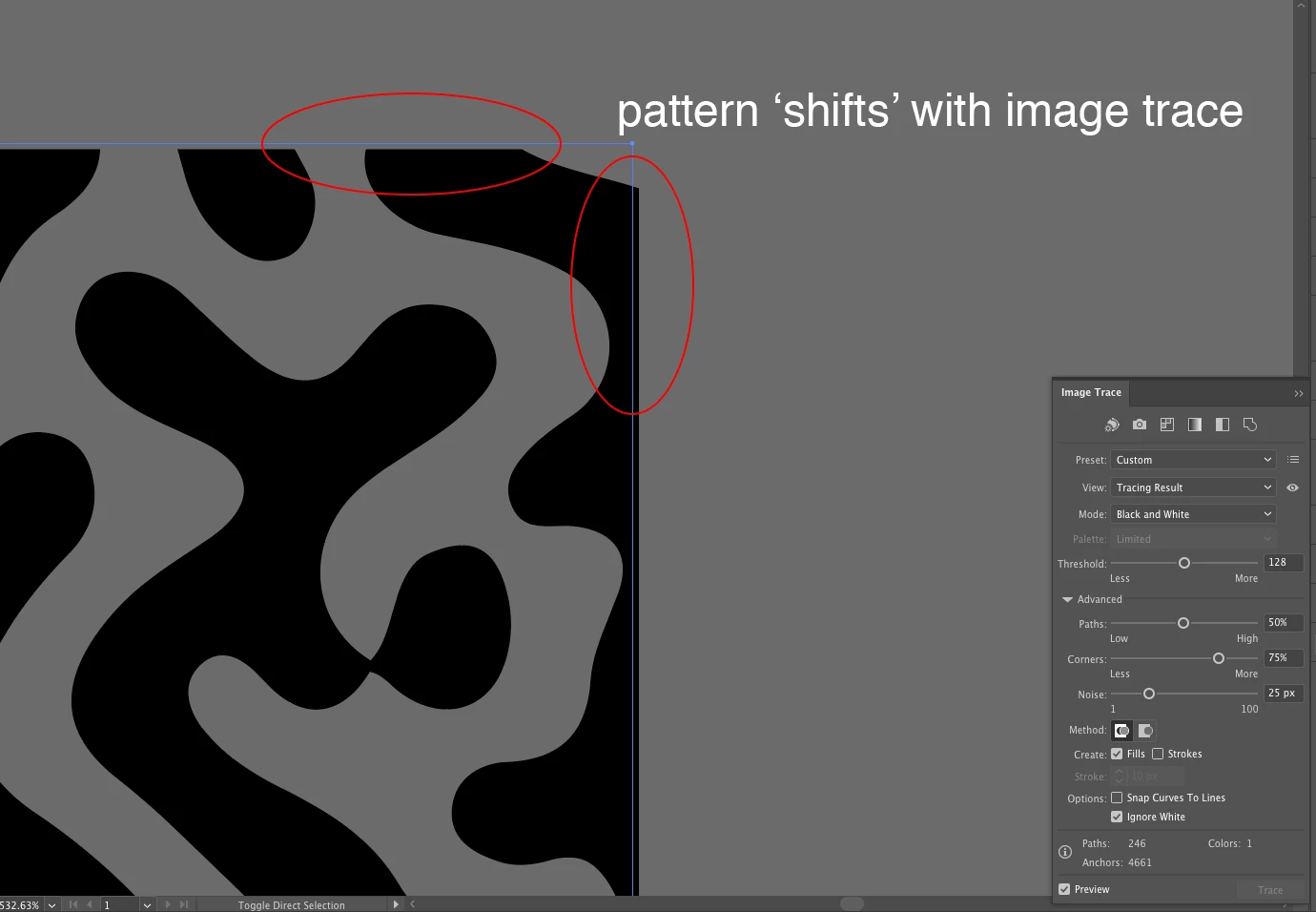
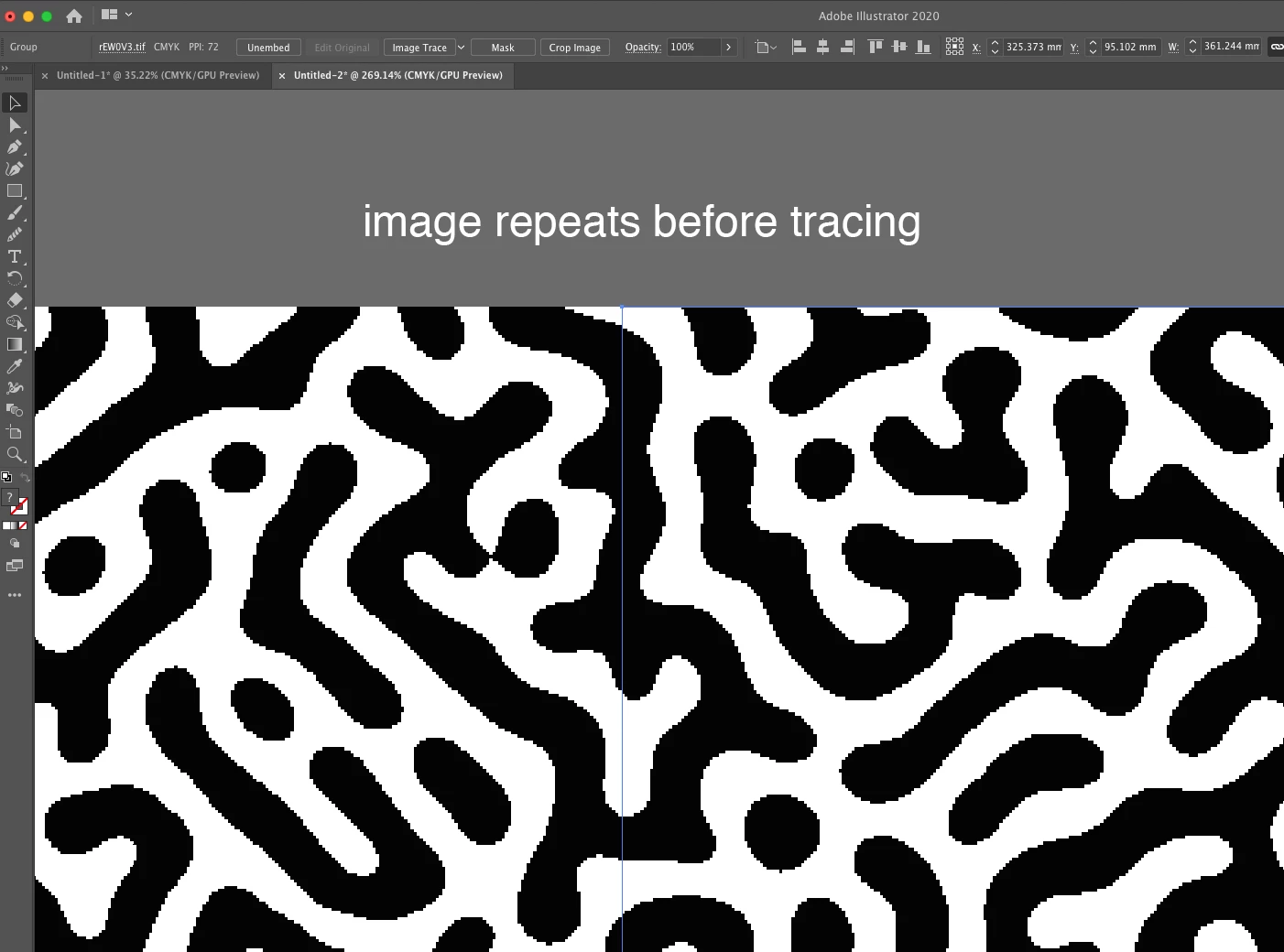
I'm trying to create a repeating 'Turing' pattern using PhotoShop and Illustrator, following an online tutorial. Having pasted my pattern form PS to Ilustrator, I'm attempting to apply image trace as per the video instructions, but every time I do the tracing result appears to 'shift' slightly, meaning the pattern does not repeat seamlessly. My image trace settings are as per the tutorial (included in screenshot), anyone able to tell me what I'm doing wrong?


Illustrator v24.2.1
Screenshot 2020-07-19 at 10.09.21.pngScreenshot 2020-07-19 at 10.11.19.png

TOPICS
Draw and design , Tools
869
Translate
Report
Community guidelines
Be kind and respectful, give credit to the original source of content, and search for duplicates before posting. Learn more
community guidelines

correct answers 2 Correct answers

Community Expert , Jul 19, 2020 Jul 19, 2020

I don't believe it is possible to create a seamless pattern with image trace.

You will probably have to make some adjustments to the vectors.

Try Object > Image Trace > Expand an use Object > Pattern > Make to create and adjust the tile.

Translate
Community Expert , Jul 19, 2020 Jul 19, 2020

You're doing nothing wrong. The image will always shift when tracing.

You will now have to expand it and then use the pattern editing mode and perhaps you will have to go in and change locations of anchor points. I have watched that tutorial as well and I just don't think this is possible without any detail editing. That's just not how Illustrator works.

Translate
Adobe
Community Expert ,
Jul 19, 2020 Jul 19, 2020

I don't believe it is possible to create a seamless pattern with image trace.

You will probably have to make some adjustments to the vectors.

Try Object > Image Trace > Expand an use Object > Pattern > Make to create and adjust the tile.

Translate
Report
Community guidelines
Be kind and respectful, give credit to the original source of content, and search for duplicates before posting. Learn more
community guidelines
Community Expert ,
Jul 19, 2020 Jul 19, 2020

You're doing nothing wrong. The image will always shift when tracing.

You will now have to expand it and then use the pattern editing mode and perhaps you will have to go in and change locations of anchor points. I have watched that tutorial as well and I just don't think this is possible without any detail editing. That's just not how Illustrator works.

Translate
Report
Community guidelines
Be kind and respectful, give credit to the original source of content, and search for duplicates before posting. Learn more
community guidelines
New Here ,
Jul 20, 2020 Jul 20, 2020

Thanks for the replies, here's the tutorial I was watching, the author doesn't seem to make any further adjustments to the pattern after expanding, so I'm still confused.


https://youtu.be/eKLki6-gynU


Translate
Report
Community guidelines
Be kind and respectful, give credit to the original source of content, and search for duplicates before posting. Learn more
community guidelines
Community Expert ,
Jul 20, 2020 Jul 20, 2020
LATEST

If you don't believe me, just ask him.


And if he still tells you he didn't edit them then you might want to download his patterns and inspect them closely and you will see: they are just not precise.

Translate
Report
Community guidelines
Be kind and respectful, give credit to the original source of content, and search for duplicates before posting. Learn more
community guidelines