Exit
  • Global community
    • Language:
      • Deutsch
      • English
      • Español
      • Français
      • Português
  • 日本語コミュニティ
  • 한국 커뮤니티
0

Turn document swatches into colored text

Contributor ,
Nov 03, 2022 Nov 03, 2022

Hi Community hope you all are doing great,


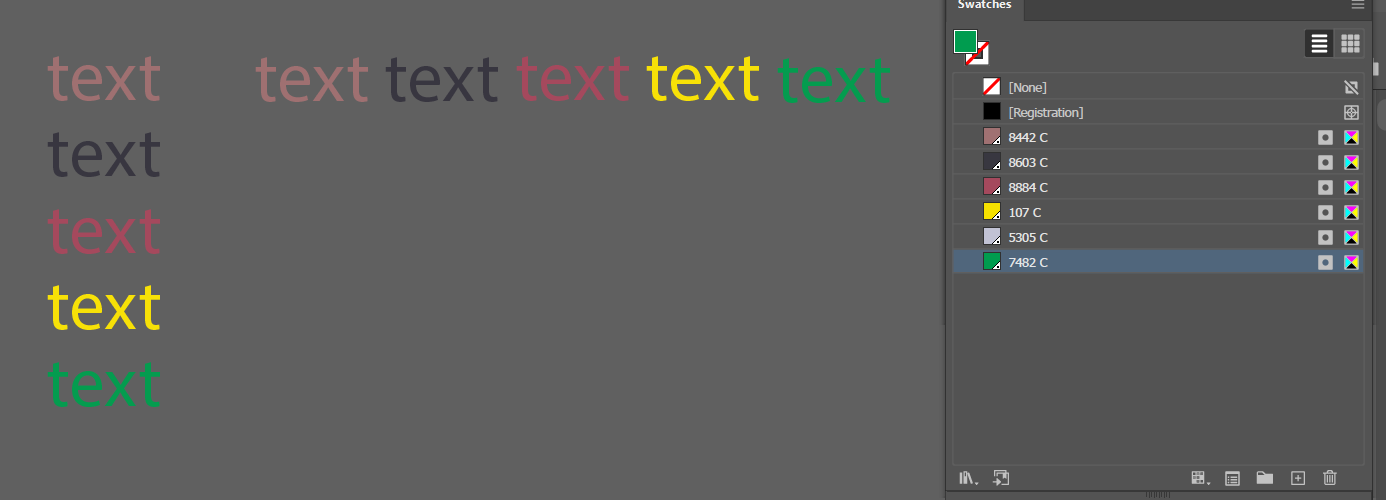
can somebody help me creating a script that takes all the swatches in the document and turn them into text with color, like the sample attach? If is possible to make a setting section in which I can change if I cant it horizontal or vertical I will appreciate it, thank you all and have a nice day.

TOPICS
Draw and design , Scripting , SDK , Tools
1.2K
Translate
Report
Community guidelines
Be kind and respectful, give credit to the original source of content, and search for duplicates before posting. Learn more
community guidelines

correct answers 1 Correct answer

Guide , Nov 03, 2022 Nov 03, 2022

There are few options (each with pros and cons):  you could do trial and error, manually changing width (+/- height) in line 3; you could switch to point type and not be bound by width; you could make width and height proportional to font size; or you could vary width according to content.  I've used a combination of the latter two below. 


var orientation = "vertical";  // or "horizontal"
var size = 10;
var w = size * 2, h = size, x = 0, y = 0;  // width, height, left and top
var doc = app.activ
...
Translate
Adobe
Guide ,
Nov 03, 2022 Nov 03, 2022
var orientation = "horizontal";  // or "vertical"
var size = 10;
var w = 20, h = 10, x = 0, y = 0;
var doc = app.activeDocument;
var swatches = doc.swatches;
var group = doc.groupItems.add(); 
for (var i = 2; i < swatches.length; i++) { 
    var rect = doc.pathItems.rectangle(y, x, w, h);
    if (orientation == "horizontal") x += w;
    if (orientation == "vertical") y -= h;
    var text = doc.textFrames.areaText(rect);
    text.contents = "text";
    text.textRange.size = size;
    text.textRange.fillColor = swatches[i].color;
    text.move(group, ElementPlacement.PLACEATEND); 
}
Translate
Report
Community guidelines
Be kind and respectful, give credit to the original source of content, and search for duplicates before posting. Learn more
community guidelines
Contributor ,
Nov 03, 2022 Nov 03, 2022

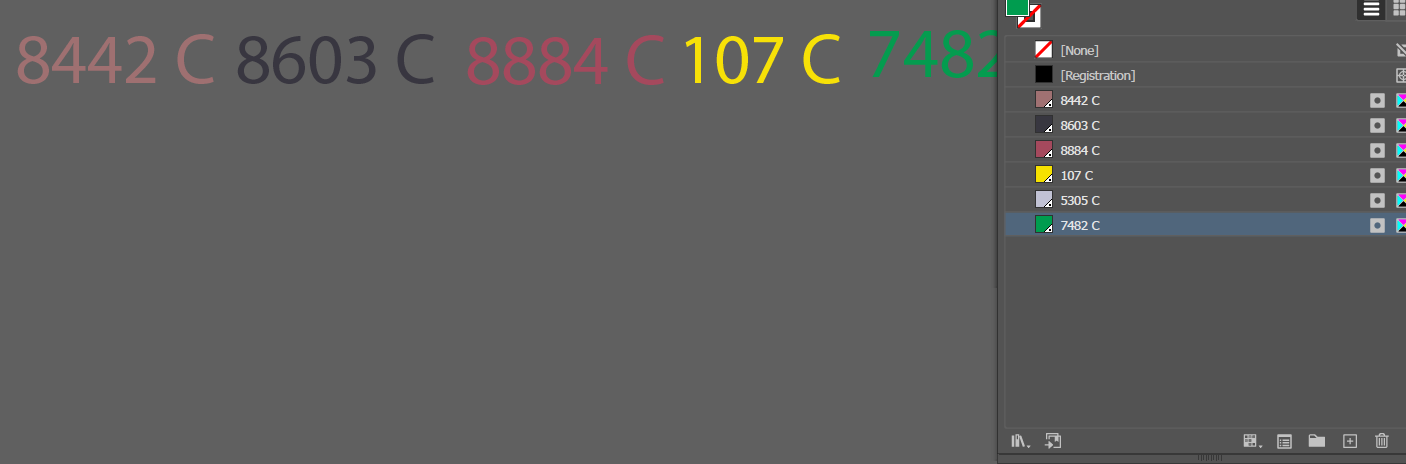
thank you @femkeblanco !! Can I ask you for one correction? When I change the size, or if the text is too long, it appears like this.


AntonioPachecoHN_0-1667510796577.png

Is there a way to make the text frame adaptable? Because otherwise I need to make the frame bigger manually with the mouse, thank you!

Translate
Report
Community guidelines
Be kind and respectful, give credit to the original source of content, and search for duplicates before posting. Learn more
community guidelines
Guide ,
Nov 03, 2022 Nov 03, 2022

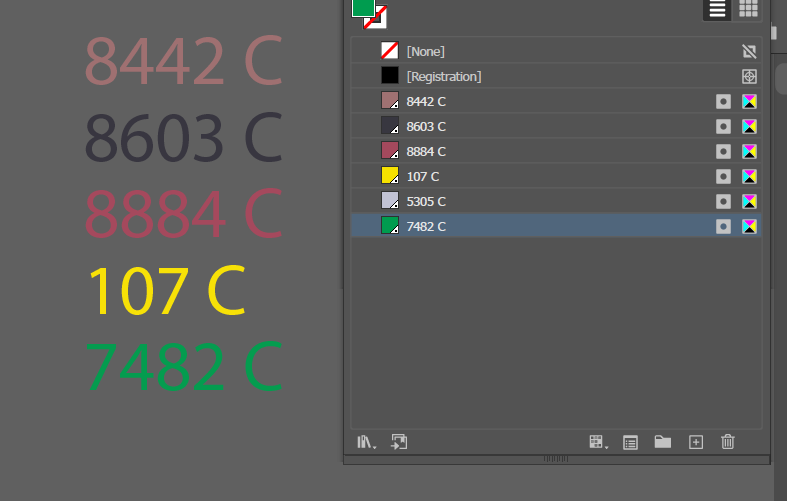
There are few options (each with pros and cons):  you could do trial and error, manually changing width (+/- height) in line 3; you could switch to point type and not be bound by width; you could make width and height proportional to font size; or you could vary width according to content.  I've used a combination of the latter two below. 


var orientation = "vertical";  // or "horizontal"
var size = 10;
var w = size * 2, h = size, x = 0, y = 0;  // width, height, left and top
var doc = app.activeDocument;
var swatches = doc.swatches;
var group = doc.groupItems.add(); 
for (var i = 2; i < swatches.length; i++) { 
    var rect = doc.pathItems.rectangle(y, x, w, h);
    var text = doc.textFrames.areaText(rect);
    text.contents = swatches[i].name;
    text.textRange.size = size;
    text.textRange.fillColor = swatches[i].color;
    while (text.lines[0].characters.length < text.characters.length) {
        text.textPath.width += size;
    }
    if (orientation == "horizontal") x += text.textPath.width;
    if (orientation == "vertical") y -= h;
    text.move(group, ElementPlacement.PLACEATEND);
}

 

Translate
Report
Community guidelines
Be kind and respectful, give credit to the original source of content, and search for duplicates before posting. Learn more
community guidelines
Contributor ,
Nov 04, 2022 Nov 04, 2022

Thanks a lot!

Translate
Report
Community guidelines
Be kind and respectful, give credit to the original source of content, and search for duplicates before posting. Learn more
community guidelines
Community Expert ,
Nov 04, 2022 Nov 04, 2022
LATEST

There are a few more variants of such scripts here in the forum, e.g.

Render swatch Legend Script  


Translate
Report
Community guidelines
Be kind and respectful, give credit to the original source of content, and search for duplicates before posting. Learn more
community guidelines