
jjsiegel
Participating Frequently
January 2, 2019
Answered

Turn off Tour

  • January 2, 2019
  • 6 replies
  • 3940 views

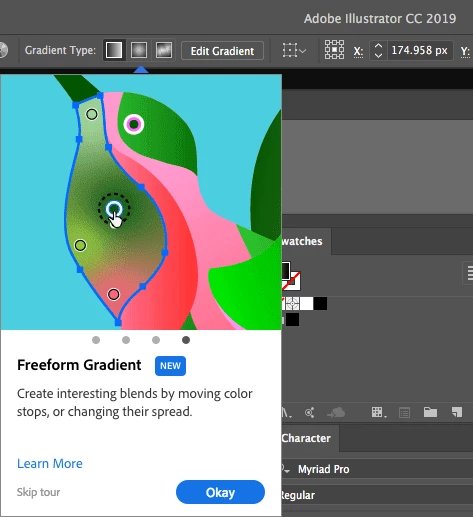
I've seen two threads where this has gone unanswered. This is a major productivity killer, it pops up every single time I go to use Illustrator, it's intrusive and the worst type of experience. There's no way to turn it off, it keeps coming back. Has anyone resolved this?
This topic has been closed for replies.
Correct answer John Mensinger

^Right. Here it went Skip Tour > continue working > never see it again...

6 replies

Participant
March 18, 2021

god adobe is just full of jackasses.    


designers at adobe: since we get all this money from month to months,  lets not fix the old problems that have been in the sys for years, lets make things more annoying.  Lets make popups default !!


FO

jjsiegel
jjsiegelAuthor
Participating Frequently
September 14, 2019

I'm guessing this will never get resolved, ever. Every single time I use Illustrator, Photoshop, or Indesign, giant animated tooltips will show constantly, like banner ads now flashing while I do my work. What a great experience, I hope Adobe continues to keep innovating, like thinking how to shuffle key commands with every new release and changing functional behaviour randomly.

Monika Gause
Community Expert
Community Expert
September 14, 2019
Please don't post into every available thread. Continue the discussion here: https://community.adobe.com/t5/Illustrator/How-Do-I-Turn-Off-That-Annoying-Tour-Window/m-p/10607446#M144320
jjsiegel
jjsiegelAuthor
Participating Frequently
July 3, 2019

This never got resolved, the giant animated tour popup still appears every single time I use Illustrator, despite clicking Skip Tour each time. Also I don't think Adobe reads these forums, ever.

John Mensinger
Community Expert
Community Expert
July 3, 2019

jjsiegel  wrote

This never got resolved, the giant animated tour popup still appears every single time I use Illustrator, despite clicking Skip Tour each time.

That seems to suggest that your preference file is being reconstructed on each launch for some reason. Does the installation reside on a shared drive? I'd try making a new user account to see if it makes a difference.

jjsiegel
jjsiegelAuthor
Participating Frequently
September 14, 2019
No, it's installed on my laptop, and has no strange configuration. My laptop is new, with a clean install of Adobe on it and nothing carried over from my last laptop. It's basically a new laptop where I turned it on the first time, went to Adobe's site, bought CC, downloaded and installed it with nothing else installed on my new laptop. So safe to say this is their engineering issue.
Participating Frequently
March 4, 2019

This question hasn't been answered. I want to disable all these "helpful" "rich" tour items. It's no better than spam and a waste of resources.

Monika Gause
Community Expert
Community Expert
March 4, 2019

BJN3  schrieb

This question hasn't been answered. I want to disable all these "helpful" "rich" tour items. It's no better than spam and a waste of resources.

Obviously it has been answered, because the thread opener marked it so.

If that doesn't work for you, please tell us details about your system. On my system I closed them once and then never saw them again.

Participating Frequently
March 4, 2019

The issues of having to deal with contextual popups mentioned by the OP are not addressed by the reply. Skip Tour only stops one contextual tour item. You will still get them when in different tool and panel contexts. If you want to address the OP's concerns about productivity and UX annoyance, we need a means to opt out of all "rich" tour popups, not swat them down individually.

John Mensinger
Community Expert
John MensingerCommunity ExpertCorrect answer
Community Expert
January 2, 2019

^Right. Here it went Skip Tour > continue working > never see it again...

grammame
Participant
July 3, 2019

^Right. Here it went Skip Tour > continue working > never see it again...

SO ... this is an answer???  Two decades in Illy and it's cute that you know all the shorthand, but can you translate this please?

John Mensinger
Community Expert
Community Expert
July 3, 2019

grammame  wrote

SO ... this is an answer???

It was my simple way of relating the sequence of events I experienced. I had no involvement with it being marked the correct answer.

Two decades in Illy and it's cute that you know all the shorthand, but can you translate this please?

I don't know what the beginning of that sentence means, but there's nothing remotely cute about me, and I was attempting to present something succinctly. "All the shorthand," is something I surely don't know.

Translation: When the tour popup appeared the first time, I clicked Skip Tour and continued working, and then never saw the tour popup again.

I'm sorry you found version 1 so obtuse.

Monika Gause
Community Expert
Community Expert
January 2, 2019

There must be some issue with your preferences, because usually once you have seen it, you won't see it again.