


Type on a path with background
Hi guys, **see image below for what I am trying to achieve"
Im looking to have a rounded rectangle follow text which is on a path
So essentially I want the text to have a background.
Is there a way to achieve this?
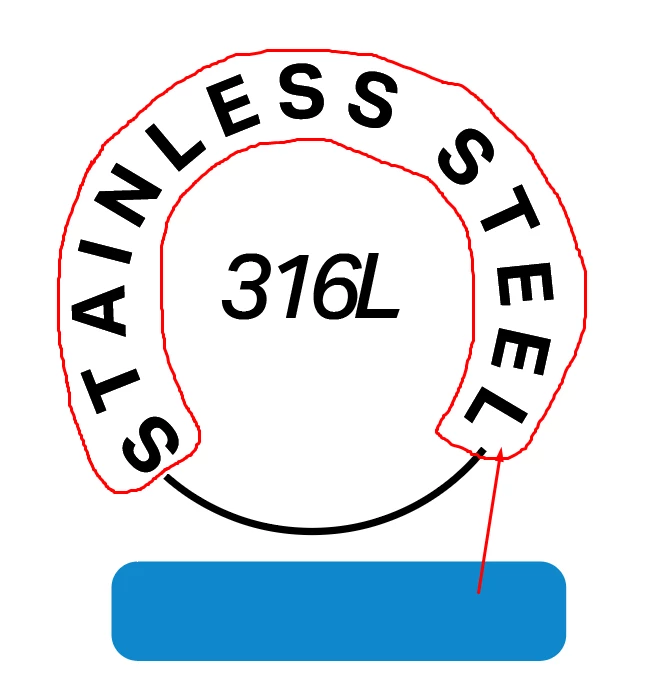
Hi guys, **see image below for what I am trying to achieve"
Im looking to have a rounded rectangle follow text which is on a path
So essentially I want the text to have a background.
Is there a way to achieve this?

Type on Path combined with an art brush works pretty well with rounded corners if one uses an appropriate Stretch Between Guides setting in the Art Brush Options. There should be no or only minor distortions.
Sample Illustrator file: Stainless Steel
A drop of bitterness is that you'll get a rather scruffy object with many superfluous anchor points as soon as you expand its appearance. Object menu > Path > Simplify (probably a couple of times) may then be desired to clean it up.
Already have an account? Login
Enter your E-mail address. We'll send you an e-mail with instructions to reset your password.