
JSDCo.
Participant
October 13, 2023
Question

Type On Path Tool Glitch

  • October 13, 2023
  • 2 replies
  • 193 views

Just downloaded the new Adobe Illustrator v 28.0.0 and when I go to type on path (never been illustrators strongest feature) the text indicators are far too large to properly manipulate. It's like using a baseball bate to sew a button on a shirt. Anybody else having this problem? Or am I a white buffalo? Photo attached.
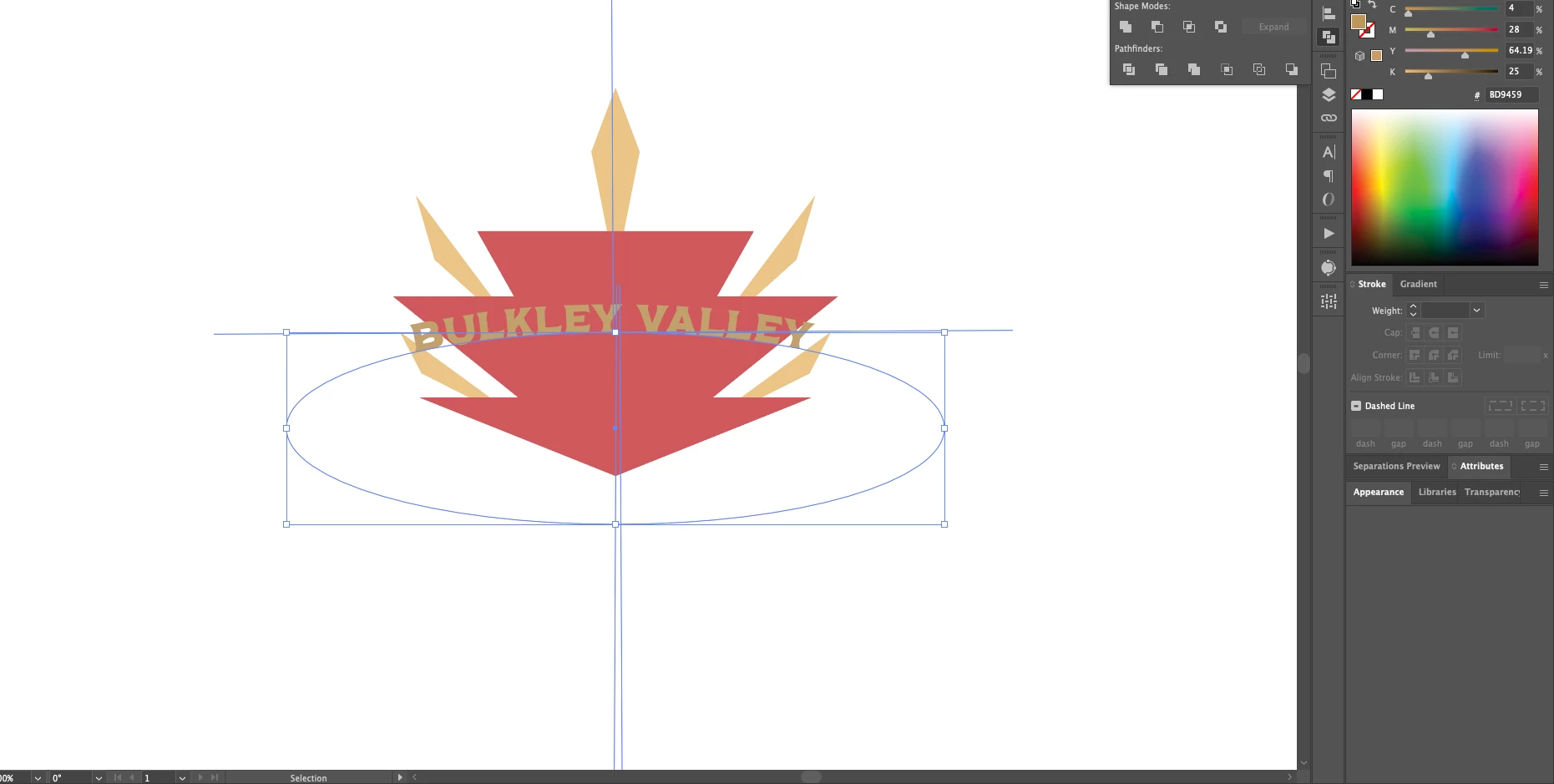


This topic has been closed for replies.

2 replies

Anshul_Saini
Community Manager
Community Manager
October 16, 2023

Hi @JSDCo.,


Thank you for reporting this issue with the Type on Path tool in Adobe Illustrator 28.0.0. It's important to understand if this issue is file-specific or if it happens in a new document as well.


Here are some steps to further diagnose and potentially resolve the problem:

  • New Document: Can you try creating a completely new document and see if the issue persists there as well? This will help determine if it's related to your specific file.
  • Preferences Reset: Sometimes, preferences can cause unexpected behavior. You can try resetting Illustrator preferences. To do this, press and hold Alt+Control+Shift (Windows) or Option+Command+Shift (Mac) while launching Illustrator. A dialog box will appear, asking if you want to delete the Illustrator settings folder. Confirm and see if it resolves the problem.
  • Check Other Objects: Are you experiencing this issue with a specific path or object in your document? Try drawing a new path and apply Type on Path to it to see if the problem persists.


By performing these steps, you can narrow down the source of the issue and potentially find a solution. If the problem persists, please provide more details, and we'll continue troubleshooting. Thank you for your patience.


Best,

Anshul Saini

Monika Gause
Community Expert
Community Expert
October 13, 2023

So there's not a huge lineheight set up? In that case maybe reset the preferences?

On my computer the handles have the normal size.