
Typing new text changes formatting
Hi all,
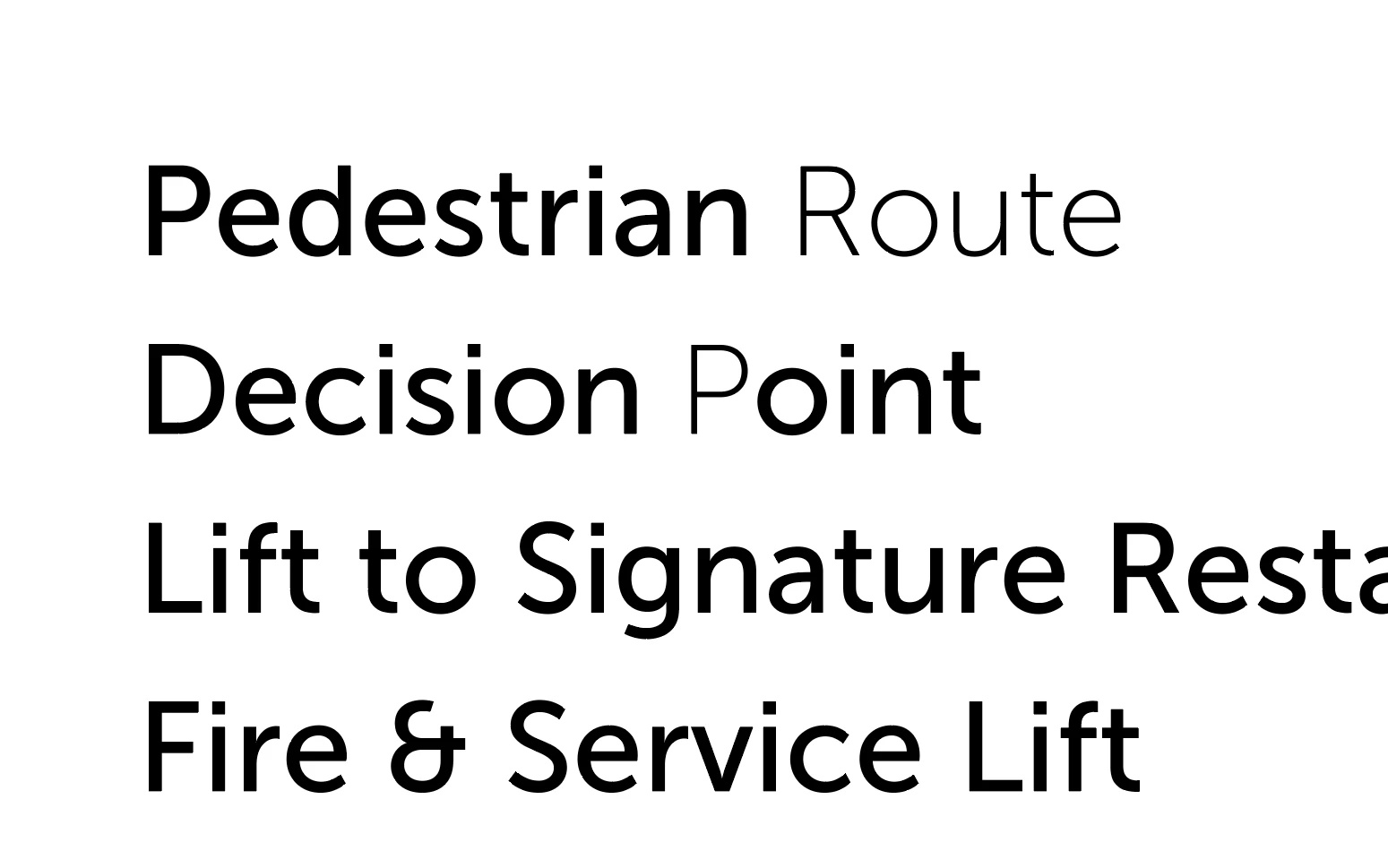
I'm having some odd behaviour in Illustrator: typing new text into an existing (formatted) text box ignores the existing formatting. In the screencap above the text box was formatted to Museo Sans 500. Typing the word "Route" and the letter "P" changed the formatting to Museo Sans 100 for those characters.
This has happened over multiple machines (a work Mac, and my personal Windows 11 laptop). It has also happened that the font itself has been changed when typing new characters, i.e. it wouldn't just be a different weight of the existing font but an entirely different font (one used elsewhere in the document) when typing new text into an existing text box.
The default font for the above screencap was Myriad Pro Regular, so it's not just that it's using the default font for new text.
There are no Paragraph or Character Styles present or active when this happens.
Does anyone know why this might be happening?
Thanks in advance,
Jo
 AdChoices