New Participant
November 26, 2019
Answered

UI Scalling Slider is missing - Illustrator v23 & v24 on Windows

  • November 26, 2019
  • 5 replies
  • 9148 views

hey there,

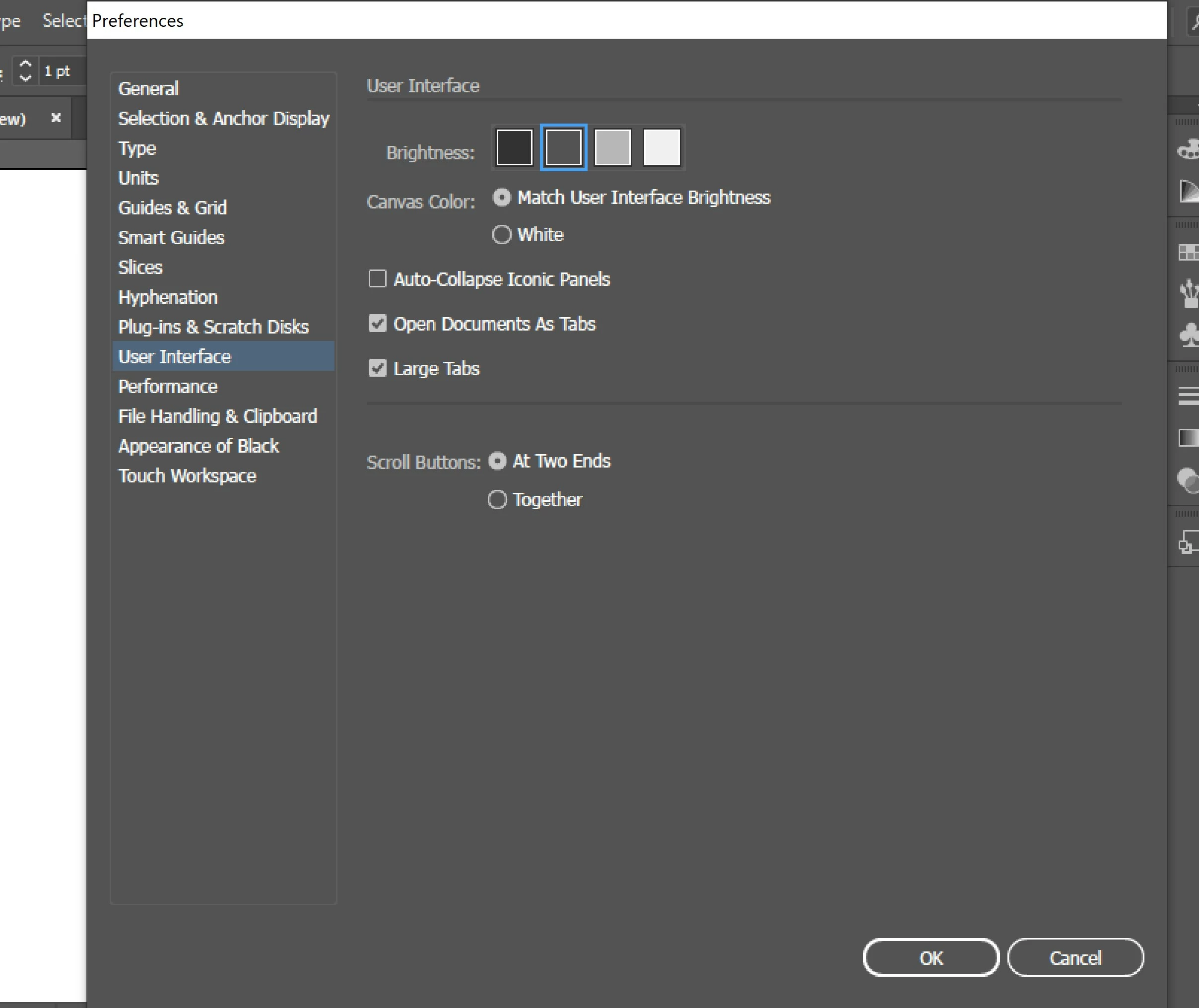
How can I resize the UI scale? I mean, all windows are shown too big and i'm not able to make them smaller in the "preferences" 

I also checked for some tip around here, but everything i found talk about the steps Edit> Preferences > User interface / UI Scalling slider, but this slider doesnt show up in the 23.1 or 24 versions 


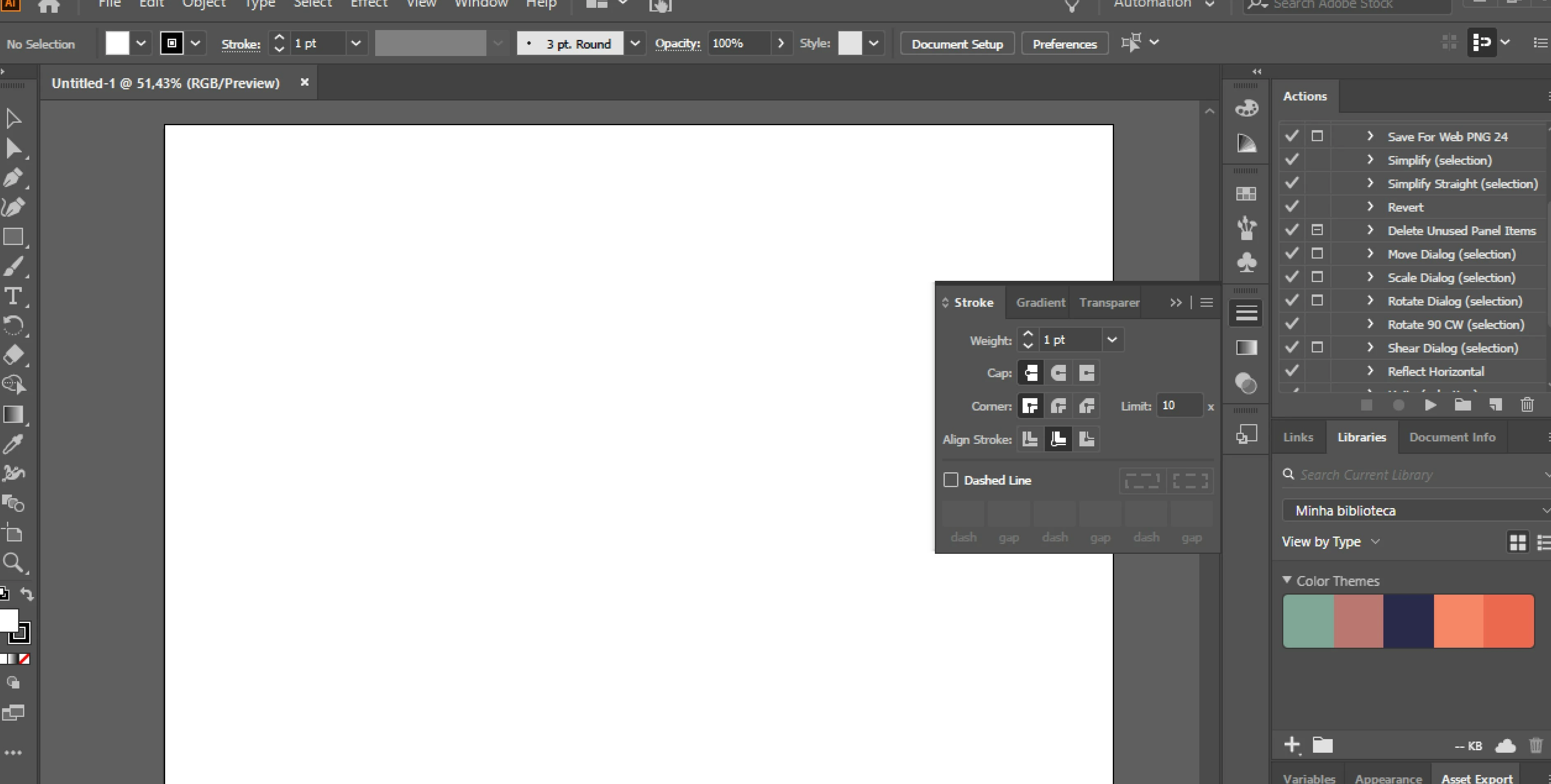
I do need more tools in my workspace but its impossible to set it with this size of windows. what should i do? 

tks, Moni


{Renamed by MOD}

Correct answer Ashutosh_Mishra

Hi Moni,


Thanks for reaching out. This is definitely an unusual behavior from the app. UI scaling slider should be available for you to make changes.

I'd recommend you to reset the preferences of the Illustrator once. You may follow the steps provided here:

  • Close all Adobe applications. 
  • Go to Location C:\Users\user\AppData\Roaming\Adobe 
  • Rename  Adobe Illustrator and Adobe Illustrator 24 Settings folders to Adobe Illustrator.old and Adobe Illustrator 24 Settings.old 
  • Launch Illustrator from the Creative Cloud. 


Please note that resetting preferences will remove all the custom settings and Illustrator will launch with default settings. This way all your old settings will be saved in .old folders and Illustrator will recreate new folders with default settings.


Let us know if it helps.


Regards,

Ashutosh

5 replies

New Participant
June 12, 2022

I've had this same problem, none of the solutions proposed on this thread have worked, please help

Anshul_Saini
Community Manager
Community Manager
June 14, 2022

Hi @Abigayle24602580kk4l,


I am sorry to hear about that. I would like to inform you that UI scaling in Illustrator is only available if you have a display resolution of 1920 x 1080 and the Scale or DPI setting is set to 100% or 125%.


If I decrease the display resolution to 1280 x 720 or increase the Scaling or DPI setting to 150% at 1920 x 1080 resolution, then the UI scaling option disappears from the Illustrator preferences.


However, if your display resolution is 1920 x 1080 and Scaling/ DPI settings are set at 100%, and you are still unable to see Illustrator UI scaling options in preferences, then you may try the following steps:


I hope this helps!


Thanks & regards,

Anshul Saini

rainerbow
New Participant
November 21, 2020

I found a ridiculous workaround. But still frustrating that it's definitely not a true fix...


I have Windows 10. And I had to change the display settings on my actual computer. The default scale & layout is 300% for my laptop. I read on another forum that the scale needed to be 225% and then you could see the rotate arrows around objects again. So I changed my scale to be 225% and restarted illustrator. And now the UI slider appears and you can scale the UI to something different!


Of course this still did not give me back my rotate arrows so that's another infuriating thing... on top of the fact that everything on my computer has to be tiny in order for illustrator to allow me to re-size the UI.


WTF adobe???? And no, I'm not going to reset all my preferences just because you don't have a solution and are throwing out random stuff. If I reset my preferences, I lose all my saved settings. Even loading preferences from a file doesn't give me back ALL of my previous settings and preferences. The fact that this is just thrown out as a "solution" is awful. Do better, Adobe. If you don't have a solution, then don't respond. But stop telling everyone to reset their preferences for crying out loud...

New Participant
November 20, 2023

Have you found a fix? Currently having the same issue.

Anshul_Saini
Community Manager
Community Manager
December 27, 2023

Hello @Zak3364474954tr,


Sorry for the delayed response.

To address the missing UI Scaling slider issue in Illustrator, please confirm the following:

  • Display/Screen Resolution

  • Scaled Percentage on Windows: On Windows machines, if you have scaled the display settings to a higher percentage (e.g., 125% or 150%), it might impact the availability of the UI Scaling slider. Try setting it to 100% and see if the slider appears.


For optimal UI scaling and the availability of the slider in Illustrator, a common setting is a display resolution of 1920x1080 with a 100% scaled setting.


If the issue persists after checking these settings, please provide more details about your system, such as the operating system version and any specific steps you've taken.


This information will help in further troubleshooting.


Let me know if you have any other questions or if there's anything else I can assist you with!


Best,

Anshul Saini

haakonaa
New Participant
July 17, 2020

I'm having this same problem now. Or rather, a version of it. 

A couple of days ago, while I had my laptop docked and connected to two monitors I scaled up the UI using the slider under the UI preferences. Now, however, when I'm not docked  but working directly on the laptop, the slider is gone and I'm stuck with a toolbar and panels which are way too big for my screen.


The resolution is 1920x1080. Windows 10. 

Monika Gause
Community Expert
July 17, 2020

In the Windows system settings can you assign a higher resolution to your monitor and then restart Illustrator, so that the slider appears again? You can then adjust it and change resolution again.

Of course you could also try and reset the Illustrator preferences.

https://helpx.adobe.com/illustrator/using/setting-preferences.html (rename the folder, because that can be reverted)

rainerbow
New Participant
November 21, 2020

I have Windows 10. Making the scaling on my entire computer smaller (225% instead of the 300% default) and then restarting Illustrator brought back the UI scaling.


But this is isn't actually a fix because I shouldn't have to make EVERYTHING on my computer really small in order to be able to scale my adobe UI. This is obviosuly a bug - do you know when it will be fixed?


Also re-setting preferences is obviously not needed because it's not a preferences issue, it's an issue with the program, itself.

Myra Ferguson
Community Expert
November 26, 2019

Which version of Windows are you using? Although Illustrator can run on Windows 7 (64-bit) w/Service Pack 1, the Scalable UI feature is supported on Windows 10 with a minimum resolution of 1920 x 1080). https://helpx.adobe.com/illustrator/system-requirements.html

Ashutosh_Mishra
Ashutosh_MishraCorrect answer
Inspiring
November 26, 2019

Hi Moni,


Thanks for reaching out. This is definitely an unusual behavior from the app. UI scaling slider should be available for you to make changes.

I'd recommend you to reset the preferences of the Illustrator once. You may follow the steps provided here:

  • Close all Adobe applications. 
  • Go to Location C:\Users\user\AppData\Roaming\Adobe 
  • Rename  Adobe Illustrator and Adobe Illustrator 24 Settings folders to Adobe Illustrator.old and Adobe Illustrator 24 Settings.old 
  • Launch Illustrator from the Creative Cloud. 


Please note that resetting preferences will remove all the custom settings and Illustrator will launch with default settings. This way all your old settings will be saved in .old folders and Illustrator will recreate new folders with default settings.


Let us know if it helps.


Regards,

Ashutosh

rainerbow
New Participant
November 21, 2020

How is removing all preferences and customs settings supposed to fix this?

FYI - for me, I had to change the scale of my entire computer to be smaller in order for the UI slider to come back. So it seems the UI slider is just not available if your computer scaling is over a certain number. Which means this resetting one's preferences isn't going to help. This is obviously a bug - when will it be fixed? I shouldn't have to make EVERYTHING on my computer very small in order to re-size my adobe UI.