
Unable to access illustrator cloud documents
Hoping someone here can help.
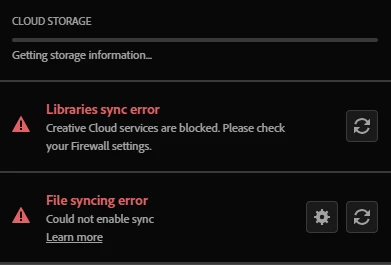
I have been getting a file sync error on my CC App for a while but more recently I am unable to access my illustrator files that have been saved as cloud only. It flags an error message saying to contact the document owner.
I have switched off my fire wall to see if that would allow files to sync, but it didn't. I then completely removed adobe products from my machine including using the cleaner tool to remove everything. I then installed the CC App fresh and illustrator. But I am getting the same errors.
I installed the CC App on another device and was able to access the file. Unfortunately I can't use my daughter's aging laptop as my primary device.
So far I have spent over 4 hours with adobe support agents trying to fix this but to no avail. I am the lead designer where I am and my team can access the files because I shared them with them previously, but I also need access.
Does anyone have any further ideas about what could be happening?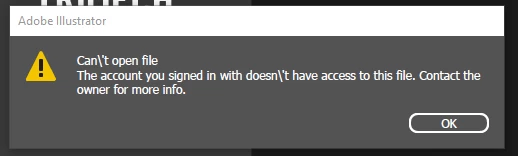
 AdChoices