Answered
Unable to activate Adobe Fonts in Illustrator
Hi does anybody know why I can't activate some fonts in Illustrator even though that I have them all activated on Adobe Fonts website?
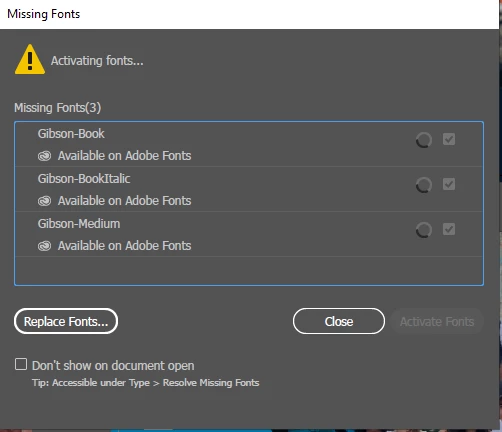

Hi does anybody know why I can't activate some fonts in Illustrator even though that I have them all activated on Adobe Fonts website?
Hello Daisy257850414v9d,
Sorry to hear about this experience. I would request you try uninstalling (https://helpx.adobe.com/in/creative-cloud/help/uninstall-creative-cloud-desktop-app.html) and then reinstalling (https://helpx.adobe.com/in/download-install/kb/creative-cloud-desktop-app-download.html) the Creative Cloud Desktop application and then relaunch Illustrator to check if it helps.
Looking forward to your response.
Thanks,
Anubhav
Already have an account? Login
Enter your E-mail address. We'll send you an e-mail with instructions to reset your password.
 AdChoices