
Question
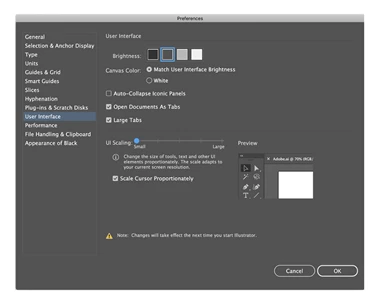
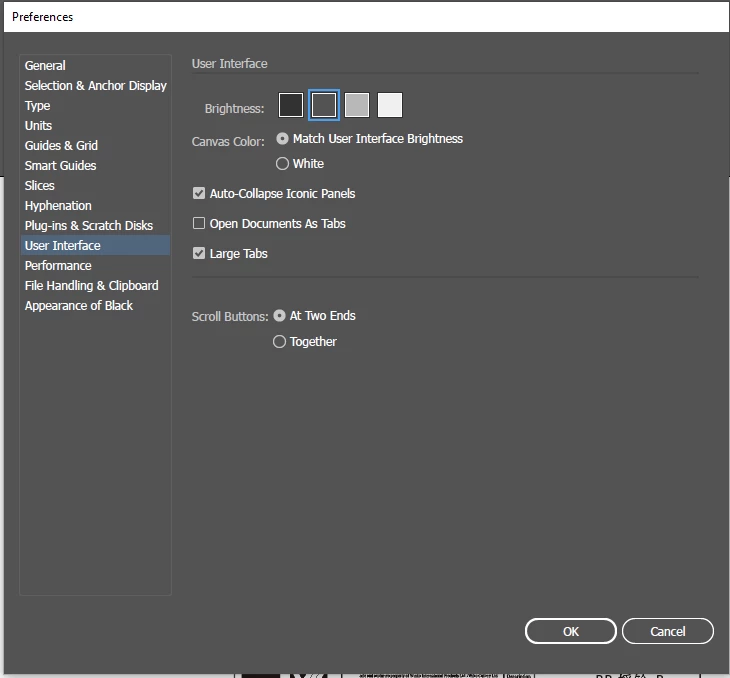
Unable to find the UI Scaling option in preferences on Illustrator 2019 on Windows 10
Having issues with 2019 version while using hotdoor CADtools. Viewed great with 2018, but in 2019, it's too tiny to read. Solution I am given is to go to Preferences>User Interface and up the scale. And I'm shown the screenshot on the left for the adjustment scale. However, my AI has the screen on the right. Why is this? Running Windows 10 Pro / 64-bit.
{Renamed by MOD}
 AdChoices