
Participant
February 12, 2025
Question

Unable to use Adobe fonts in Illustrator and Photoshop

  • February 12, 2025
  • 2 replies
  • 569 views

My organization has a license to use pretty much all of Adobe's stock and font resources. Unfortunately, I have been trying to use a number of Adobe fonts in Illustrator and Photoshop without success. It's been really frustrating.

I'm signed into our Adobe account when I use Illustrator. When I look for a font using the "Find more fonts" tool, I get a list of available fonts. Okay, fine, but when I click on the tiny cloud on the right side to activate the font it seems to be doing something but the font never becomes available (see the image below).
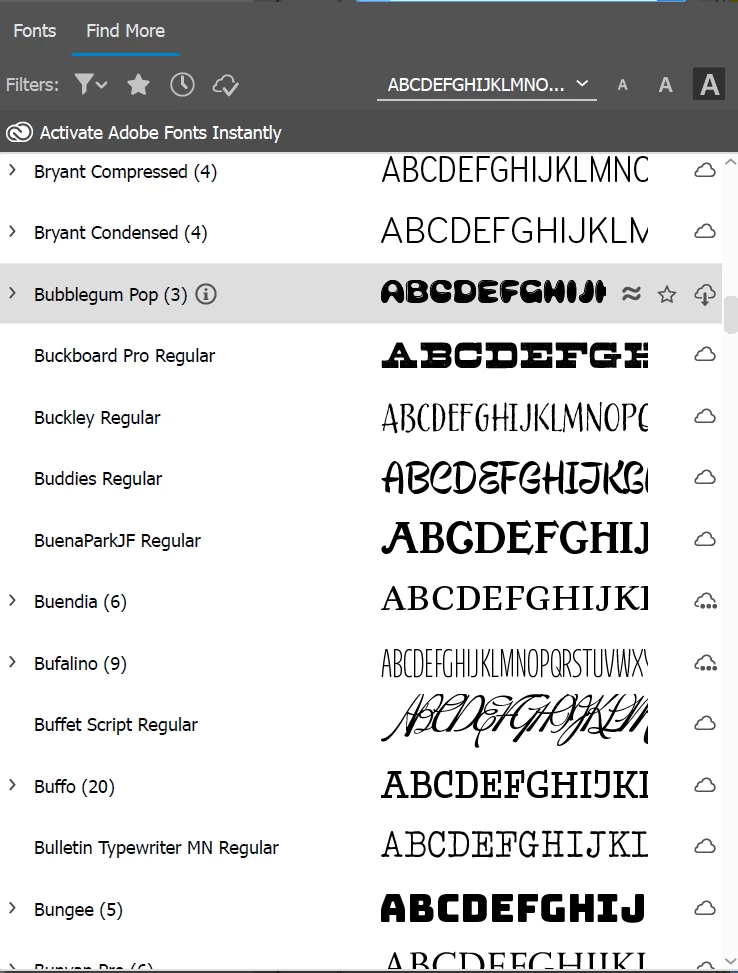
Am I doing something wrong?

    2 replies

    Monika Gause
    Community Expert
    Community Expert
    February 14, 2025

    When you open the Creative Cloud app and then in the upper right vorner click on the little cursive f you get a list of the fonts you have synchronized. Is that complete? Does it show any issues? Is synchronization turned on in the Creative Cloud app?


    Is your account managed by an IT departments and have they disabled the service?

    Participant
    February 19, 2025

    I don't have a cursive "f" anywhere in the Creative Cloud app. I now believe our org does not allow this because of potential security issues.

    Another reason this way of managing fonts is a problem, not a solution. All those fonts and I'll probably have to jump through hoops to get at them, if I can access them at all.

    So much for "unlimited" access.

    Monika Gause
    Community Expert
    Community Expert
    February 20, 2025

    Can you talk with IT? Maybe give them this list: https://helpx.adobe.com/enterprise/kb/network-endpoints.html 

    Community Expert
    February 12, 2025

    I think the "Find More" function in the Fonts menu of Adobe Illustrator works kind of slow. Generally, I prefer using the old fashioned method of loading the Adobe Fonts web site in a web browser. I'll see a bigger preview of the fonts I'm interested in adding and also see more information about the fonts. Once the fonts are added they'll be visible in Illustrator (and other Adobe apps).

    Participant
    February 13, 2025

    I've tried that method as well but four weeks after I first tried activating fonts via my browser, I've yet to use a new Adobe font.

    The old way of doing things was way better than this new setup.

    Participant
    February 13, 2025

    I've 'activated' several fonts, but they don't appear in Illustrator or any other application.