kenny27293
Known Participant
June 25, 2020
Answered

Unable to use any tool

  • June 25, 2020
  • 5 replies
  • 1575 views

Hi there,


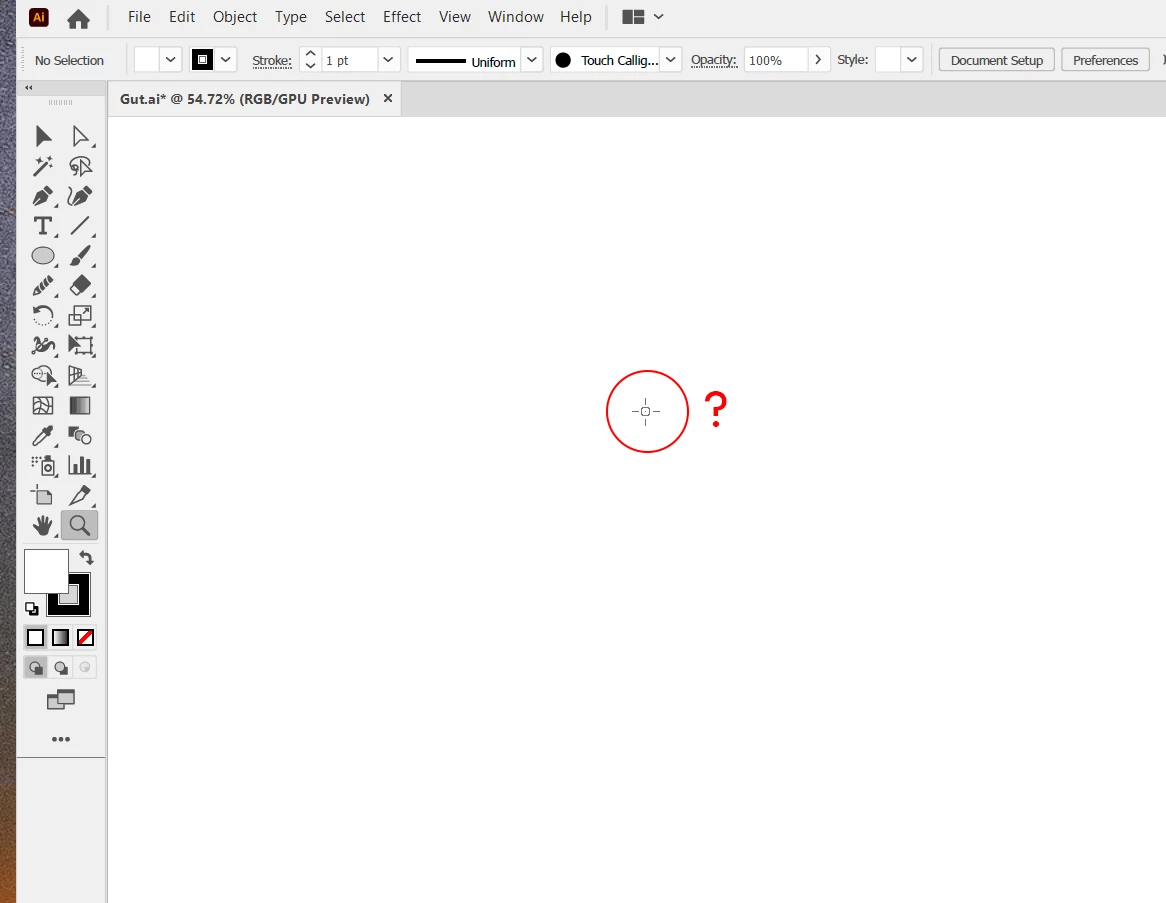
So basically for some reason, I am not able to use any tool in illustartor.

I think I pressed the wrong key combination.  I attached a screen shot.


I would appreciate your help.


Thanks!

This topic has been closed for replies.
Correct answer Kurt Gold

Well, which version of Illustrator are you using? What operating system?


Have you already quit and then restarted Illustrator? Have you tried to restart your entire machine (that is, your computer)?

5 replies

kenny27293
Known Participant
June 25, 2020

Hi everyone,


Restarting my machine did the job. I could have think about that.


Thanks yall!

Ashutosh_Mishra
Inspiring
June 25, 2020

Hi Kenny,


Sorry to hear about your issues. In addition to what Kurt asked, have you tried resetting preferences?
If not, please try doing that. Follow instructions on help article

https://helpx.adobe.com/illustrator/using/setting-preferences.html#setting_illustrator_preferences 

**Please note that resetting preferences will remove all the custom settings and Illustrator will launch with default settings. You can also take a backup of the folders in case you want to. Location is mentioned in the article.


Let us know if it helps. Looking forward to your response.


Regards,

Ashutosh

Participant
November 19, 2021

hi 

i can't use some tolls ?

like line tool ,pen tool , converture ,type tool .... ??

how i can fix that 

i have downloud the new virigion 

i am using MAC PRO

thanks 

Doug A Roberts
Community Expert
Community Expert
November 19, 2021


1 is the toolbar. Click on the tools here to select them. The pen tool & curvature tool are 3rd & 4th from top respectively. Click and hold on the rectangle tool to see the line tool and others.

2 is the toolbar customisation menu. Click and drag tools from here to the toolbar, or vice versa. If a tool is greyed out here, it is already in the toolbar.


Please read this:

https://helpx.adobe.com/illustrator/using/tools.html

Kurt Gold
Community Expert
Kurt GoldCommunity ExpertCorrect answer
Community Expert
June 25, 2020

Well, which version of Illustrator are you using? What operating system?


Have you already quit and then restarted Illustrator? Have you tried to restart your entire machine (that is, your computer)?

Monika Gause
Community Expert
Community Expert
June 25, 2020

But when you choose the brush tool, can you then draw?

kenny27293
Known Participant
June 25, 2020

Nope I am not able to draw.

Or if I choose the zoom tool I am not able to zoom, and so on.

Kurt Gold
Community Expert
Community Expert
June 25, 2020

Not sure about that, but what happens if you press the Caps Lock key on your keyboard?


You have probably just activated "precise cursors".

kenny27293
Known Participant
June 25, 2020

I have tried that but nothing.

I don't think it's the precise cursor.

Every tool gives me that same cursor.


Thanks though