troyo28592990
Inspiring
November 27, 2018
Answered

Undesired behavior with updated Crop tool

  • November 27, 2018
  • 1 reply
  • 696 views

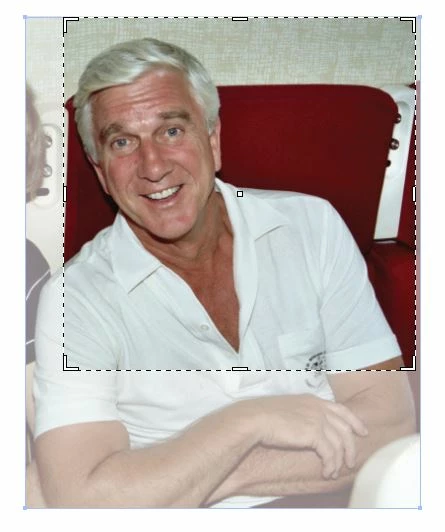
The previous Crop tool would snap to the dimensions of my image. Now it seems to snap to previous or arbitrary dimensions, despite the image size. And since there's no Clear button like in Photoshop, I have to manually adjust the dimensions each time.

The previous version is preferred. Any way to revert back to the old behavior?
    This topic has been closed for replies.
    Correct answer Kurt Gold

    Hmm. It happens to me every time. And Esc doesn't clear the fields, it just deactivates Crop.

    Here's the arbitrary crop preview on two images. Neither setting was previously applied.


    Take a look at the general Illustrator preferences. There is an option to activate "Content-Aware Settings".

    Disable that option.

    1 reply

    michelew83603738
    Community Expert
    Community Expert
    November 27, 2018

    Are you referring to the Artboard Tool?

    troyo28592990
    Inspiring
    November 27, 2018

    No. The Crop Image button for linked or embedded images. I guess technically it's not a tool as much as a function

    michelew83603738
    Community Expert
    Community Expert
    November 27, 2018

    I can't replicate your problem and you can press Escape for Clear