
Uniformly scale a shape within a shape in illustrator
Hi all,
Quick question about illustrator, I'm trying to uniformly scale a shape within a shape multiple times. The only semi easy way I seem to be able to do this is with the blend tool but even that doesn't work with even slightly complicated shapes and takes a very long time to create. Is there an easy way to do this or is it just not possible?
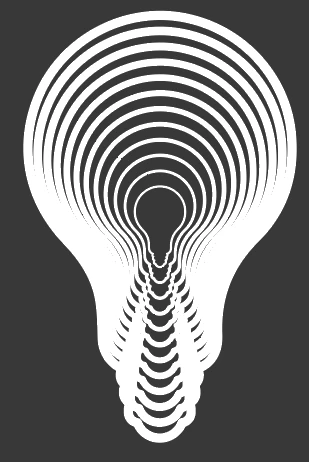
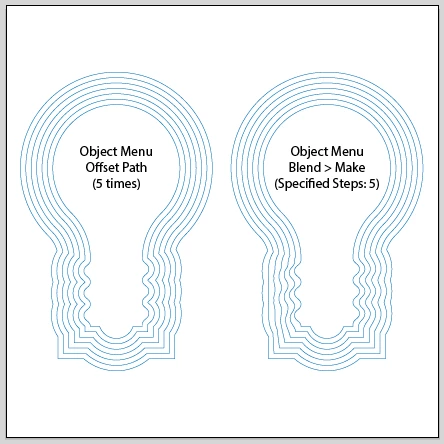
Please see below images for the context of the best I seem to be able to achieve but still, the lightbulb gets instantly distorted. I'd like to have the shape of the (in this case) lightbulb remain throughout the layers but if you scale up the shape you get what happens in picture two. So picture one is created by adding a stroke around the object until it gets very big, outlining it and then blending between that and the original ... but as you can see this doesn't give great results either. (This is the same as offsetting the path I guess)

 AdChoices