

thejanebradbury
Community Expert
Community Expert
August 4, 2023
Answered

Unknown error [UKCO] after updating Illustrator to v27.8

  • August 4, 2023
  • 32 replies
  • 7823 views

This error screen popped up initially during the launch of Illustrator. I clicked it, it went away and as Illustrator opened I thought maybe it was a one-time thing. 


But it pops up with every command change: change tool change colour etc.. You literally can't do anything without it appearing. 
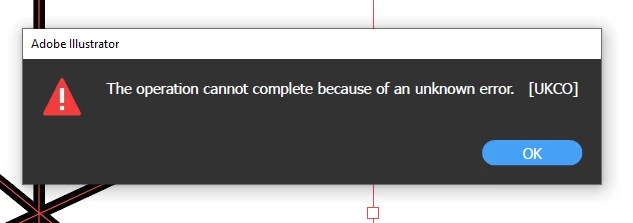
 

Is anyone else getting this error?  

This topic has been closed for replies.
Correct answer Anubhav M

Hello everyone,


Thanks for your patience. Our team has made some improvements in the latest version of Illustrator v27.8.1, which should help alleviate the trouble you're having with Illustrator. Would you mind trying to update to the latest Illustrator version and sharing your observations?


Looking forward to hearing from you.


Thanks,

Anubhav

32 replies

marko16151298
Participant
August 4, 2023

I'm also getting the error:


It's the same as you describe. any selection, button change, etc causes the popup.


I checed for updates and it said that Illustrator was "Updated a day ago" which is when the error started.

factory42.66501439
Participant
August 4, 2023

Same here! Can't use Illustrator, the popup appear every 2 seconds! Hope Adobe read this thread and fix the bug asap!

Participant
August 4, 2023

Exactly the same issue, since updating yesterday. 
Illustrator has become unusable.

La Gargouille
Participating Frequently
August 4, 2023

Considérons que c'est un bug et qu'Adobe va résoudre le problème rapidement car pour ma part, professionnelle, cela me pénalise dans mon travail et je suis incapable de travailler avec cette erreur qui s'affiche en permanence. Au prix de la Suite Adobe...c'est énervant. Tenons nous informés si quelqu'un trouve une solution. Merci !

Participant
August 4, 2023

I installed an older version just so I could meet my deadline. In the creative cloud, click on the 3 dots that's behind this version of Illustrator and select "other versions"

Participant
August 4, 2023

Did all of your preferences stay the same when you rolled it back? Heard that it can wipe all your workspace layouts out

Participant
August 4, 2023

Same here, it keeps popping up every 2-3 actions I take


Participant
August 4, 2023

I have the same problem sinced the update. Got it during the splash screen of Illustrater. And then when I click on different layers and tools etc.

Participant
August 4, 2023

yes very annoying, some features also do not work anymore, like image trace

Monika Gause
Community Expert
Community Expert
August 4, 2023

Did you already try and reset the preferences (which will erase all your settings)

La Gargouille
Participating Frequently
August 4, 2023

Oui et cela ne change rien. Toujours le problème.

Participant
August 4, 2023

Same here 

Participant
August 4, 2023

Same here with the 27.8 update. Every other click or action brings it up but it still performs the action once you dismiss the dialog