
Participant
July 31, 2020
Answered

(Urgent) Colors Washed Out after exporting to PDF

  • July 31, 2020
  • 6 replies
  • 35016 views

Hello,

My document in Illustrator, is original in RGB color mode, because the purpose of the project is not for printing. But when I exported it to PDF, I found that the colors were a bit "washed out", colors were not as sharp as the color shown on the Illustrator document. When I tried to export it in JPG, it shows the exactly same colors as the original document. 


My project will due on Sunday, and I was supposed to submit the PDF file. So I hope I can find the solution as soon as possible. Thank you.
Correct answer Monika Gause

Thank you for the explaination, I used "save as" as my method. So what should I do right now?


What happens when you include profiles?

Also: Apple Preview can show you if there's something in the file (but I wouldn't even rely on that). It won't be able to show you correct colors or anything like that.

For Acrobat: you need to check its color management settings.

Also: how are your color management settings in Illustrator?

6 replies

Participant
October 31, 2025

Having the same problem! The contrast is also super low

Doug A Roberts
Community Expert
Community Expert
October 31, 2025

Did you read the other responses in this thread? If they didn't help, please start a new thread with details of your exact workflow step-by-step, along with screenshots of your colour settings.

Participant
May 16, 2025

Hi i have a same issue how can i fix? 

Participant
August 11, 2024

I had the same issue whe exporting from Acrobat 2024 to Jpeg. My workaround was to open each page in PS then save as jpeg or PSD, to use in video editor. 

Participant
August 25, 2021

https://youtu.be/nHjfh0DXbVc

Recent Updates seemed to change my PDF Export Presets. I cut a tutorial video for you.

• File » Save a Copy

• Save File as a Photoshop PDF

• Change Adobe PDF Preset from [HIGH QUALITY PRINT] to [PRESS QUALITY]

• Problem Solved


Tim Schmidt

Founder

Agency511 Marketing and Advertising 

Monika Gause
Community Expert
Community Expert
August 25, 2021

This is the Illustrator forum. You can't save a Photoshop PDF out of Illustrator. And BTW: the issue has been solved.

Participant
May 16, 2025

Hi can you please tell me how to fix? When exporting files inllustation to PDF and colors appear washed out, 

Known Participant
March 18, 2021

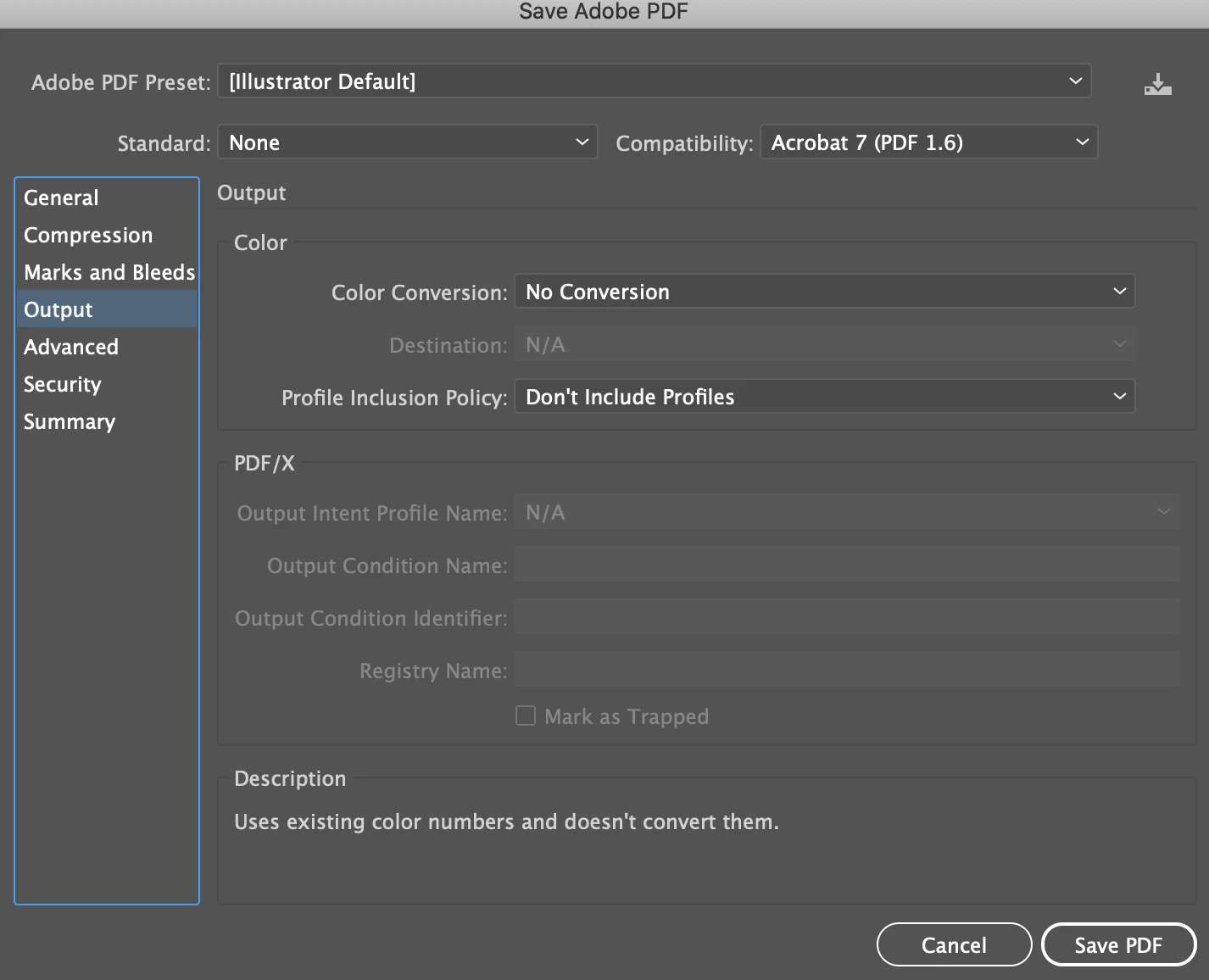
I had the same problem with saving PDFs from illustrator and I went to OUTPUT when saving the PDF and set "Color Conversion" to "Convert to Destination" and it fixed the pdf colors. 

Doug A Roberts
Community Expert
Community Expert
July 31, 2020

What PDF settings are you using? What are you using to check the colour after exporting?

ccheng28Author
Participant
July 31, 2020

Thanks for reaching me out! 

I used Adobe Acrobat and Preview(Mac default) to view the PDF, the color were still not as sharp as the JPG. I am not sure what is PDF settings, can you explain a little bit?


Thank you

Monika Gause
Community Expert
Monika GauseCommunity ExpertCorrect answer
Community Expert
July 31, 2020

Thank you for the explaination, I used "save as" as my method. So what should I do right now?


What happens when you include profiles?

Also: Apple Preview can show you if there's something in the file (but I wouldn't even rely on that). It won't be able to show you correct colors or anything like that.

For Acrobat: you need to check its color management settings.

Also: how are your color management settings in Illustrator?