
elinen36939909
Participant
November 10, 2016
Answered

Vector images distorted when saved as PDF

  • November 10, 2016
  • 5 replies
  • 5630 views

Hi everyone,

I'm having trouble with saving my artworks as PDFs. When I save it as a PDF and open it in acrobat all vector images become really distorted. It's just the vector images. The text is fine. The file I'm creating will be used mostly as a PDF, which is why I really need a good PDF version of it.

The left image is a screenshot of the PDF. The right image is a screenshot of the file in illustrator.
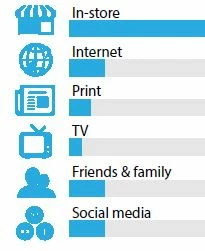
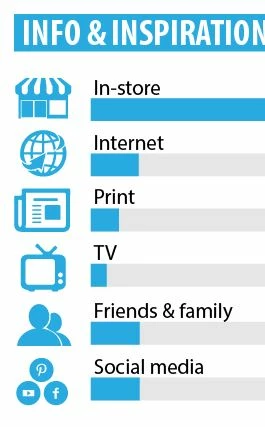
When I print it, it comes out fine. No distortion there.

Does anyone know what's going on here?

Thanks a lot in advance .

This topic has been closed for replies.
Correct answer rama_ai11751598

In addition to Enhance thin lines that Douglas and Ton pointed out, there is a setting "Smooth Line Art", check if this option is ON.

If you still face this issue, please send the pdf file to ShareWithAi@adobe.com

-Rama

Illustrator Team

5 replies

elinen36939909
Participant
November 10, 2016

Thanks so much everyone! Enabling "Smooth line art" did the trick.

rama_ai11751598
rama_ai11751598Correct answer
Inspiring
November 10, 2016

In addition to Enhance thin lines that Douglas and Ton pointed out, there is a setting "Smooth Line Art", check if this option is ON.

If you still face this issue, please send the pdf file to ShareWithAi@adobe.com

-Rama

Illustrator Team

Ton Frederiks
Community Expert
Community Expert
November 10, 2016

In Acrobat Preferences > Page Display > Rendering > Enhance thin lines

Does that make a difference?

Doug A Roberts
Community Expert
Community Expert
November 10, 2016

in acrobat prefs, page display section, there's a checkbox called 'enhance thin lines' that can sometimes cause things like this to appear. see if that's on.

Jacob Bugge
Community Expert
Community Expert
November 10, 2016

elinen,

It looks like a blurriness with the blue(ish) bleeding into the nothingness/white.

There are some settings for viewing PDFs that may (or may not) make a difference, but you cannot rely on their being used.

Have you tried viewing the PDF on a different computer/monitor?