

Randizzle McSavage
Participant
November 3, 2020
Answered

Vector lines from Illustrator to PowerPoint as given a height

  • November 3, 2020
  • 5 replies
  • 1268 views

Apologies if this has been covered already. If anyone has a link that would be amazing

I've recently found that whenever I'm creating vector illustrations in Illustrator, I'm importing them into PowerPoint as SVGs and anything that's a straight line vector (usually when drawing vertical and horizontal lines for X and Y axis), the line appears are a normal straight line with a width or height value, however it's turning it into a shape rather than a line. Instead of having only two anchor points at the end and beginning of the line, there's four anchor points. I find there's a hieght or width value of 0.03cm added to the lines


I've added an image here where a vertical line has a height value, plus a width value. All of these vector lines were created in Illustrator with the Pen tool


Really appreciate any and all help with this
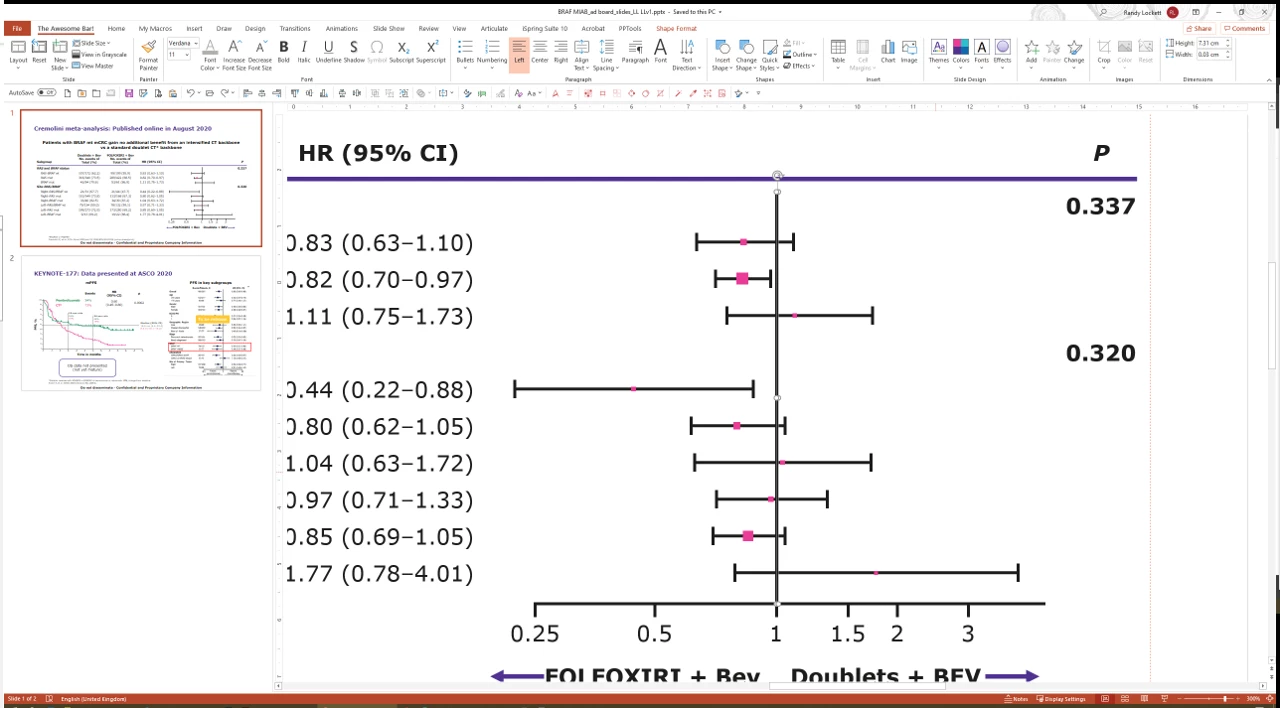


[ attachment inserted as inline image by moderator ]

This topic has been closed for replies.
Correct answer Kurt Gold

In case you are using recent versions of Illustrator and PowerPoint: Just copying (all) in Illustrator and then pasting into Powerpoint often works surprisingly well.


Often you first have to ungroup all in Powerpoint in order to convert things to Microsoft drawing objects. Then you may get a lot of native and editable Powerpoint objects (including basic stroked lines or type objects, for example).


You can try that, just to see if it may work in your cases.


5 replies

Kurt Gold
Community Expert
Community Expert
November 4, 2020

You could make the sample files anonymous, upload them to any file sharing provider and post a public download link.


As for the image in your initial post: If you cannot edit it and remove the image, you would have to ask a forum moderator to do it.


Kurt Gold
Community Expert
Community Expert
November 4, 2020

Can you share a couple of Illustrator files (.ai), so one can take a look?


Randizzle McSavage
Participant
November 4, 2020

Hi Kurt


Yes, of course, I'm just not sure now to send it to you. Plus could I have my original image from my post. Just realised there's client stuff and product names on there. Maybe uswe this image instead


Kurt Gold
Community Expert
Kurt GoldCommunity ExpertCorrect answer
Community Expert
November 3, 2020

In case you are using recent versions of Illustrator and PowerPoint: Just copying (all) in Illustrator and then pasting into Powerpoint often works surprisingly well.


Often you first have to ungroup all in Powerpoint in order to convert things to Microsoft drawing objects. Then you may get a lot of native and editable Powerpoint objects (including basic stroked lines or type objects, for example).


You can try that, just to see if it may work in your cases.


Randizzle McSavage
Participant
November 4, 2020

Hey Kurt


In my role I transfer redraws from Illustrator to PowerPoint all day long. I've grown very lazy and all I do not is copy and paste from Ill to PPt 😄


Generally it works perfectly apart from this fault. Having corner bounding boxes makes it near on impossilbe to drag vector lines to resive them. PowerPoint is such a pain. It seems to have started when PPt changed their options to paste in as an SVG. I can still paste as a MDO, however the text will disappear... withon hand he giveth, and the other other hand he giveth away 😄


All the best


Monika Gause
Community Expert
Community Expert
November 3, 2020

Try the plugin IR2Office.


And please don't attach screenshots. Embed them in your post instead.

Randizzle McSavage
Participant
November 3, 2020

Hi Monika


Thanks for this. I'll try it out. I was looking more of a solution in Illustrator. It seem a shame to have to pay a monthly subscription to Adobe only to have to pay another to get the IR2Office plug in as well. Everything seems to be for Mac as well, whereas I'm on PC


Ps. Sorry about the screen shot. I'm new to these community forums ;D 

Monika Gause
Community Expert
Community Expert
November 3, 2020

It's close to impossible to get editable artwork from Illustrator to Powerpoint.

If EMF doesn't work, then that's about it.

Omar.Fathy
Community Expert
Community Expert
November 3, 2020

Export it as PNG and use it in PPT.
But I think you need to edit it in PPT so it will not be good choice.

Randizzle McSavage
Participant
November 3, 2020

Thanks Omar, yes unfortunately everything needs to be fully editable


It seems such a strange bug, and I can fathom how to get around it. I'm sure there's a tick box somewhere I need to tick 😄