

Mohamad Ahmadi
Participant
November 23, 2021
Question

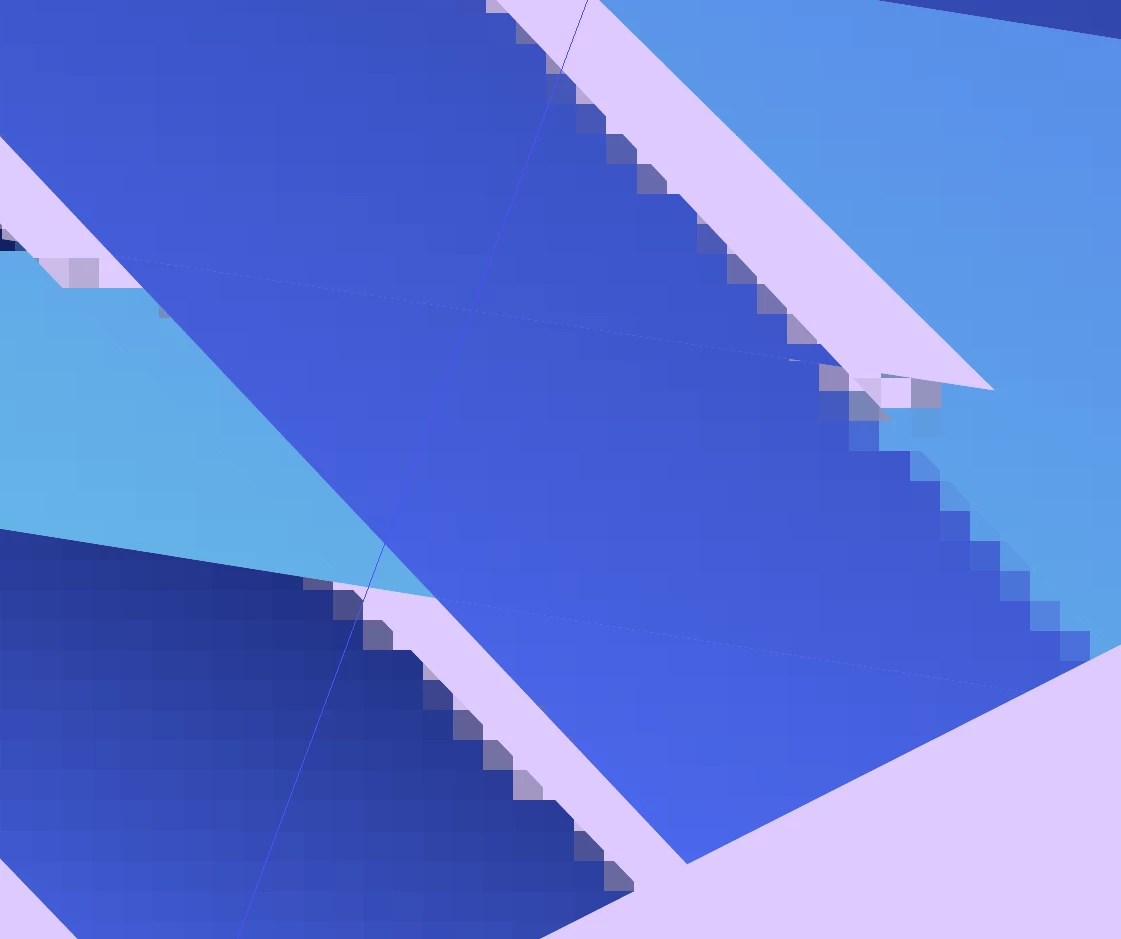
Vectors get pixelated after 3d effect(Rotate) in ver. 26.0.1

  • November 23, 2021
  • 3 replies
  • 5927 views

Hey there

I've a problem with last version released lately when I apply 3D effects, the shape is originaly created in illustrator and I've done this many times before but in this version it get pixelated.

for our surprise, it's not completely pixelated. a side of the shape gets pixelated but the other side stays vector.

even in a line of the side it's partly pixelated and partly vector.

I would really appreciate if you can help me with fixing this.

I attach the shots to get this better.

Thank's.

3 replies

Lukas Engqvist
Community Expert
Community Expert
November 26, 2021

What are the Document Raster Effects settings?
Are you using GPU or CPU preview?

Mohamad Ahmadi
Participant
November 28, 2021

At first the GPU performance had been off then I turned it on but the problem is still existed.

Ton Frederiks
Community Expert
Community Expert
November 23, 2021

Do you use the new 3D effect or the classic version?

Mohamad Ahmadi
Participant
November 24, 2021

In this case I've used the classic effect.
But I tested the new version 3d effects and this problem occured too.

Monika Gause
Community Expert
Community Expert
November 24, 2021

If there are dradients involved, Illustrator probably cannot render your objects in pure vector.

Set up a higher doument raster effects resolution.


Please tell us details about your objects if there are no gradients involved.

Mohamad Ahmadi
Participant
November 23, 2021

Additionaly, I checked it on macbook pro (my laptop is asus) and the problem is still there.