
Inspiring
October 6, 2022
Answered

Video safe title area

  • October 6, 2022
  • 3 replies
  • 1407 views

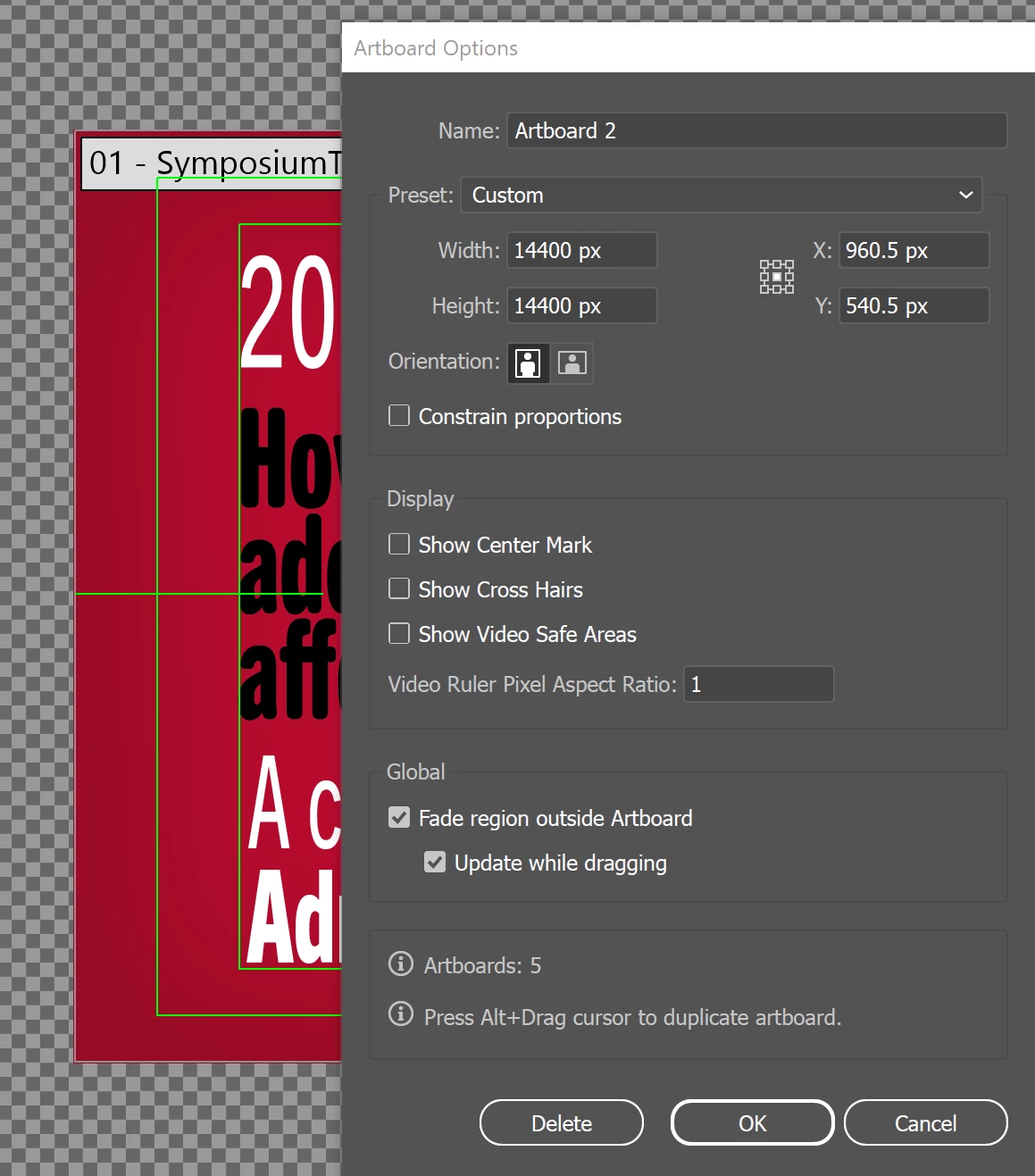
I've seen other suggestions about this, but they dont' work for me. I am rediting a file with safe video guides on, but I cannot get them turned off. As you see below, "show video safe areas" is off, but the guides are still there. What else is there to do?


This topic has been closed for replies.
Correct answer Doug A Roberts

The artboard shown is called '01 - Symposium...' but your options window is for Artboard 2 (the one covering the entire pasteboard). Either delete Artboard 2 or select your main artboard and try again.

3 replies

marliton
Community Expert
Community Expert
October 6, 2022

Hi. Unchecking "Show Video Safe Areas" should hide those guides. Maybe they were created with regular guides, you can check them with View > Guides > Hide Guides.

If you're sure those are Video Safe Areas guides, you can try resetting the preferences: https://helpx.adobe.com/illustrator/user-guide.html/no/illustrator/using/setting-preferences.ug.html


Marlon Ceballos
Doug A Roberts
Community Expert
Doug A RobertsCommunity ExpertCorrect answer
Community Expert
October 6, 2022

The artboard shown is called '01 - Symposium...' but your options window is for Artboard 2 (the one covering the entire pasteboard). Either delete Artboard 2 or select your main artboard and try again.

Inspiring
October 6, 2022

How astute of you! Yes, that was it. I don't usually create multiple artboards, so I was easily confused with that. Thanks.

Ton Frederiks
Community Expert
Community Expert
October 6, 2022

If you create a new document with a Film & Video preset, it always includes a 2nd artboard that covers the whole canvas. This is something to do with making importing into After Effects easier, but I don't know how useful it can actually be.


It is very useful, the large artboard allows you to animate the entire objects, even if parts of them fall outside the main artboard. If that large artboard is missing, everything outside the visible part of the main artboard would be cut off.

lambiloon
Community Expert
Community Expert
October 6, 2022

Hi, it is working for me in 2021 with artboard options when I unmark them all go off try to reset your preferences and try it...regards

Ali Sajjad / Graphic Design Trainer / Freelancer / Adobe Certified Professional