
Participant
August 23, 2022
Answered

Wacom pop-up window freezing Illustrator

  • August 23, 2022
  • 2 replies
  • 467 views

As at today (this has never happened previously) when I launch Illustrator a pop-up window comes up as follows:
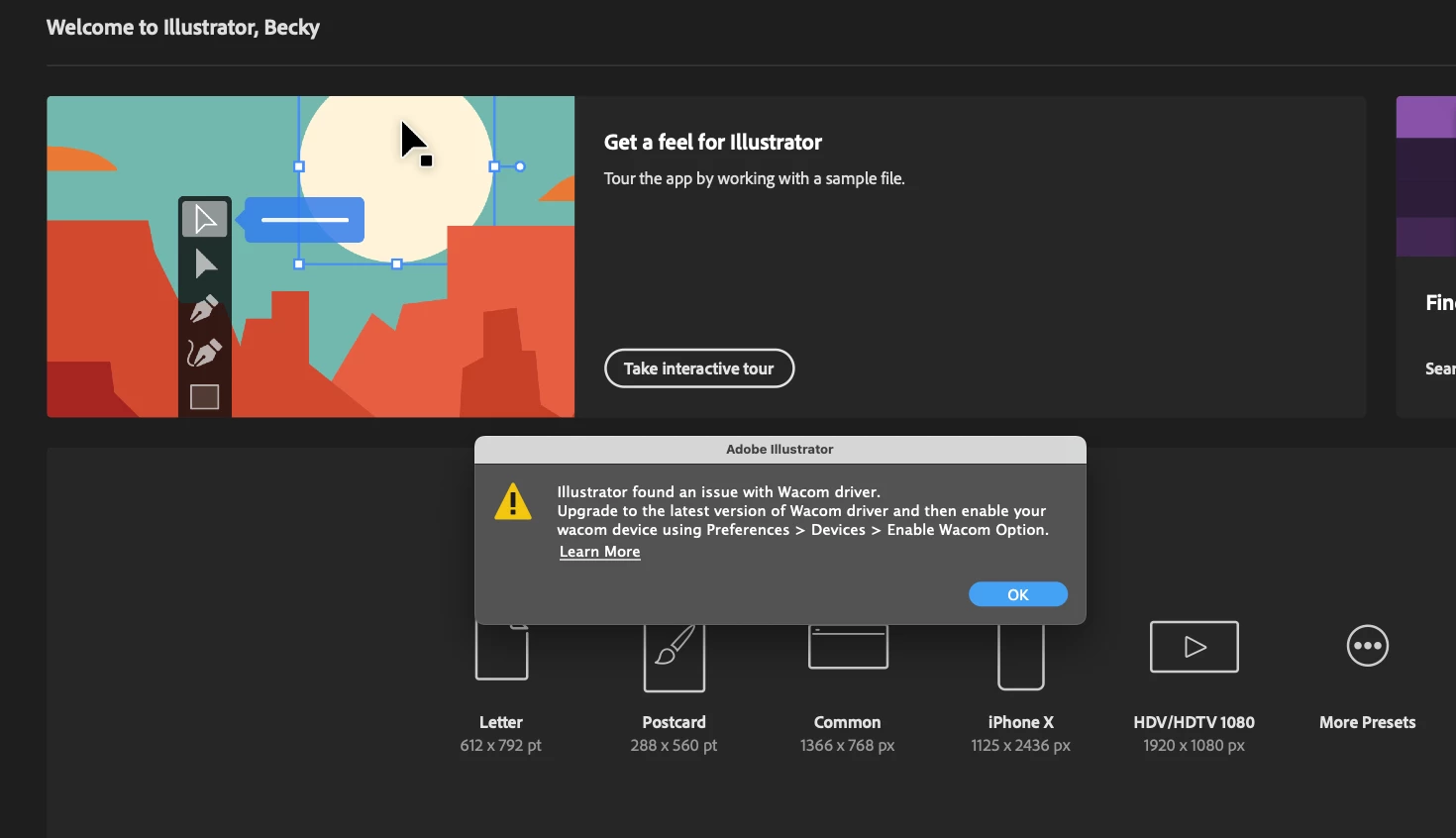
When I press the blue okay button, I get the spinning beach ball and need to force quit. I don't even use a Wacom tablet, and have removed any mention of Wacom on my mac. I can go to the Learn More link, but having taken all these steps, it still isn't working.

Can anyone help?

Many thanks

This topic has been closed for replies.
Correct answer Anubhav M

Hello Freohoney,


Sorry to hear about this experience. I would request you try removing and reinstalling the Wacom drivers as suggested by Grant and check if it helps.


Also, try resetting Illustrator's preferences by following the steps shared in this article (https://helpx.adobe.com/illustrator/kb/troubleshoot-preference-issues.html) and sharing your observations.
Disclaimer: Please note that resetting preferences will remove all custom settings, and Illustrator will launch with the defaults. You may take a backup of these settings from the location mentioned in the article. 
 

Looking forward to your response.


Thanks,

Anubhav

2 replies

Anubhav M
Community Manager
Anubhav MCommunity ManagerCorrect answer
Community Manager
August 23, 2022

Hello Freohoney,


Sorry to hear about this experience. I would request you try removing and reinstalling the Wacom drivers as suggested by Grant and check if it helps.


Also, try resetting Illustrator's preferences by following the steps shared in this article (https://helpx.adobe.com/illustrator/kb/troubleshoot-preference-issues.html) and sharing your observations.
Disclaimer: Please note that resetting preferences will remove all custom settings, and Illustrator will launch with the defaults. You may take a backup of these settings from the location mentioned in the article. 
 

Looking forward to your response.


Thanks,

Anubhav

Grant H
Community Expert
Community Expert
August 23, 2022

There maybe files lost somewhere relating to it, you need to unistall it woith the wacom uninstall tool...

find more here:

https://support.wacom.com/hc/en-us


FreohoneyAuthor
Participant
August 31, 2022

Thanks very much. In the end I updated my Mac OS and this fixed it.