


ahmedb1545359
Participant
May 12, 2021
Answered

Warp a Pattern in Illustrator - Use Transform & Envelope Warp

  • May 12, 2021
  • 2 replies
  • 1005 views

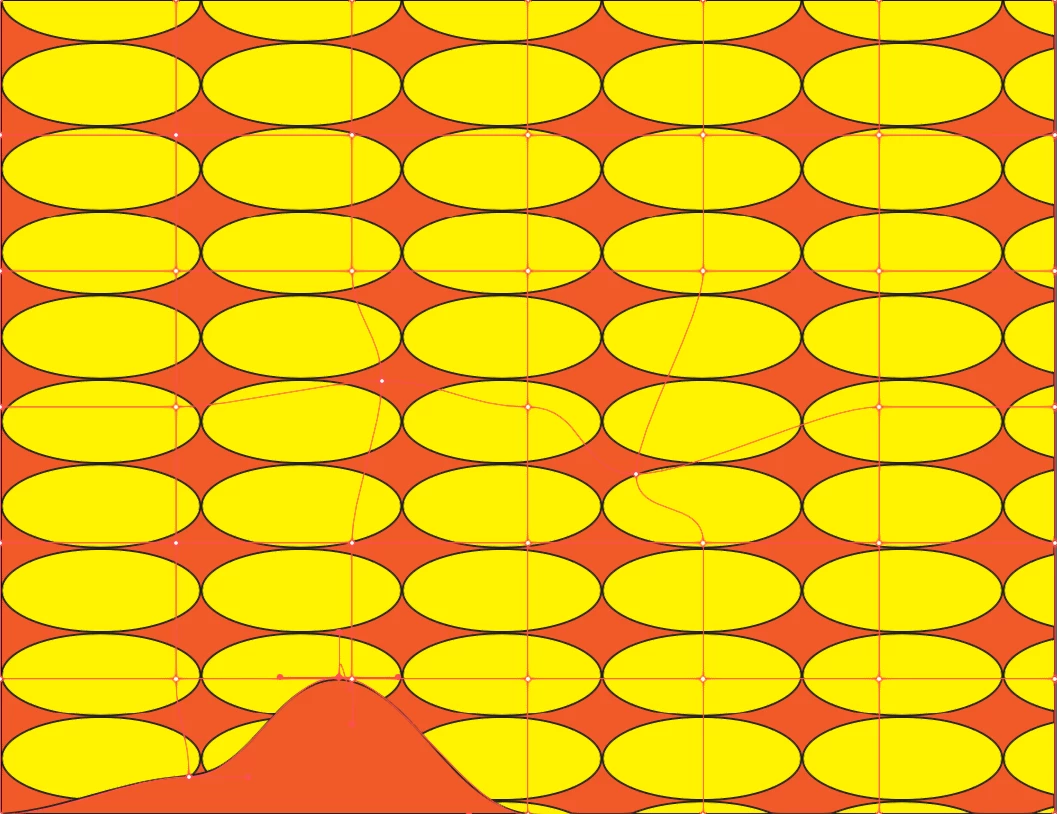
I created a sample pattern with an ellipse, then I tried to wrap patterns using object - Envelop Distort, but as you see the pattern itself shape doesn't change at all how to fix this? thanks 
 

This topic has been closed for replies.
Correct answer Kurt Gold

Go to the Object menu > Envelope Distort > Envelope Options dialog and turn on the Distort Pattern fills option.


Then try again.


2 replies

Doug A Roberts
Community Expert
Community Expert
May 12, 2021

Edit: Kurt sniped me with a better option.

Kurt Gold
Community Expert
Kurt GoldCommunity ExpertCorrect answer
Community Expert
May 12, 2021

Go to the Object menu > Envelope Distort > Envelope Options dialog and turn on the Distort Pattern fills option.


Then try again.


ahmedb1545359
Participant
May 13, 2021

it works now thanks alot