Exit
  • Global community
    • Language:
      • Deutsch
      • English
      • Español
      • Français
      • Português
  • 日本語コミュニティ
  • 한국 커뮤니티
0

Weird behavior when using Pathfinder
New Here ,
Aug 23, 2020 Aug 23, 2020

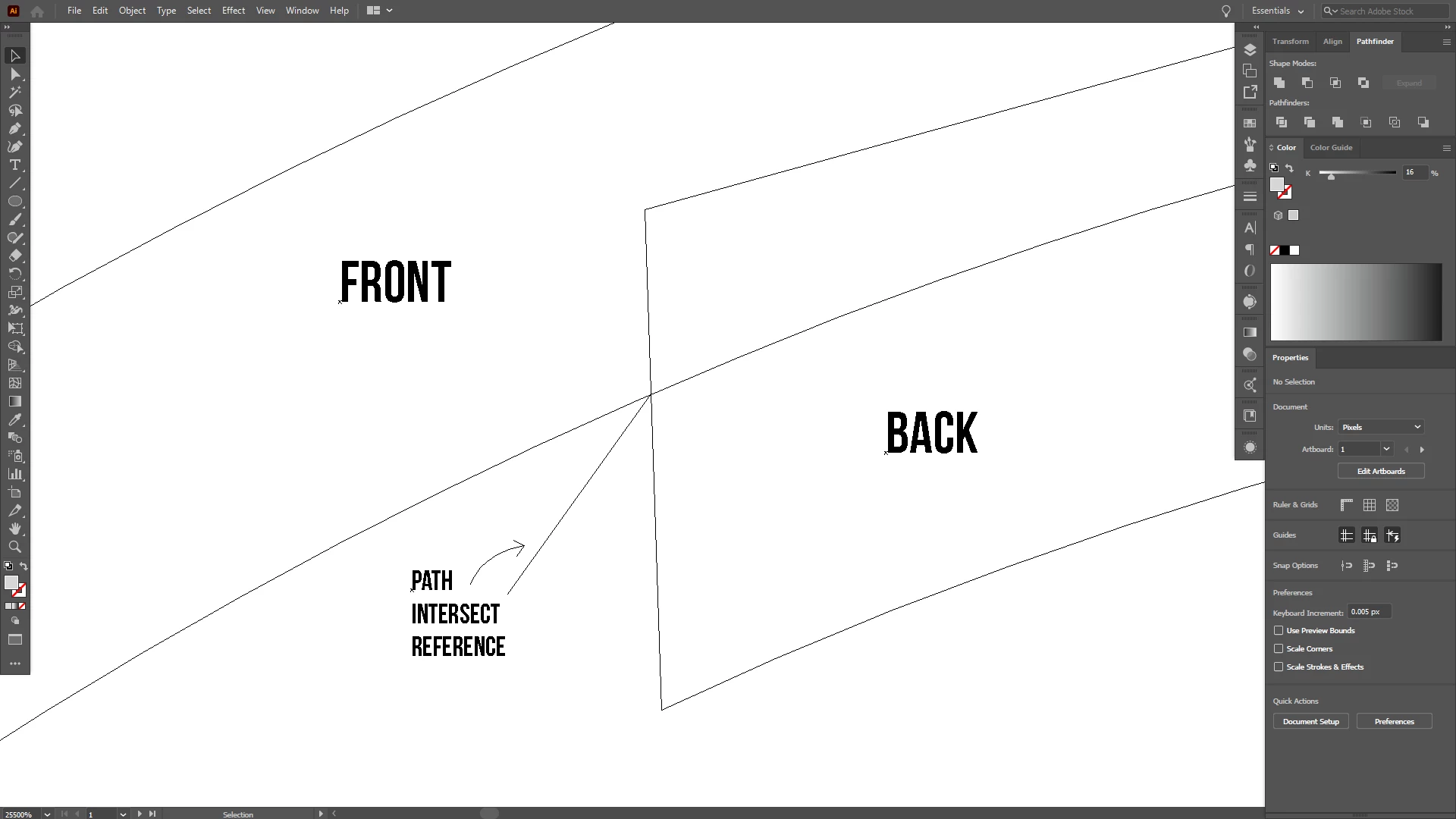
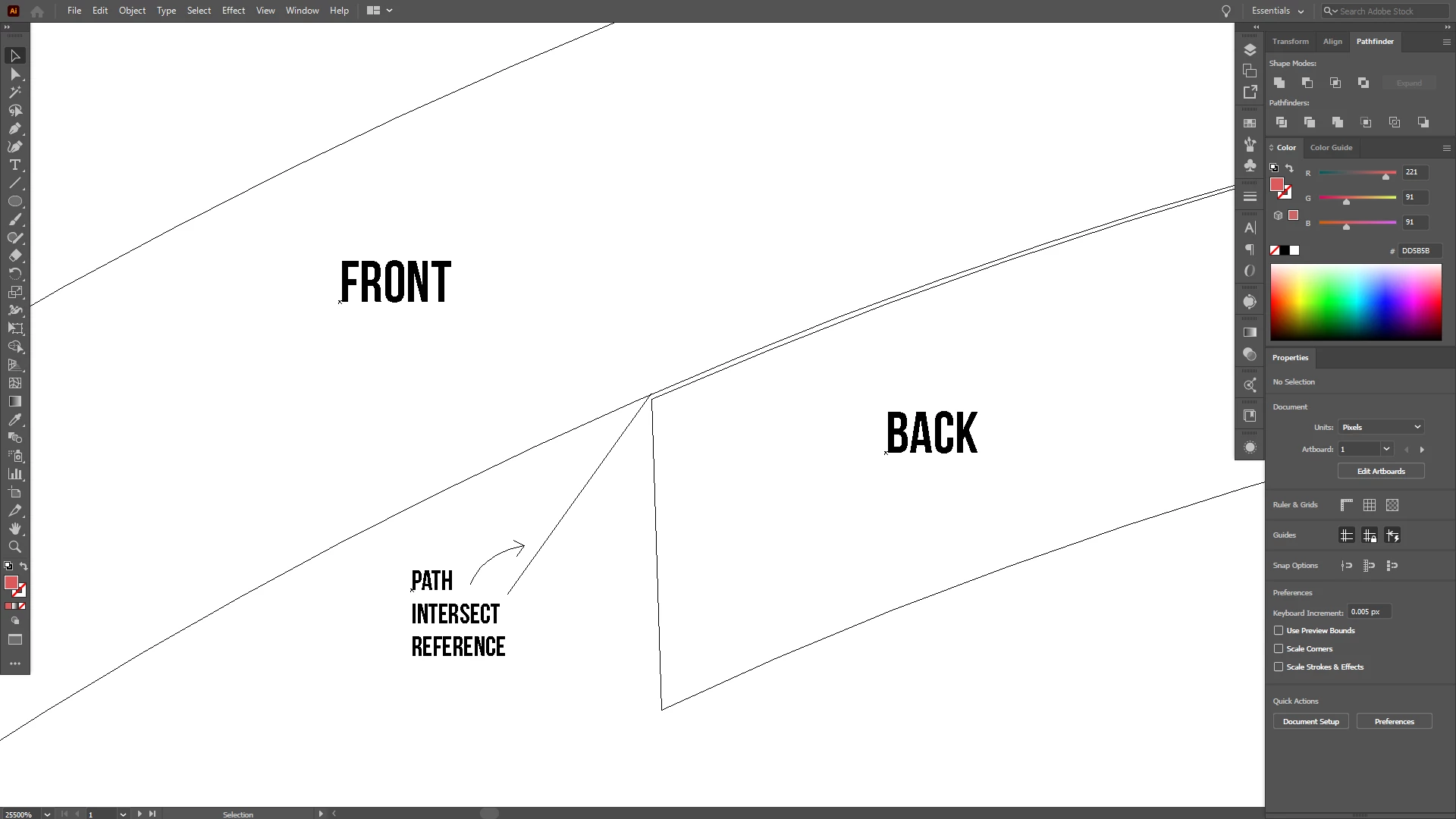
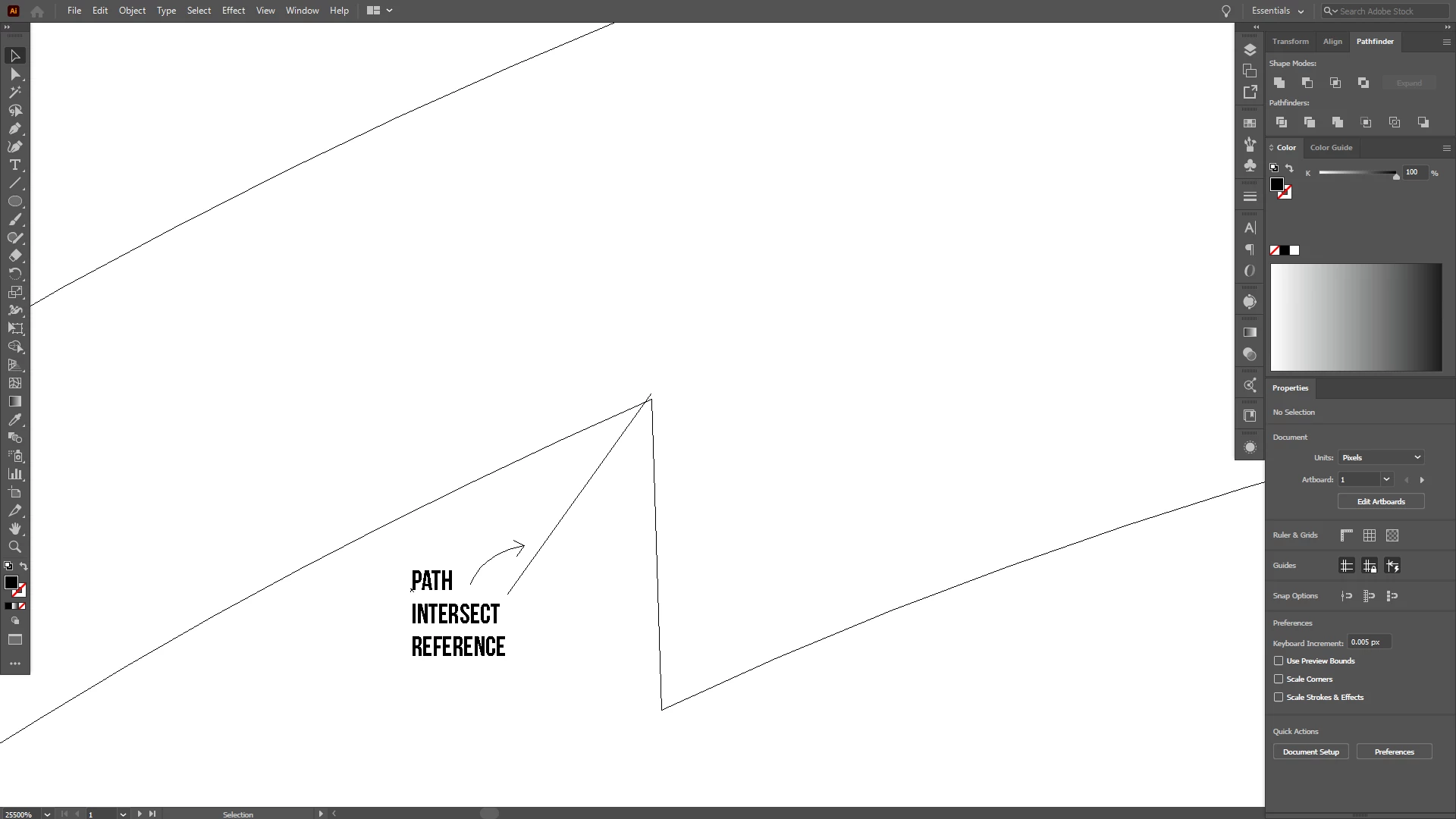
BeforeBeforeAfter (Minus Front / Trim)After (Minus Front / Trim)After (Unite/Merge)After (Unite/Merge)

Can someone help me? When I use Pathfinder why is the shape deformed / imprecise?
The shape I uploaded is no larger than 100px. I have tried to repeat the process using a large shape but it shows the same result.

Restarting the program didn't help. I found this oddity on Ai v24.2.3, in the previous version (before the update) I didn't experience it.

TOPICS
Bug , Draw and design , Tools
959
Translate
Report
Community guidelines
Be kind and respectful, give credit to the original source of content, and search for duplicates before posting. Learn more
community guidelines

correct answers 1 Correct answer

Community Expert , Aug 24, 2020 Aug 24, 2020

You can try and in the pathfinder settings increase the precision (enter a lower value).

Translate
Adobe
Community Expert ,
Aug 24, 2020 Aug 24, 2020

You can try and in the pathfinder settings increase the precision (enter a lower value).

Translate
Report
Community guidelines
Be kind and respectful, give credit to the original source of content, and search for duplicates before posting. Learn more
community guidelines
New Here ,
Aug 24, 2020 Aug 24, 2020
LATEST

Wow, this is a great relief! I can fix it by entering the lowest value. Thank you Monika.

Translate
Report
Community guidelines
Be kind and respectful, give credit to the original source of content, and search for duplicates before posting. Learn more
community guidelines
Community Expert ,
Aug 24, 2020 Aug 24, 2020

Do you have any of the snap to functions set to cause it to jump out of place?

Translate
Report
Community guidelines
Be kind and respectful, give credit to the original source of content, and search for duplicates before posting. Learn more
community guidelines