
Participant
January 25, 2021
Answered

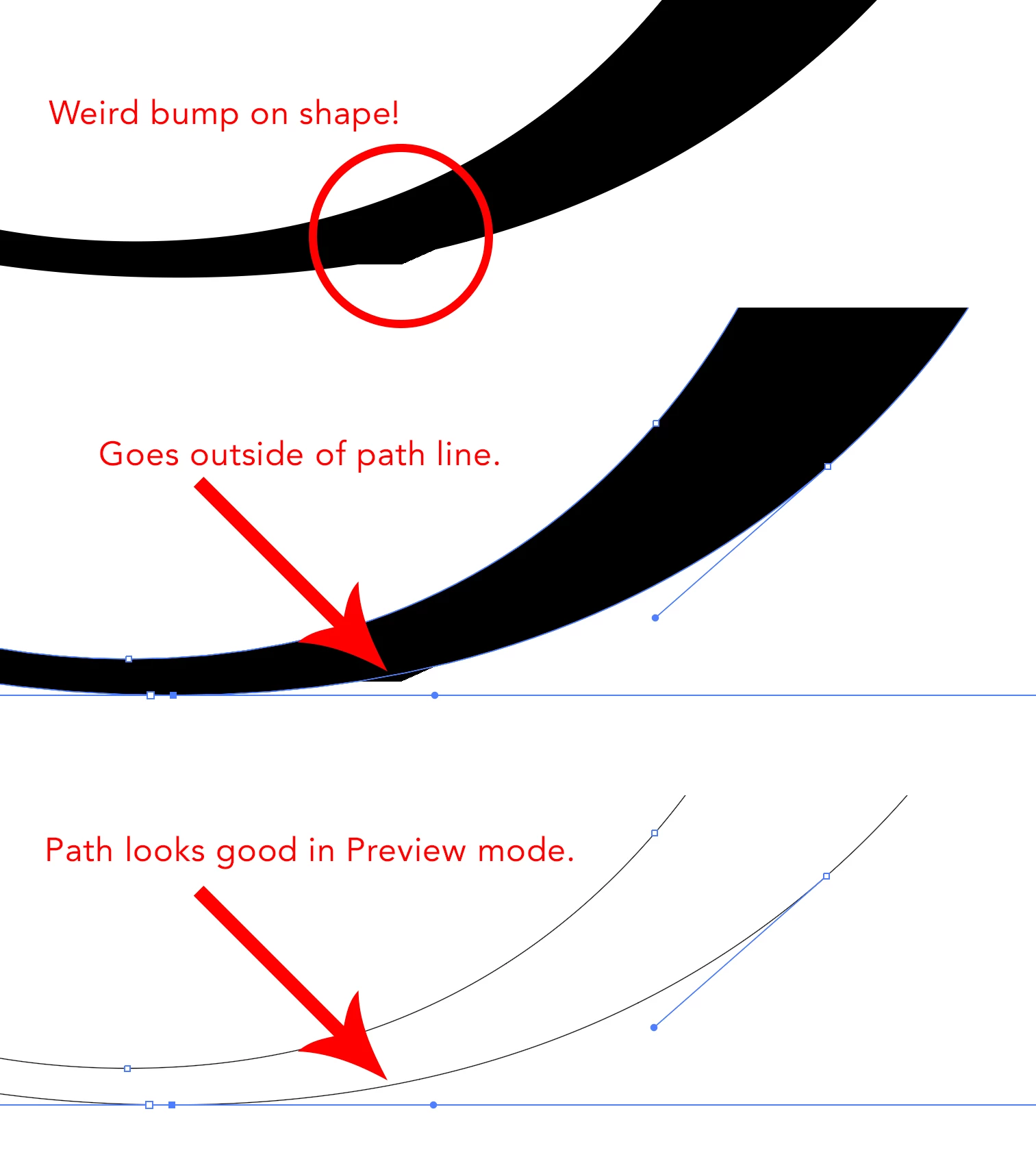
Weird bump goes outside of Illustrator shape.

  • January 25, 2021
  • 2 replies
  • 965 views

I'm at wit's end! I've got a curved shape in Illustrator and there's a weird bump sticking outside of one of the edges when filled. It goes outside of the path edge when it shouldn't - as shown in the image, the line looks good in Preview. Moving the handle on the anchor point to the right makes it go away, but that messes up my shape. Help!
Correct answer Doug A Roberts

Does it disappear if you switch to CPU Preview (under the View menu)?

2 replies

Kurt Gold
Community Expert
Community Expert
January 25, 2021

It should not be relevant when saving or exporting your files. It is a preview issue on screen.


If you want, you can vote for enhancements on the Uservoice section. Perhaps and hopefully this annoying GPU/CPU scrap will go away some day.


And, sorry Doug, in my eyes it is not a minor bug. It is a major bug (or call it "inconvenience") that may remarkably affect the way you work with the application.


Doug A Roberts
Community Expert
Community Expert
January 26, 2021

I think you're right, I mischaracterised it. It is only 'minor' in comparison to some of the other GPU bugs that have come up here, but they're all a problem.

Doug A Roberts
Community Expert
Doug A RobertsCommunity ExpertCorrect answer
Community Expert
January 25, 2021

Does it disappear if you switch to CPU Preview (under the View menu)?

Participant
January 25, 2021

Yes it does! Ugh, I'm an Illustrator newbie. Does that fix it for exported formats such as EPS, PDF, JPG...?

Doug A Roberts
Community Expert
Community Expert
January 25, 2021

It shouldn't matter for exports. It's a minor bug in the GPU preview.