Inspiring
December 16, 2023
Question

What am I searching for when looking for tutorials on how to do the following…
  • December 16, 2023
  • 3 replies
  • 1489 views

Hi everyone! 

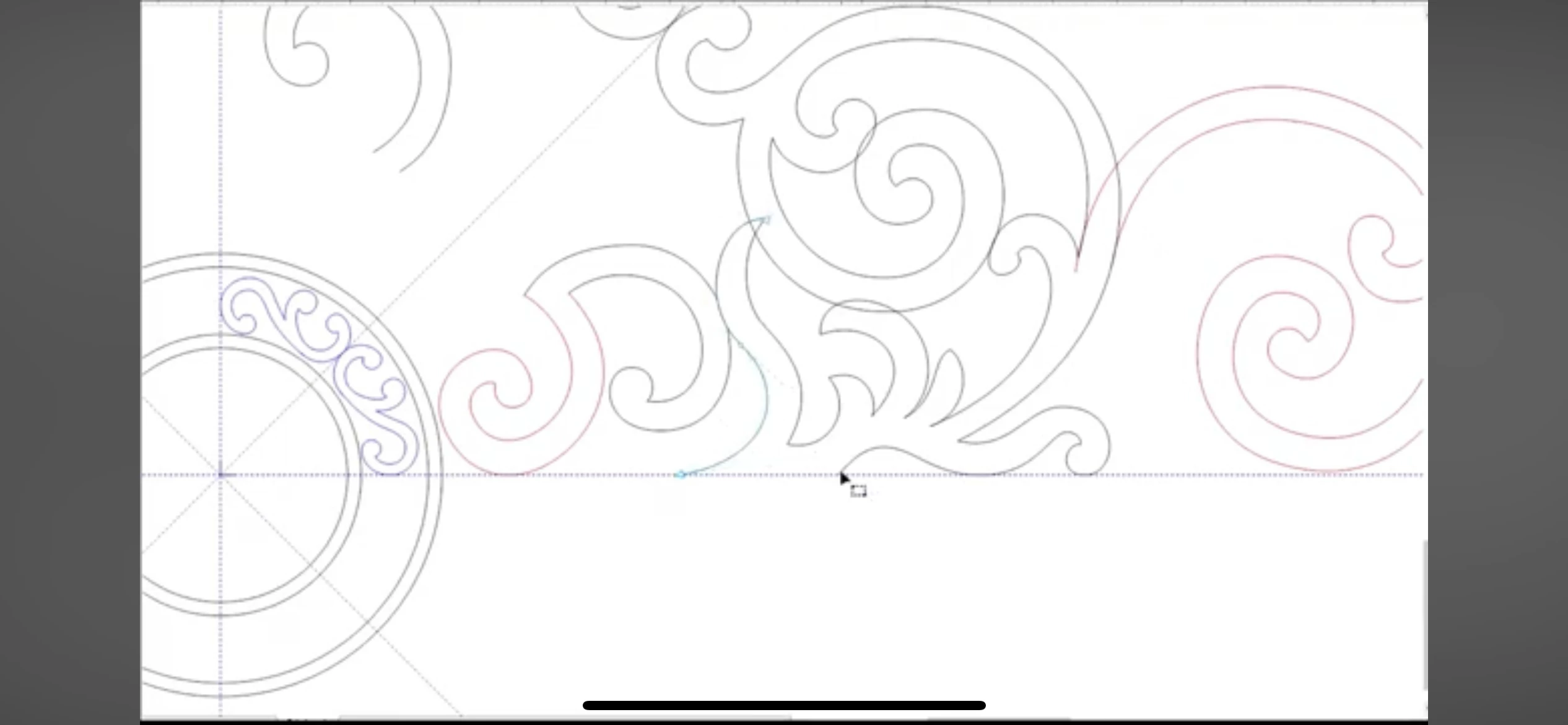
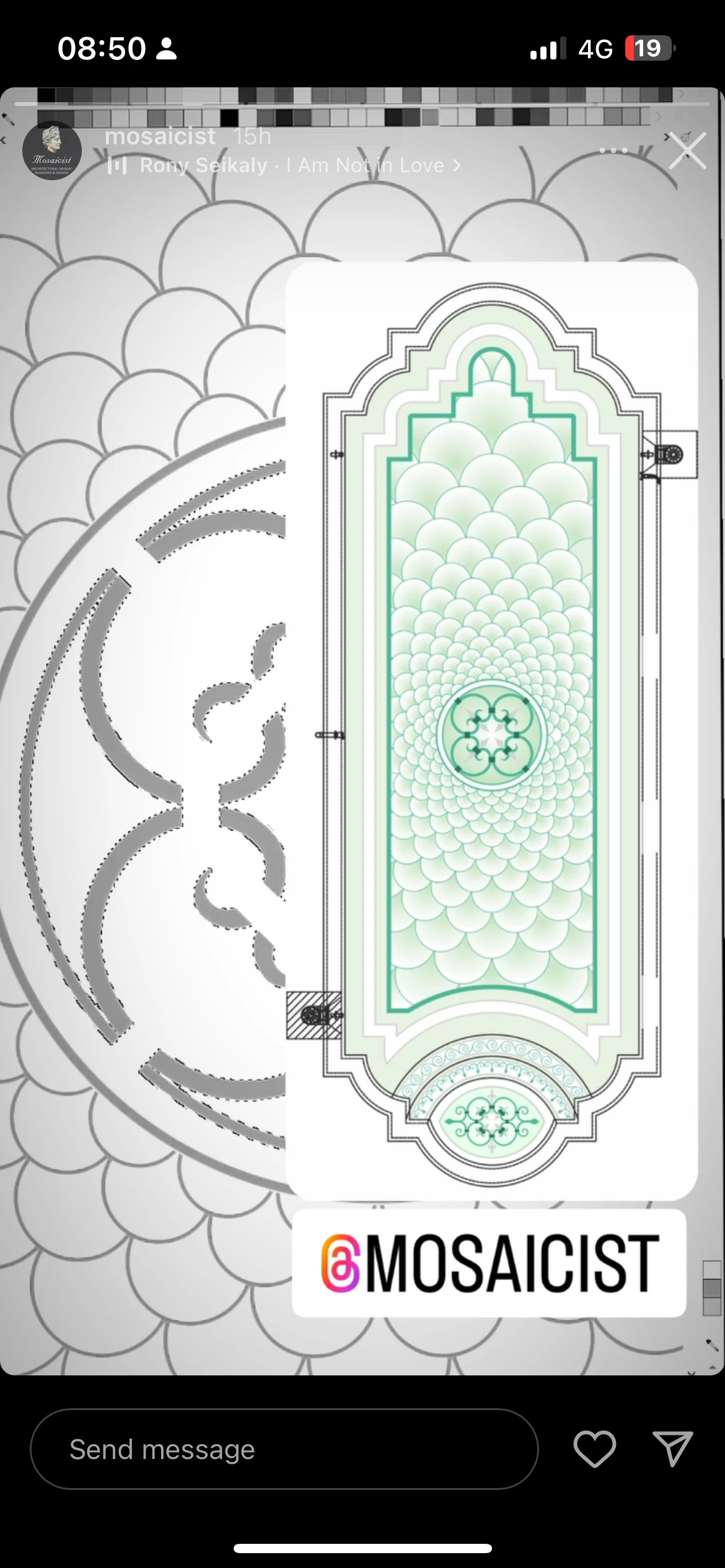
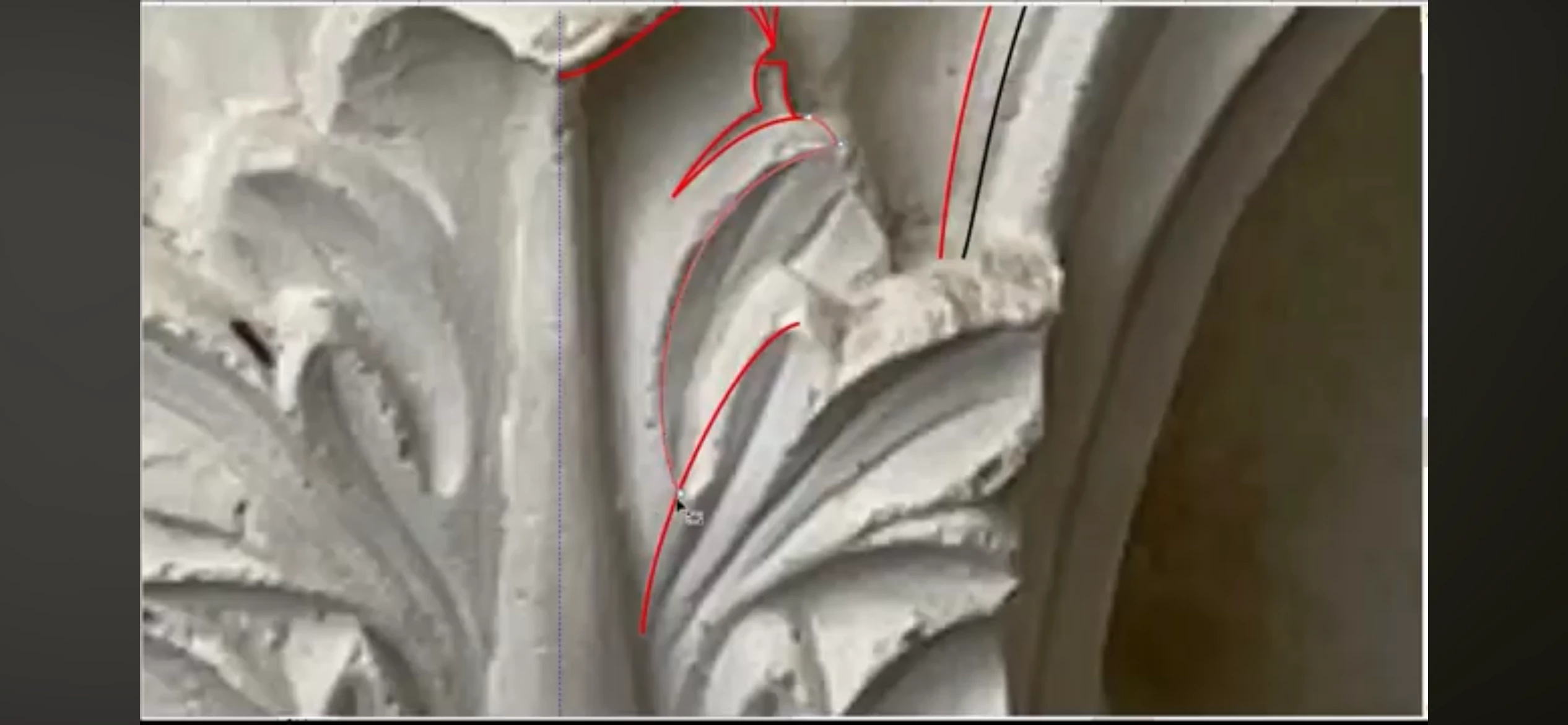
I am a mosaic artist who wants to design templates for large scale swimming pool designs. I'm the images above I believe the designer is using coraldraw but I want to use AI. 

from my understanding he is placing an ornamental image in to ai and then placing vector lines over the pattern. Can I do this just using a mouse? Or do I need some sort of pen and trackpad? Also I've been searching for tutorials on YouTube and I can't find how to do this style of stuff. Maybe I need to learn different aspects of ai and them merge them all together. 

the end goal is to create large format drawings to then print off in segments then sellotape together to then use as a template to place my mosaics over. 

any help at all to allow me to start learning how to do this would be much obliged as I feel like I'm banging my head on a brick wall!! 

thank you 🙂 


daniel

This topic has been closed for replies.

3 replies

Ares Hovhannesyan
Community Expert
Community Expert
December 29, 2023
Inspiring
December 29, 2023

Thanks ill check this out!


Can you help me with this at all... I traced this swimming pool using the 'Distort and Transform > transform tool'. Now though when i hide the original image from underneath im only able to drag a box round the pen lines to the left. Where as i would like to highlight the whole swimming pool and resize etc. Is this an easy fix? 


Thank you 

Daniel


Jacob Bugge
Community Expert
Community Expert
December 29, 2023

Daniel,


It is difficult to see what you mean by looking at the screenshot, but maybe it is because it is an effect, so what happens if you Object>Expand Appeanance?


Bill Silbert
Community Expert
Community Expert
December 17, 2023

One thing that is important to realize is that all of the tools available are just that—tools. What you're looking for is certainly attainable using the features that Monika has listed but it will require a working knowledge of how to use them. In other words, it is a manual process which will require knowledge of how the tools work as well as some drawing skill. To really do this right will require the skill of an experienced Illustrator user. If that is not the case for you then try first taking some of the online courses in using Illustrator in places like Linked-in Learning. 

Inspiring
December 29, 2023

Thanks Bill. Ive been learning how to use the tools slowly via youtube tutorials 🙂

Monika Gause
Community Expert
Community Expert
December 16, 2023

You can perfectly do this with a mouse.

You would use the shape tools (circles, rectangles, lines, spirals etc) for some shapes, then also the pen tool for others and maybe the curcature tool. Apply strokes, apply maybe brushes and maybe width profiles. 

Maybe expand those strokes to get shapes

Then a lot of reflection, rotation, duplicating.

Maybe using the pathfinder panelö to unite the shapes

Maybe the shapebuilder tool or live paint.

Inspiring
December 29, 2023

Thank you! Ive been watching tutorials and learning how to use them tools individually. Its all coming along nicely 🙂


Monika Gause
Community Expert
Community Expert
December 29, 2023

I'm glad you are having success with this!