


- Home
- Illustrator
- Discussions
- What does "path intersections..." under Object, Pa...
- What does "path intersections..." under Object, Pa...

Copy link to clipboard
Copied
I've tried googling but those keywords, even with quotes, give me hits with everything but what I'm looking for.
I'm siimply trying to understand what all functions/commands in Illustrator do. I've tried creating different paths and overlapping them then selecting Path Interactions..., expecting a dialoge box to open up, but none does and nothing changes in what I've selected. So what is this function for?


 2 Correct answers


You will need to ask the maker of the plug-in. Astute Graphics?


To find out the plugin please check out the "Illustrator" menu item. It lists your plugins.
And then maybe read that plugin's documentation.

Explore related tutorials & articles
 8
Replies
8
8
Replies
8

Copy link to clipboard
Copied
I am not sure where you did find those Path intersections.
Can you show a screendump?
Are you talking about the desktop version of Illustrator?
Copy link to clipboard
Copied
Here's a screen cap to show what I'm talking about. And yes, it's Illurstrator for a PC, the most current version on my Mac.
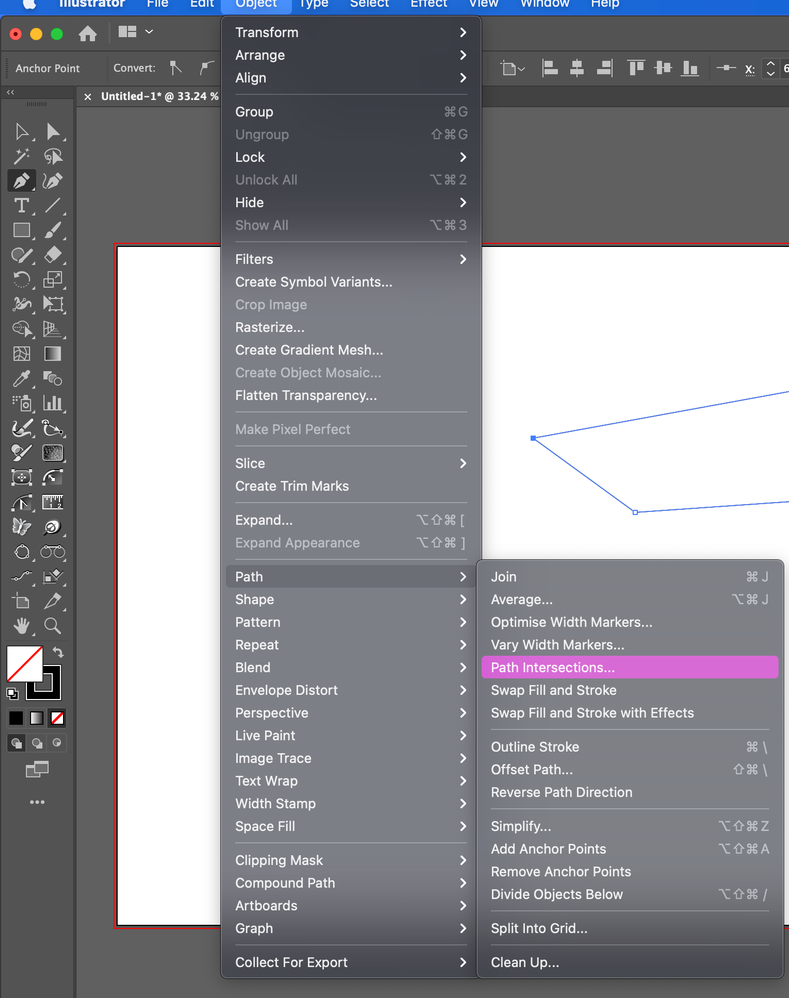

Copy link to clipboard
Copied
You seem to have some plugins installed. Which ones?
That option (and a few others) is not available in a regular AI installation.
Copy link to clipboard
Copied
Okay. But what is it supposed to do? Now I'm just curious. Is there a master maual that might have the information?
Copy link to clipboard
Copied
You will need to ask the maker of the plug-in. Astute Graphics?
Copy link to clipboard
Copied
To find out the plugin please check out the "Illustrator" menu item. It lists your plugins.
And then maybe read that plugin's documentation.
Copy link to clipboard
Copied
Oh, I see. It doesn't come as part of Illustrator. I didn't realize that Astude Graphics tools went into that deep into Illustrator.
Now I understand.
Thanks,
Copy link to clipboard
Copied
Plugins go into all the menus.
Which one is it?


Get ready! An upgraded Adobe Community experience is coming in January.
Learn more
 AdChoices