Inspiring
April 11, 2018
Answered

What is the best tool/method for modifying this path?

  • April 11, 2018
  • 1 reply
  • 554 views

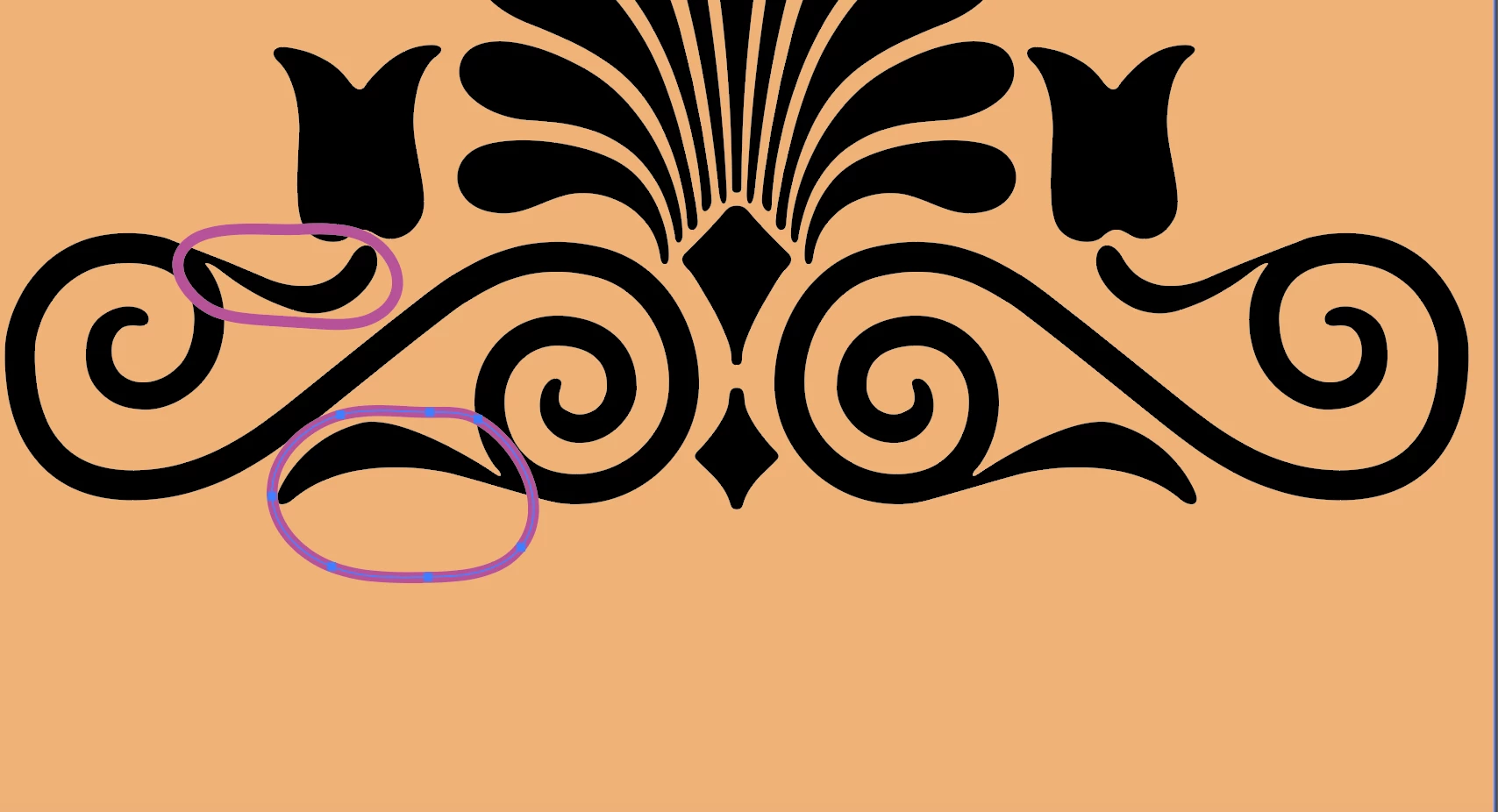
The following is a screenshot of a vector graphic I would like to modify. I want to remove the flourishes on the ends of the curly shape - I circled them on the left.
Here is the same path, "all lit up" using the white arrow:
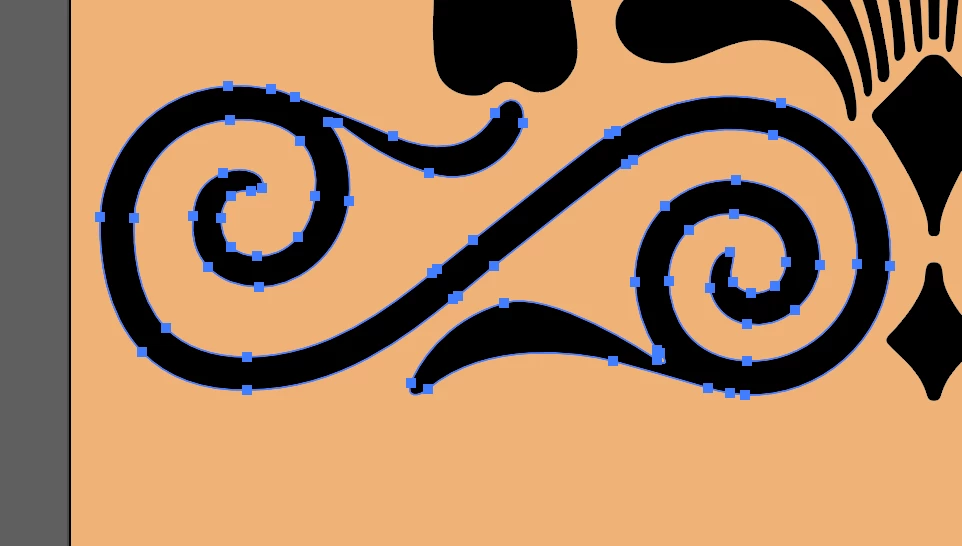
What is the best tool or technique for removing the parts I don't want? I tried the scissors and the eraser, but in both cases there was an ugly stump or rough patch left behind.

Here is a link to the original file.
Dropbox - GreekOrnate1to3_16-01-s.ai

    This topic has been closed for replies.
    Correct answer Mike_Gondek10189183

    Doubleclick

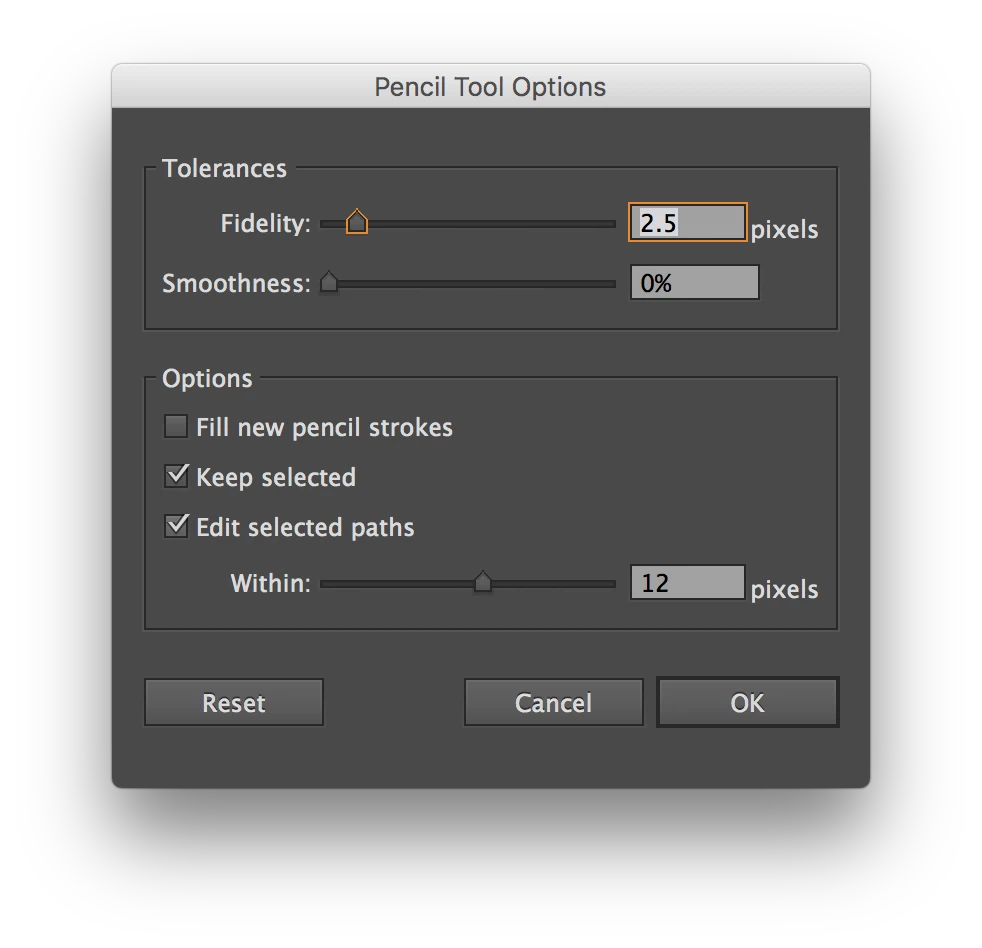
    pencil tool check settings match this first on the checkboxes.

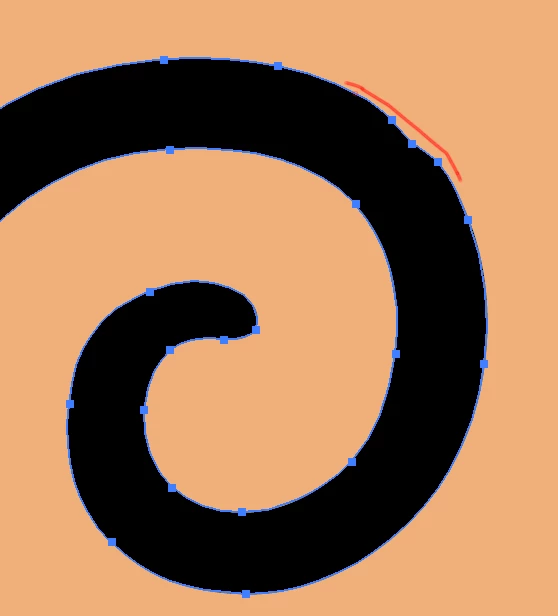
    With pencil tool draw over to remove(I drew a red line a little offset so you could see the result is a little bumpy as if you were replacing the part sticking out with what you draw.

    Switch to pen tool minus sign and click on a few extra  bezier points to remove then pull handle with convert anchor point tool to get placement like this.

    To get smooth curves

    1. use as few points as posisble
    2. use 1/3 rule. Bascially center ponts between each other and pull out 1/3 length. With both ends 1about 1/3 length that means about 2/3 of entire curve length will have handles over them.

    1 reply

    Mike_Gondek10189183
    Community Expert
    Mike_Gondek10189183Community ExpertCorrect answer
    Community Expert
    April 11, 2018

    Doubleclick

    pencil tool check settings match this first on the checkboxes.

    With pencil tool draw over to remove(I drew a red line a little offset so you could see the result is a little bumpy as if you were replacing the part sticking out with what you draw.

    Switch to pen tool minus sign and click on a few extra  bezier points to remove then pull handle with convert anchor point tool to get placement like this.

    To get smooth curves

    1. use as few points as posisble
    2. use 1/3 rule. Bascially center ponts between each other and pull out 1/3 length. With both ends 1about 1/3 length that means about 2/3 of entire curve length will have handles over them.
    Inspiring
    April 11, 2018

    Wow - that works SO WELL! Thank you!!!

    Mike_Gondek10189183
    Community Expert
    Community Expert
    April 11, 2018

    For my part you are welcome. Illustrator has a smoother tool, but for more quality results you are better off with the method I posted.