

Laszlo P. Bagi
Known Participant
February 7, 2023
Question

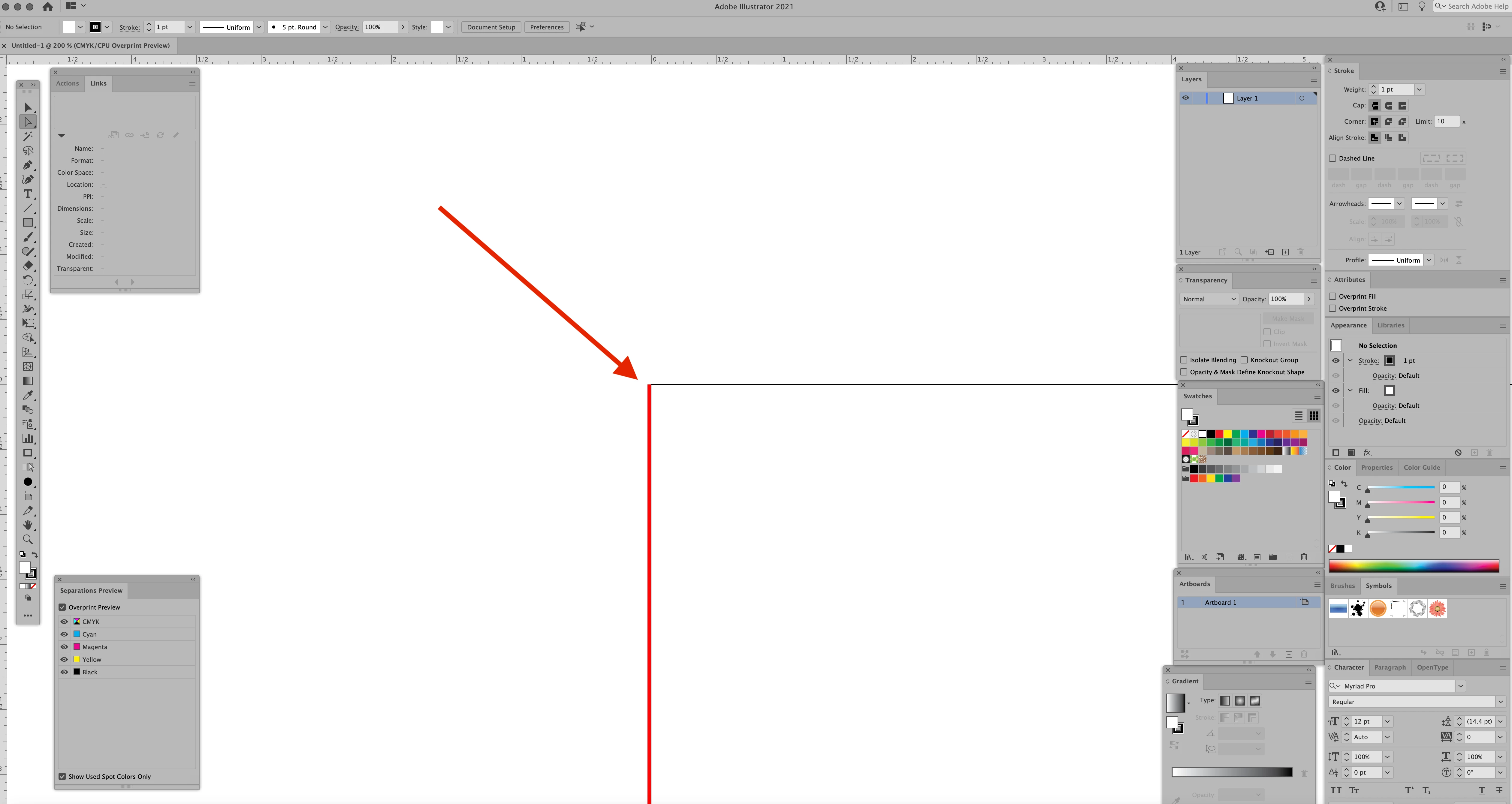
What is this line?

  • February 7, 2023
  • 1 reply
  • 2225 views

AI 2021 Running on a 27 inch iMac      iMac (Retina 5K, 27-inch, 2017)    

3.8 GHz Quad-Core Intel Core i5     


A month ago I noticed this Red line on the left side of my documents. It doesn't matter if the file is old or new or what size it is. I can't get rid of it, its not a vector line, more like an image on the screen Zooming in and out, scrolling left to right or top to bottom it stays with the left side of the document . I've been using AI for 25 years and have never seen anything like this. Any ideas how to get rid of it? 
 

This topic has been closed for replies.

1 reply

Met1
Legend
February 7, 2023

Did it only appear after a change to your equipment or software?

Does it change if you change the layer colour?

Laszlo P. Bagi
Known Participant
February 7, 2023

I have not done any updates to A1 2021, or the OS on the Mac for months. Its then even when I have all layers turned off. Its like a ghost image, doesn't seem to matter if I start a new project or something I did 1 year ago or from a customer


Laszlo P. Bagi
Known Participant
February 7, 2023

Do you have any third party plugins installed?


Only one from ESKO, been using it for year. I removed it and that didn't do anything. This might sound like a dumb question but is their a keyboard command or shortcut that would put a red line there? I thought I might have accidently turned something on, I checked everything I could think of