

Laszlo P. Bagi
Known Participant
February 7, 2023
Question

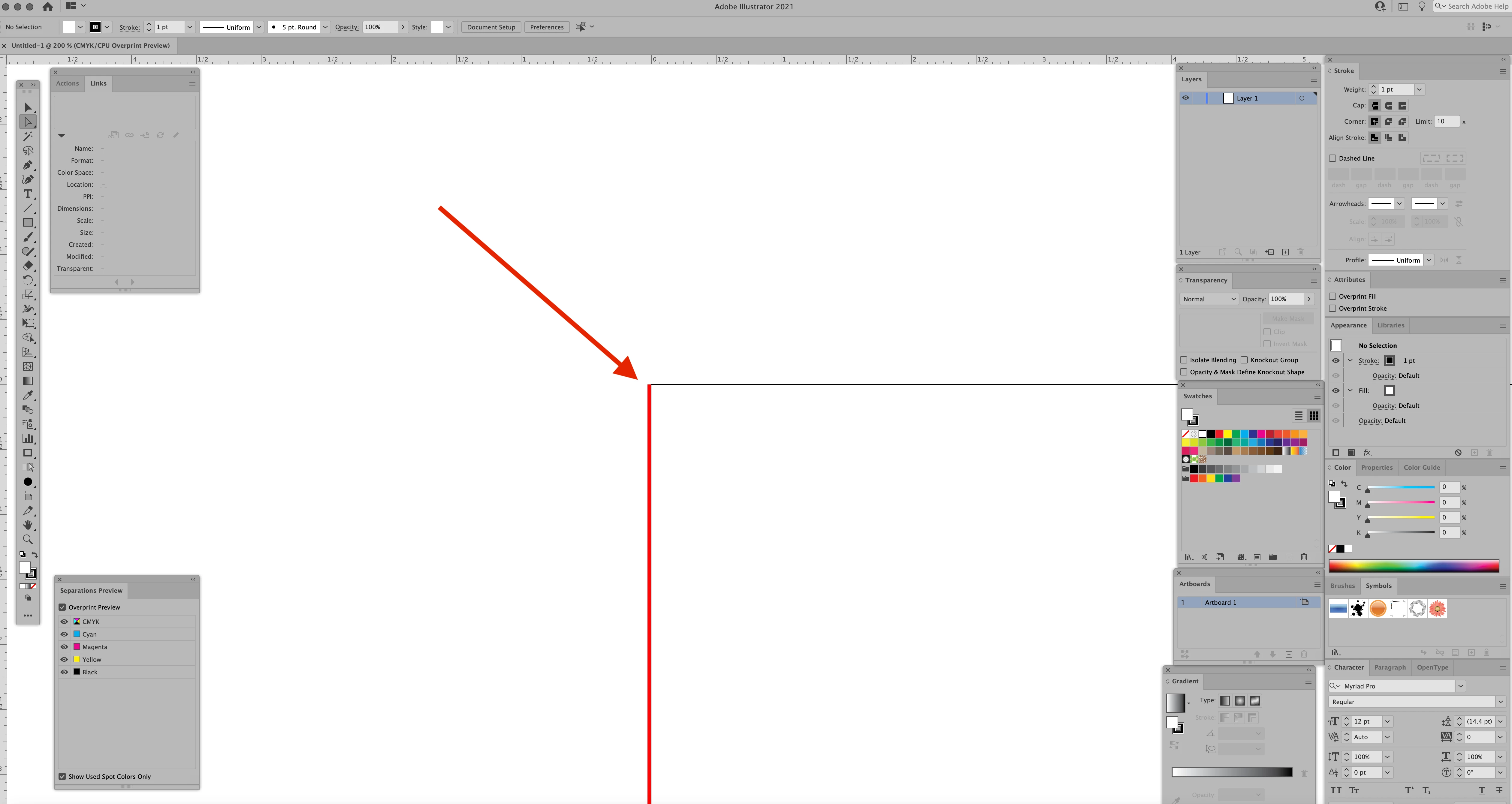
What is this line?

  • February 7, 2023
  • 1 reply
  • 2226 views

AI 2021 Running on a 27 inch iMac      iMac (Retina 5K, 27-inch, 2017)    

3.8 GHz Quad-Core Intel Core i5     


A month ago I noticed this Red line on the left side of my documents. It doesn't matter if the file is old or new or what size it is. I can't get rid of it, its not a vector line, more like an image on the screen Zooming in and out, scrolling left to right or top to bottom it stays with the left side of the document . I've been using AI for 25 years and have never seen anything like this. Any ideas how to get rid of it? 
 

This topic has been closed for replies.

1 reply

Met1
Legend
February 7, 2023

Did it only appear after a change to your equipment or software?

Does it change if you change the layer colour?

Laszlo P. Bagi
Known Participant
February 7, 2023

I have not done any updates to A1 2021, or the OS on the Mac for months. Its then even when I have all layers turned off. Its like a ghost image, doesn't seem to matter if I start a new project or something I did 1 year ago or from a customer


Laszlo P. Bagi
Known Participant
February 7, 2023

No, there isn't such a shortcut.

The only redthing would be the bleed. But it's not possible to get it like that. So this red thing doesn't appear inthe layers panel?


Correct, it doesn't seem to be layer dependant. I can have 50 layers and turn the view all off and the red line still appears. Below is a screen shot with .5 inch bleed on which you can see