Known Participant
October 28, 2018
Question

What is wrong with my gradient?

  • October 28, 2018
  • 1 reply
  • 11090 views

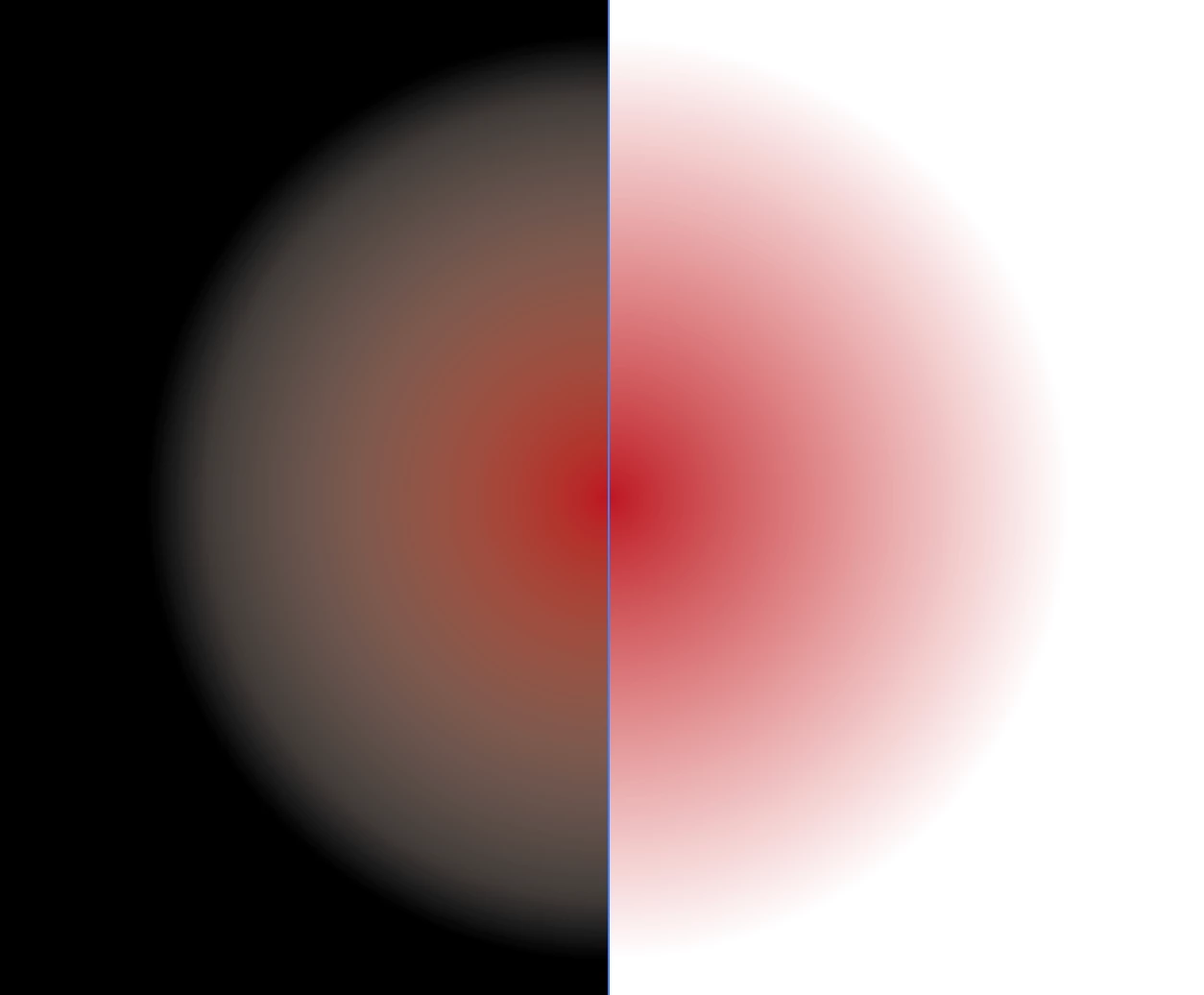
so i turned on radial gradient [on illustrator cc 2017] with both inner and outer being red, but outer is transparent (opacity 0%). but then i notice this whitish-gray layer instead of red when i move the gradient over, say a black background.

here's a screenshot:

i use a MacBook pro(2017) 15"

processor- 2.9Ghz Intel i7

Graphics- Radeon Pro 560 4096 MB     (the display)

                 Intel HD Graphics 630 1536 MB

This topic has been closed for replies.

1 reply

Dan Rodney
Community Expert
Community Expert
October 28, 2018

Your transparent color is actually white, not red. Make sure both colors are red (one with 100% opacity and the other 0%). See the screenshots below.

Notice the white transparent color has the same white "glow".

Notice the red transparent color looks correct.

— Adobe Certified Expert & Instructor at Noble Desktop | Web Developer, Designer, InDesign Scriptor
sreepraddAuthor
Known Participant
October 28, 2018

no no, it actually is red for both. i just installed illustrator on my desktop to see if its working and it is. problem is with my laptop

its the same with all colors

sreepraddAuthor
Known Participant
November 3, 2018

sreepradd  wrote

i opened a new document and the gradient seemed to work perfectly. the above is what im getting for that project.

Well, that is a CMYK document.


but whenever i open documents the color is always rgb. how did it change and how do i revert it or prevent this?