
When exporting illustrator file to JPEG the graphic gets shifted, HELPPPP!
Hi Illustraor Community!
Please help me figure out an illustrator issue I'm experiencing. I have read other related discussion posts and watched a couple Youtube videos in regard to an export issue I'm having but nothing seems to help.
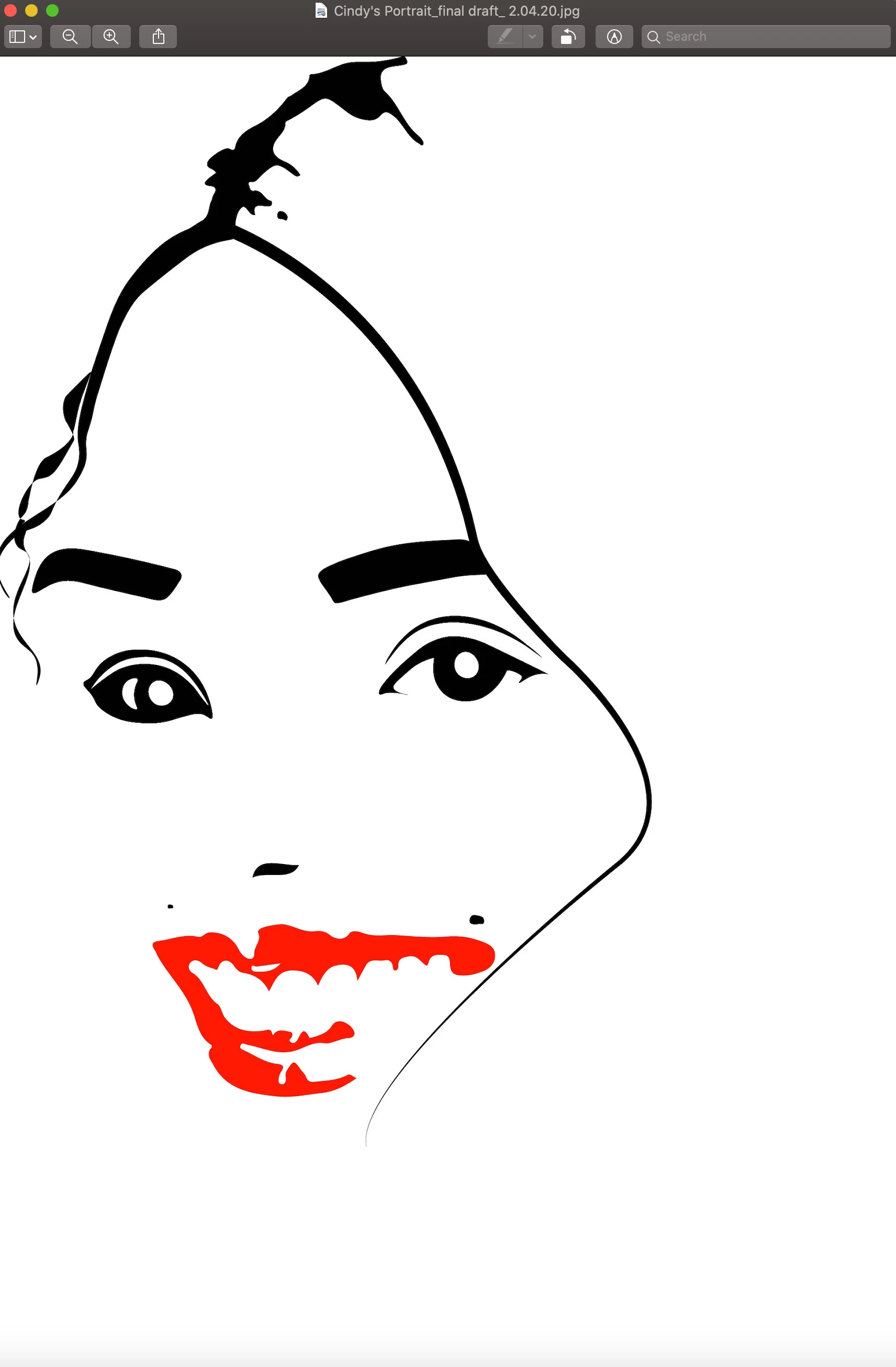
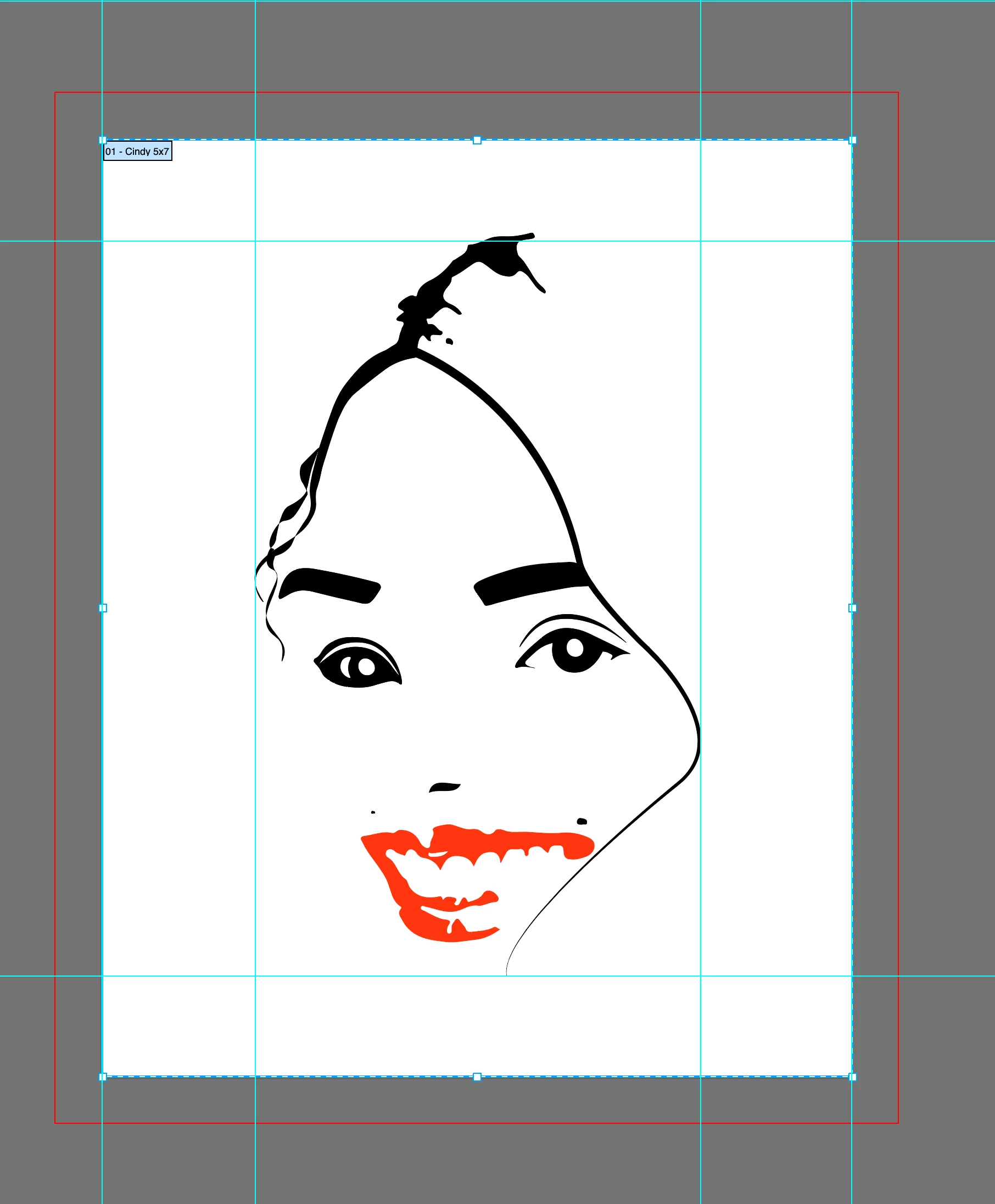
I have uploaded two images below for reference. The image on the left is what the graphic looks like when it's in Adobe Illustrator- the art is centered. The image on the right is what the artwork looks like after I have exported to JPEG. I'm not sure what the artwork is aligned to the left upon export. I have tried to save it in various formats and ran into the same issue.
This is my first digital artwork that I can't wait to list on Etsy shop! I have sent it to the printers, printed in a few locations but the images are not coming out as expected. I really don't know what to do or what I am not doing correctly.
Please help me, any suggestion/feedback is so appreciated!!! Thank you so much 🙂
 AdChoices