


Participant
September 18, 2025
Question

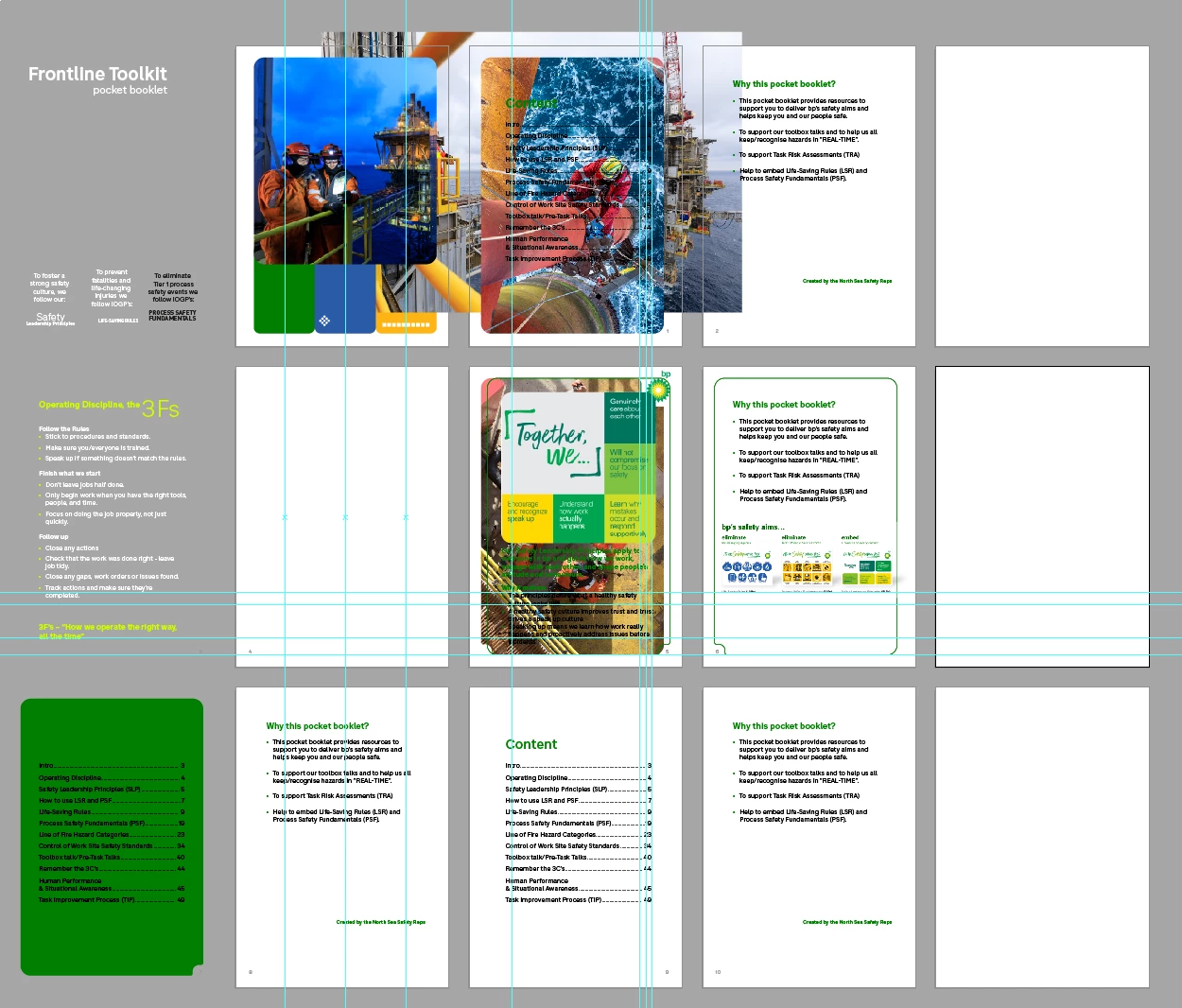
When I open a multiple pages illustrator file, all my text and images have moved and are overlapping

  • September 18, 2025
  • 2 replies
  • 255 views

I have created a multiple paged illustrator file, nothing to complex, mostly text & images. However, when I save it and close the file, when opening the next day all my text and images have moved onto to different pages or off the artboards and I have to re-do the pages again. Any ideas?


2 replies

anneg39096120
Participant
October 21, 2025

Bonjour, j'ai exactement le même problème : la seule solution trouvée en provisoire est de l'enregistrer au format PDF avec l'option "conserver les fonctions d'édition d'Illustrator" et de l'ouvrir de nouveau dans Illustrator. Dans ce cas-là rien n'a bougé.

Kath McCall
Participant
October 21, 2025

Yes that is a work around thank you. Hopefully this issue will be fixed soon.

Harshika Verma
Community Manager
Community Manager
October 24, 2025

Hi All,

Sorry for the delayed response. It looks like you are experiencing a similar issue mentioned here

If yes, the team has foxed the issue in the latest pre release and beta builds. Please try and confirm. 

Thanks,

Harshika

Anubhav M
Community Manager
Community Manager
September 18, 2025

Hello @221344294fx9,

I'm sorry to hear about your experience. Could you share more details, like the version of the OS/Illustrator installed, and if this started happening after a recent update or with specific files, so we can better assist you?

Looking forward to hearing from you.

Anubhav

Participant
September 18, 2025

Hi,

The version I am working with is the PC version of  Illustrator 29.8.1, trying to remember when it started, but it was recent problem.

Anubhav M
Community Manager
Community Manager
September 18, 2025

Thanks for confirming @221344294fx9,

Could you try installing an earlier version of Illustrator (https://adobe.ly/4guUEZj) and checking if it behaves the same there?

Anubhav