
Participant
February 14, 2024
Question

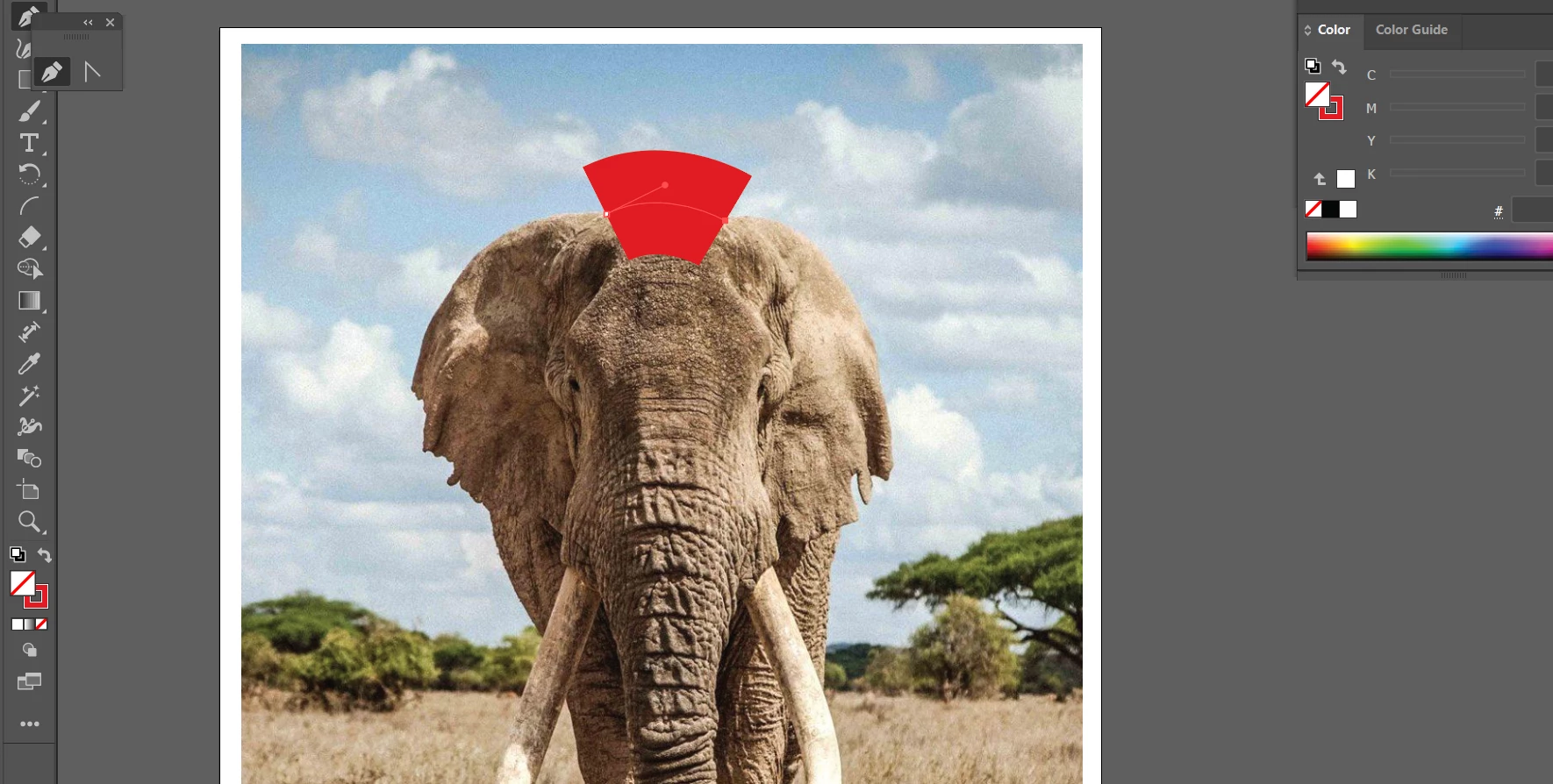
When I use my pen tool, it causes a thick block of color on both sides of line. HELP

  • February 14, 2024
  • 3 replies
  • 689 views

When I use my pen tool, it causes a thick block of color to show up on both sides of line. I have no fill selected. So I don't understand why it keeps doing it.  
This topic has been closed for replies.

3 replies

Jacob Bugge
Community Expert
Community Expert
February 14, 2024

Marissa,


In addition to what c and Shruthi said, I believe you have a Stroke Weight far above the desired value.


For a redraw task like that I often use the lowest value in the dropdown (0.25 pt), along with a contrasting colour, preferably red as you have also chosen here.


c.pfaffenbichler
Community Expert
Community Expert
February 14, 2024

In some cases it can also be useful to create the line/s on a separate Layer and toggle the View Mode for only that Layer (by cmd-clicking its visibility icon in the Layers Panel). 

Inspiring
February 14, 2024

The thick block appears because you have an outline (stroke) set on your pen tool. Even though you don't see a fill color selected, the outline is still there.

c.pfaffenbichler
Community Expert
Community Expert
February 14, 2024

What are the Stroke Settings? 

Could you please post screenshots with the pertinent Panels (Toolbar, Layers, Stroke, Appearance, …) visible? 

Participant
February 15, 2024

Thank you, I figured it out! Thank you so muchhhh!