

benji-the-great
Inspiring
March 31, 2020
Answered

Where are the recent files?

  • March 31, 2020
  • 2 replies
  • 954 views

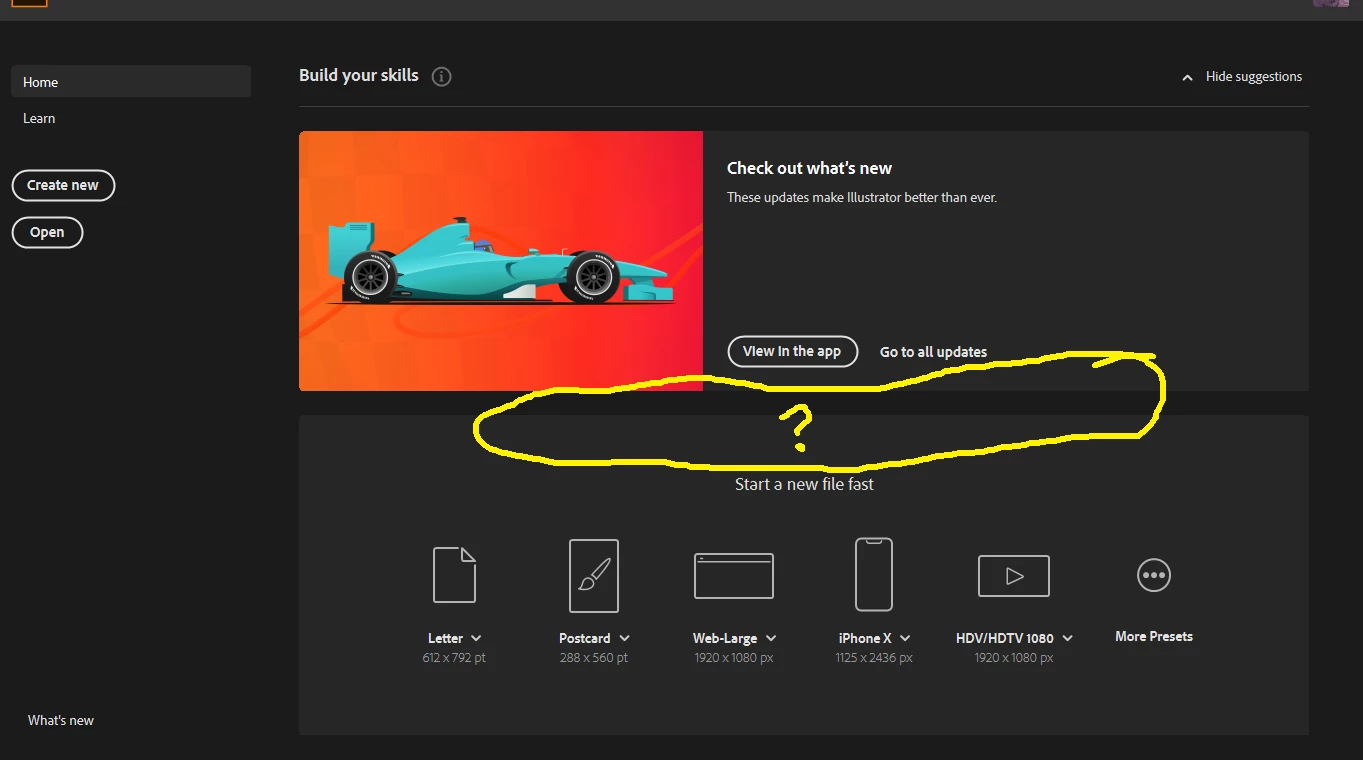
Hey, I have what is probably an easy question, but can't figure it out. Sometimes when I open Illustrator, it shows recent files in the home screen. But not always. Sometimes, I open illustrator, and it just shows a blank "build your skills" page, but shows no recent files. there don't seem to be any clickable buttons or anythign to toggle back to that. I assume it's just something I'm overlooking or something as I'm sure it wouldn't just be a random thing. This may have happened in other apps too, like photoshop or indesign, but only really remember it happening here in Ai. Anyone know why this is and/or how to fix, set it? The recent files thing is great, and really helpful.

Thanks! Ben
This topic has been closed for replies.
Correct answer Ashutosh_Mishra

Hi Ben,


Sorry to hear about your experience. This is really an unusual behavior. Would you mind sharing version of OS & Illustrator?
I'd also request resetting preferences of Ilustrator once. Follow instructions on help article https://helpx.adobe.com/illustrator/using/setting-preferences.html#setting_illustrator_preferences 


**Please note that resetting preferences will remove all the custom settings and Illustrator will launch with default settings. You can also take a backup of the folders in case you want to. Location is mentioned in the article.

Let us know how it goes.


Regards,

Ashutosh

2 replies

barbara_a7746676
Community Expert
Community Expert
April 1, 2020

In Preferences > General, make sure that 'Show home screen when no documents are open' has been checked.

If it is, you should see recent files, but of course if there is a document open, you will not see them.

If it still doesn't work, you could try resetting preferences. After resetting, you'll need to open and close a couple of files before you see any recent files listed. https://helpx.adobe.com/illustrator/using/setting-preferences.html

Ashutosh_Mishra
Ashutosh_MishraCorrect answer
Inspiring
April 1, 2020

Hi Ben,


Sorry to hear about your experience. This is really an unusual behavior. Would you mind sharing version of OS & Illustrator?
I'd also request resetting preferences of Ilustrator once. Follow instructions on help article https://helpx.adobe.com/illustrator/using/setting-preferences.html#setting_illustrator_preferences 


**Please note that resetting preferences will remove all the custom settings and Illustrator will launch with default settings. You can also take a backup of the folders in case you want to. Location is mentioned in the article.

Let us know how it goes.


Regards,

Ashutosh