annalisav93048950
Participant
December 10, 2018
Answered

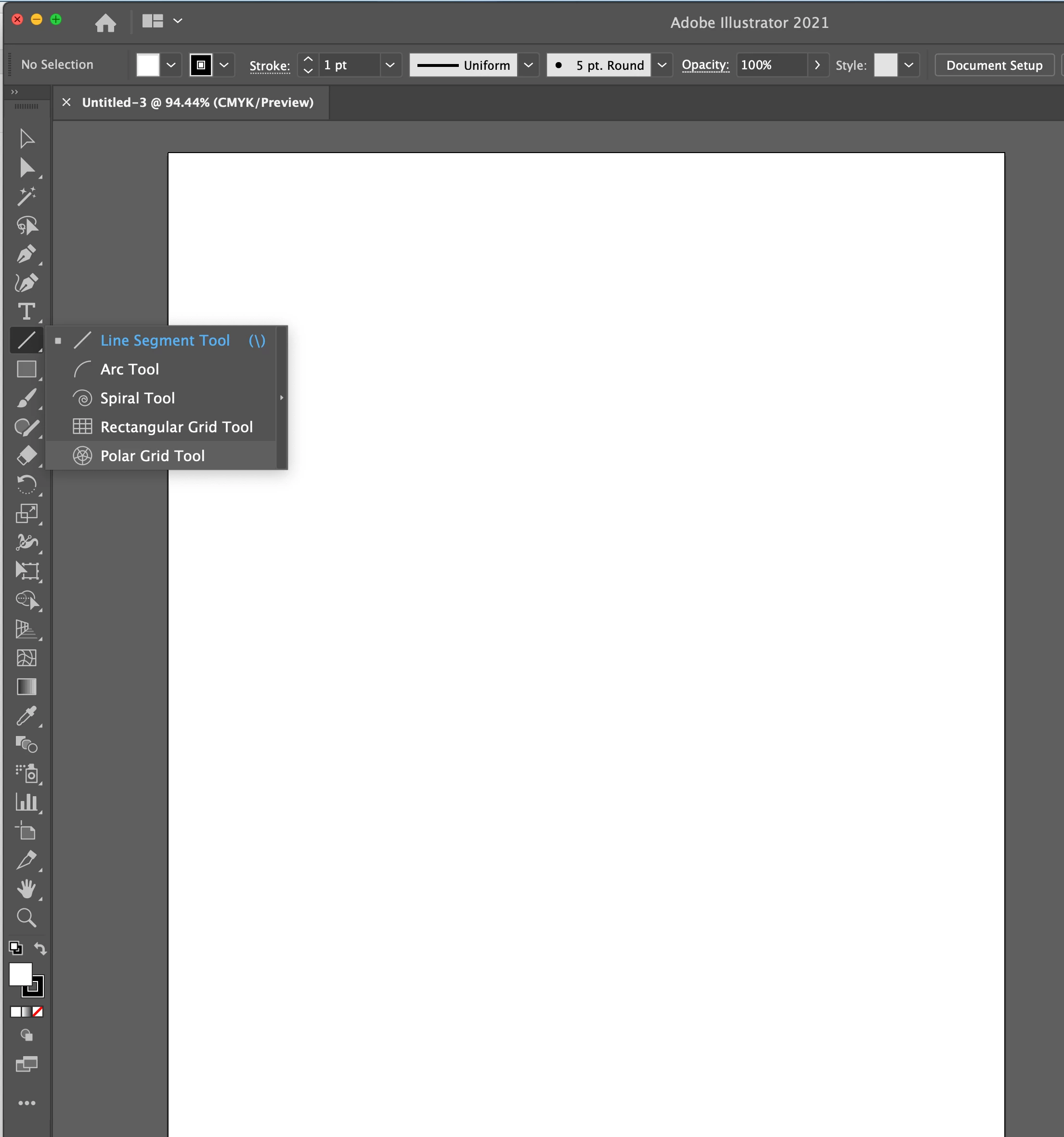
Where has the POLAR GRID TOOL gone with latest Illustrator (V 23.0.1)

  • December 10, 2018
  • 3 replies
  • 24080 views

Hi,

Where has the Polar Grid Tool gone with this monster update of Illustrator??

Ive attached a picture of my menu bar. Ive gone thru every menu and cannot locate it.

If someone could please let me know it would be much appericated.

This topic has been closed for replies.
Correct answer nooracox

Please show us a screenshot.


It's now under the "Line Tool". Click and hold that icon and it will show up in the list (see screenshot).

3 replies

barbara_a7746676
Community Expert
Community Expert
December 10, 2018

After clicking the 3 dots at the bottom of the toolbox, choose Advanced from the All Tools panel menu. That will give you all of the available tools, including the polar grid.

Participant
August 20, 2019

I don't have those 3 dots

Participant
August 20, 2019

And this panel either

Monika Gause
Community Expert
Community Expert
December 10, 2018

Probably your tools got messed up, which happens too easily.

Click on the 3 dots button at the bottom of the toolbox to open the dialog box. It has its own menu. From there select "Reset"

Mohammad.Harb
Community Expert
Community Expert
December 10, 2018

Go to window -> tools -> default