
varsityc16959816
Participant
December 13, 2021
Question

White background added when exporting as SVG

  • December 13, 2021
  • 4 replies
  • 10429 views

Hello! I've created line drawing icons in Procreate, saved those files as PSDs, and then opened them in Illustrator with the hopes of exporting them as SVGs with transparent backgrounds. A few weeks ago I was able to export these transparent SVGs with no problem, but recently, everything has come out with a white background added in.


I'm new to this but have seen people requesting workflow for solutions, so here's mine:

- I right-click the PSD file in my downloads folder and click "open in illustrator"

- I turn on the transparency grid, and check that the file has no background. It looks like this: 
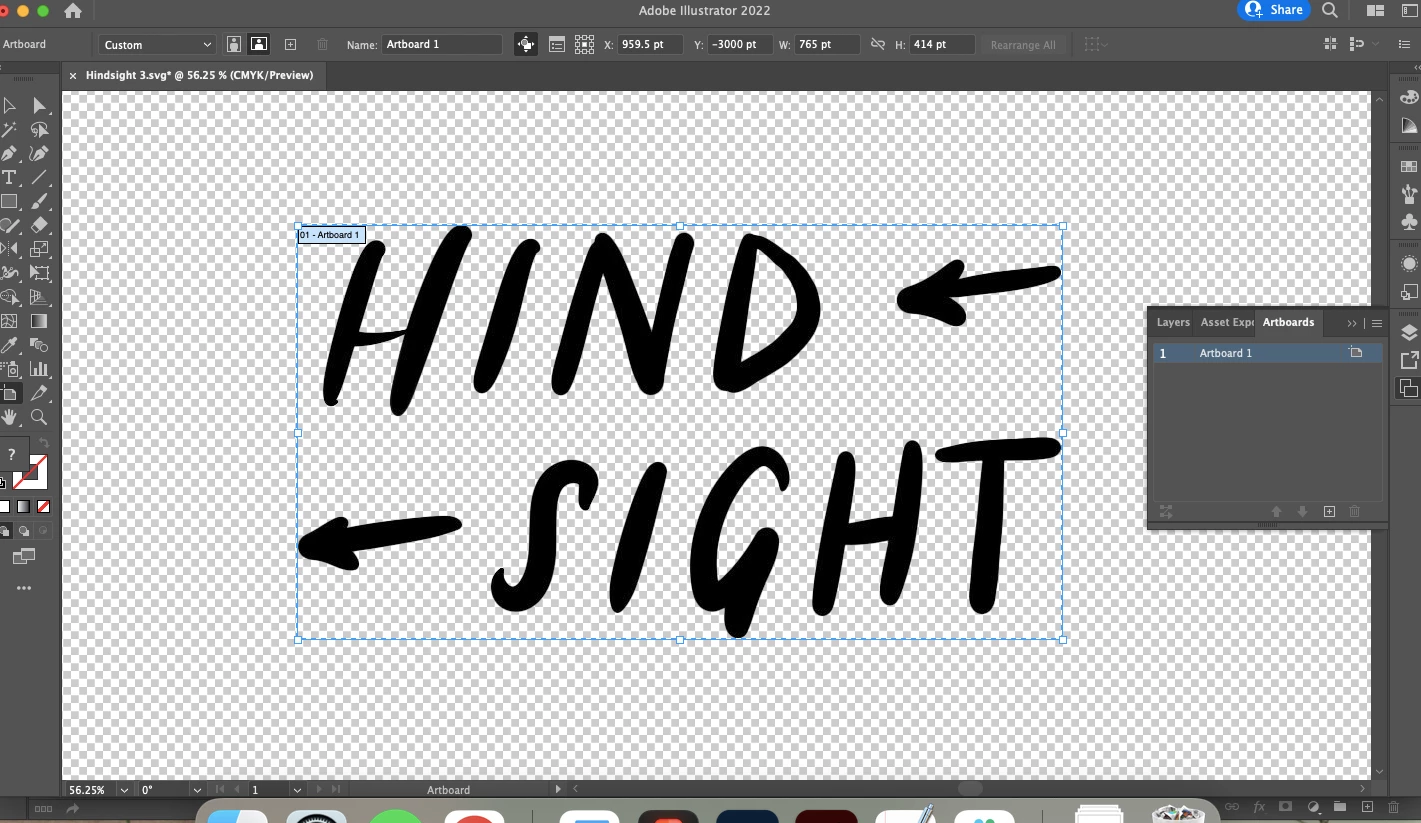
 

- I click "Export" > "Export As > SVG. Sometimes I click "use artboards," and sometimes I don't — I've been trying a couple different things. These are the settings the SVG exports with:
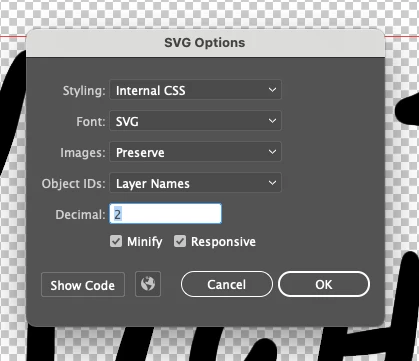
- I click "OK," and the file appears as an .SVG, but when I upload it to Google Drive / drop the file into other softwares, it appears with a white background. I really need it to have a transparent background.


Any help would be much appreciated. Thank you! 

4 replies

Participant
April 15, 2025

I had the same problem but I think I've worked it out. Instead of using the 'save as' option use the 'export to svg' instead. Make sure artboard is unchecked and check responsive and minify.

Participant
February 12, 2025

Try making sure its within the artboard (white) and canvas (dark grey):


Participant
September 12, 2024

Hi, I have exactly the same problem, could you tell me how you were able to solve it? (if applicable)

Anubhav M
Community Manager
Community Manager
September 12, 2024

Hello @NellyPG96,

Thanks for reaching out. Would you mind sharing more details, like the exact version of the OS/Illustrator, a public link to a sample AI and SVG file after uploading it to Dropbox/Google Drive/etc., and a screen recording of your workflow, the settings used, and the problem (https://adobe.ly/4gml8vK), so we can investigate this further?

Looking forward to hearing from you.

Thanks,
Anubhav

Participant
September 13, 2024

im having the same issue! sharing how it looks, and how my illustrator file is set up. 

Illustrator 2020 version. MacOS Sonoma 14.3. 
Ai and svg file sample, and screen recording: https://drive.google.com/drive/folders/1InYyFrhcyOBaxBavDbxwOpqEu-UJSc9k?usp=sharing 


Thank you in advance!

Monika Gause
Community Expert
Community Expert
December 13, 2021

If you open the SVG in Illustrator - does it have a white background?

Participant
September 19, 2022

yes


Monika Gause
Community Expert
Community Expert
September 20, 2022

Then use Illustrator to delete the white background.

If you don't know how to procedd, please show us how this looks in the layers panel. It needs to be opened in a way that we see the contents of the layers and groups.