

scottmosher
Inspiring
April 19, 2018
Answered

Why are anchor points missing in Illustrator CC2018?

  • April 19, 2018
  • 11 replies
  • 105017 views

After upgrading, its one issue after another, but here's a major one.

My anchor points are missing and they only show up when I mouse over the object or hold down the COMMAND, or Hold down the COMMAND SPACE BAR (zoom) - what happened to the good old days when I have the SHOW EDGES option on And the ACTUAL EDGES remain visible.  The first picture is what I'm getting at all times. I'm looking to have the edges shown at all times... the second picture is like it was in the good old times, when the edges were shown at all times if one had the 'show edges' option on. I also went through the preferences. TO no avail. Any help on this would be appreciated.
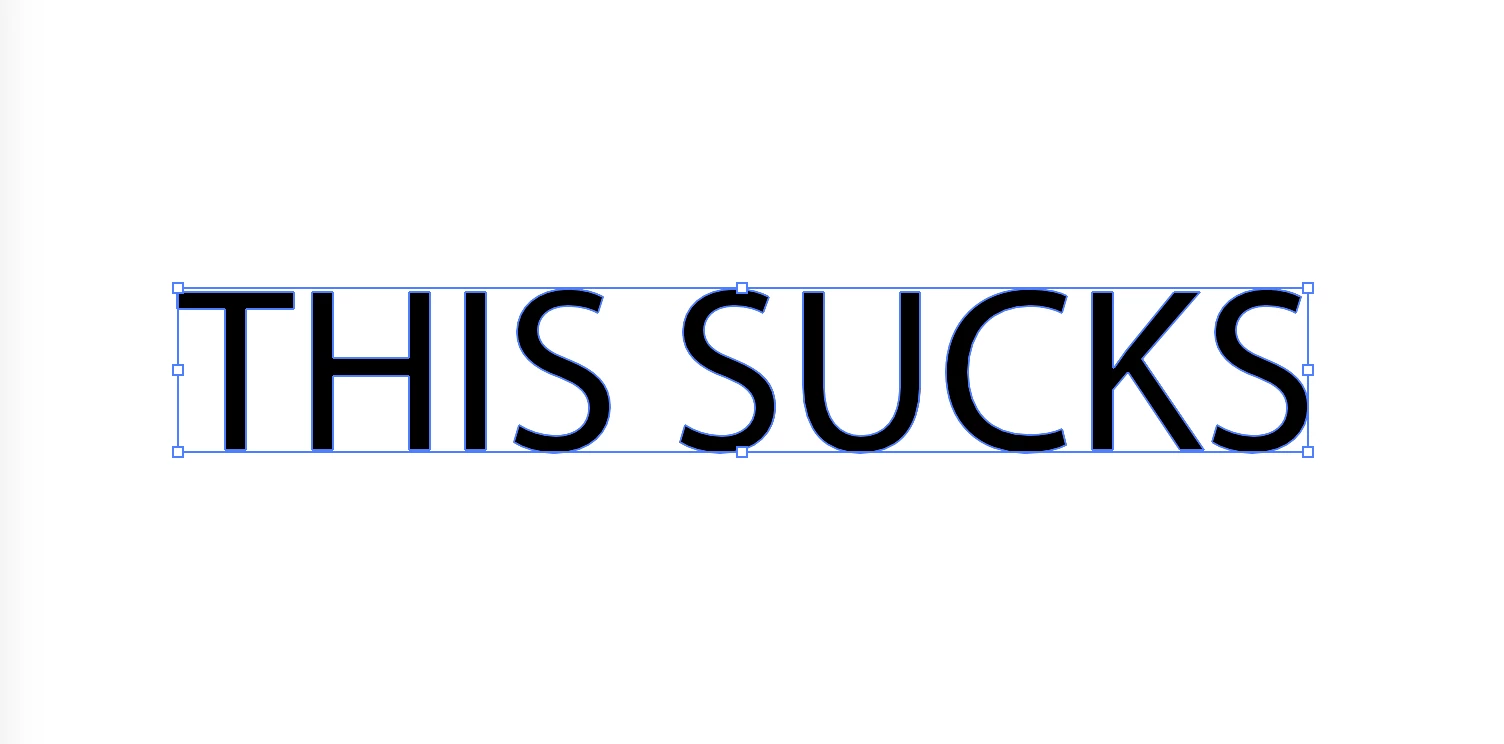
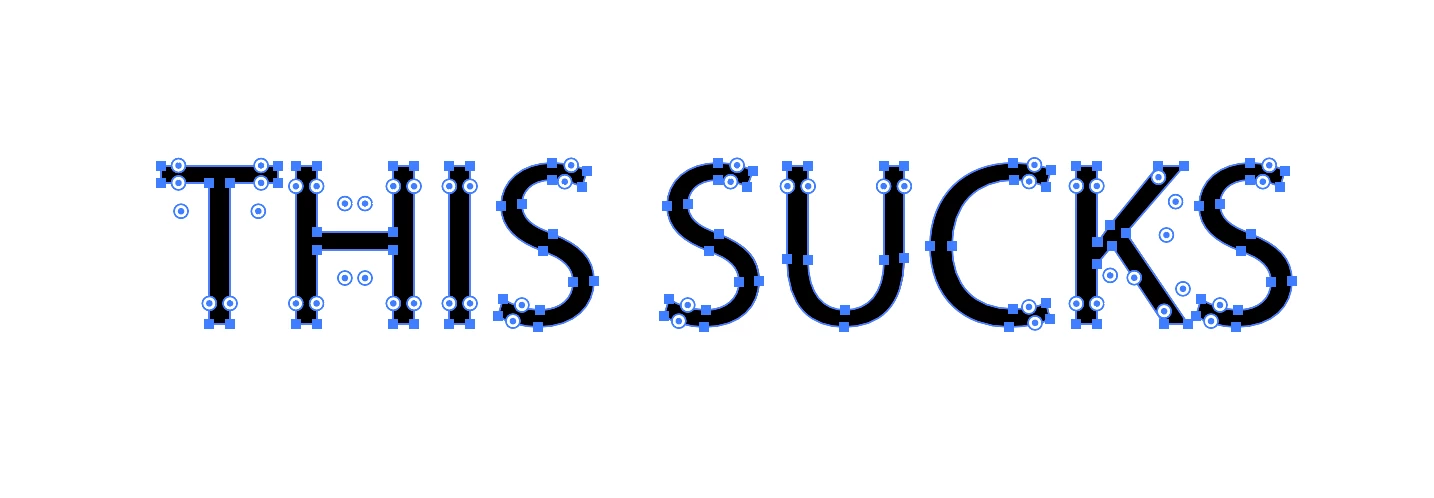
Correct answer Kurt Gold

Go to the Illustrator Preferences > Selection & Anchor Point Display and turn on the option that is called Show Anchor Points in Selection tool and Shape tools.

11 replies

Kurt Gold
Community Expert
Kurt GoldCommunity ExpertCorrect answer
Community Expert
April 19, 2018

Go to the Illustrator Preferences > Selection & Anchor Point Display and turn on the option that is called Show Anchor Points in Selection tool and Shape tools.

Inspiring
October 31, 2019

I came here because I had this same issue. I just want to say I've been working in Illustrator since Illustrator 1988 and I am getting damn tired of having to RELEARN THE PROGRAM everytime you guys want to sell a new upgrade! I am a professional graphic artist of 30 years and everytime you move things around, change the keyboard commands, decide you liked the way it worked in FREEHAND better or whatever other random idea that floats into your head - YOU DEVALUE MY SKILL SET AND EVERY OTHER PERSON WHO DOES THIS FOR A LIVING. That's not just Illustrator - THAT'S EVERY ONE OF YOUR PROGRAMS.  You disrespect me, you disrespect the industry, your disrespect YOUR OWN PROGRAMS - and for what? You got everybody on subscription service now, everybody is paying you every month, all your programs are the industry standard - WHY DO YOU INSIST ON CONTINUALLY CHANGING THINGS THAT DO NOT NEED TO BE CHANGED???  The days of upgrading to add features that WE NEED are LONG OVER. Fix the bugs if you want to play around - your software is buggier now than it's ever been in the past 30 years! I know because THAT'S HOW LONG I'VE BEEN DEALING WITH YOU!

Ton Frederiks
Community Expert
Community Expert
March 29, 2022

Wow. Okay - when something is an industry standard - something everyone uses on a daily basis like Command-H to hide their working app - why interfere with it? Especially for something as ridiculously petty and UNNECESSARY as hiding anchor points? It doesn't even register with you that this is something that interferes with users ability to get their work done - you just look for an excuse to place the blame ON the user as opposed to Adobe. You are proving the exact point I'm making here... Adobe doesn't care about their users when they make changes like this one.


And so far as assuming things? Always a bad move - I've been using Macs and Illustrator probably since before you were born...


In Illustrator 88 Cmd H was View > Actual Size as you may remember.

Photoshop 1.0 had Cmd H for Show/Hide Edges in 1990.

In 1997 shortcuts between Photoshop and Illustrator were streamlined and Cmd H became Hide Edges.

Apple came out in 2001 with OSX and used that shortcut for hiding applications.