
Jimmy Papas
Inspiring
April 28, 2021
Answered

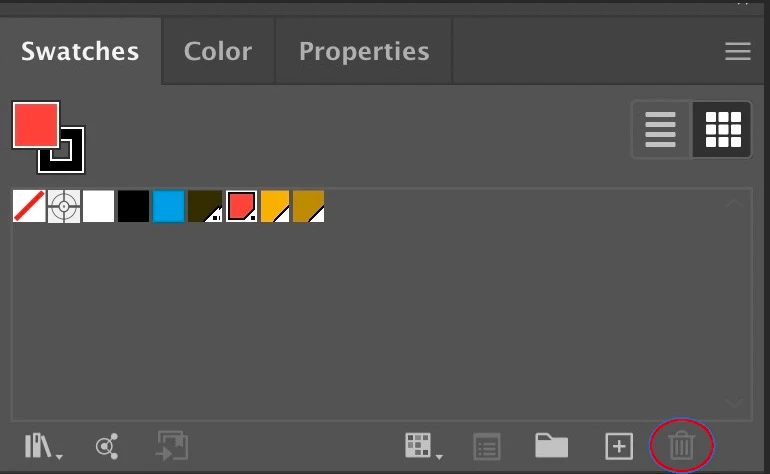
Why can't I delete a Pantone Swatch color in Illustrator?

  • April 28, 2021
  • 3 replies
  • 5404 views
When I select this color from the Swatches panel, the "Delete Swatch" icon is greyed out.
 
 
This topic has been closed for replies.
Correct answer Jimmy Papas

Turns out I have placed links (Photoshop format) that have Pantone colors in them (through channels), so the Pantones were automatically imported into Illustrator, and that's why you cannot delete them, unless you delete those links, or you delete the Pantone from within the PSD links.

3 replies

kyleputzier
Participant
April 17, 2024

THANKS...my solution was to copy (x) the items. Close the file.

open a new blank document- placed the copied files (v) and then saved over the name file.

Deleted whatever hidden stuff on there.. but yes, thanks for the reason why it was doing that.

Jimmy Papas
Jimmy PapasAuthorCorrect answer
Inspiring
April 28, 2021

Turns out I have placed links (Photoshop format) that have Pantone colors in them (through channels), so the Pantones were automatically imported into Illustrator, and that's why you cannot delete them, unless you delete those links, or you delete the Pantone from within the PSD links.

Ton Frederiks
Community Expert
Community Expert
April 28, 2021

It may be imported with placed file.
