chrissydetroit
Known Participant
April 11, 2018
Answered

Why does Illustrator cut off edges on my prints?

  • April 11, 2018
  • 2 replies
  • 5532 views

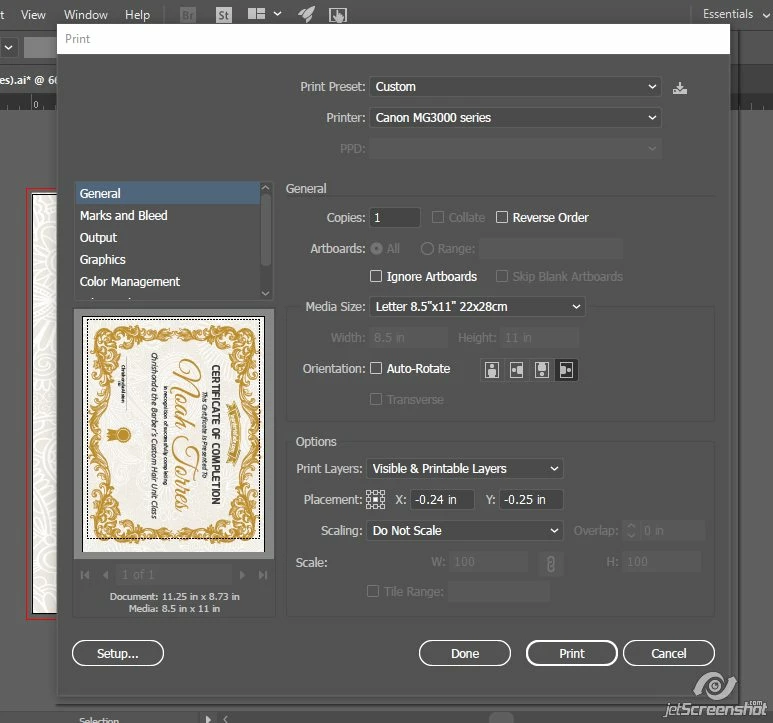
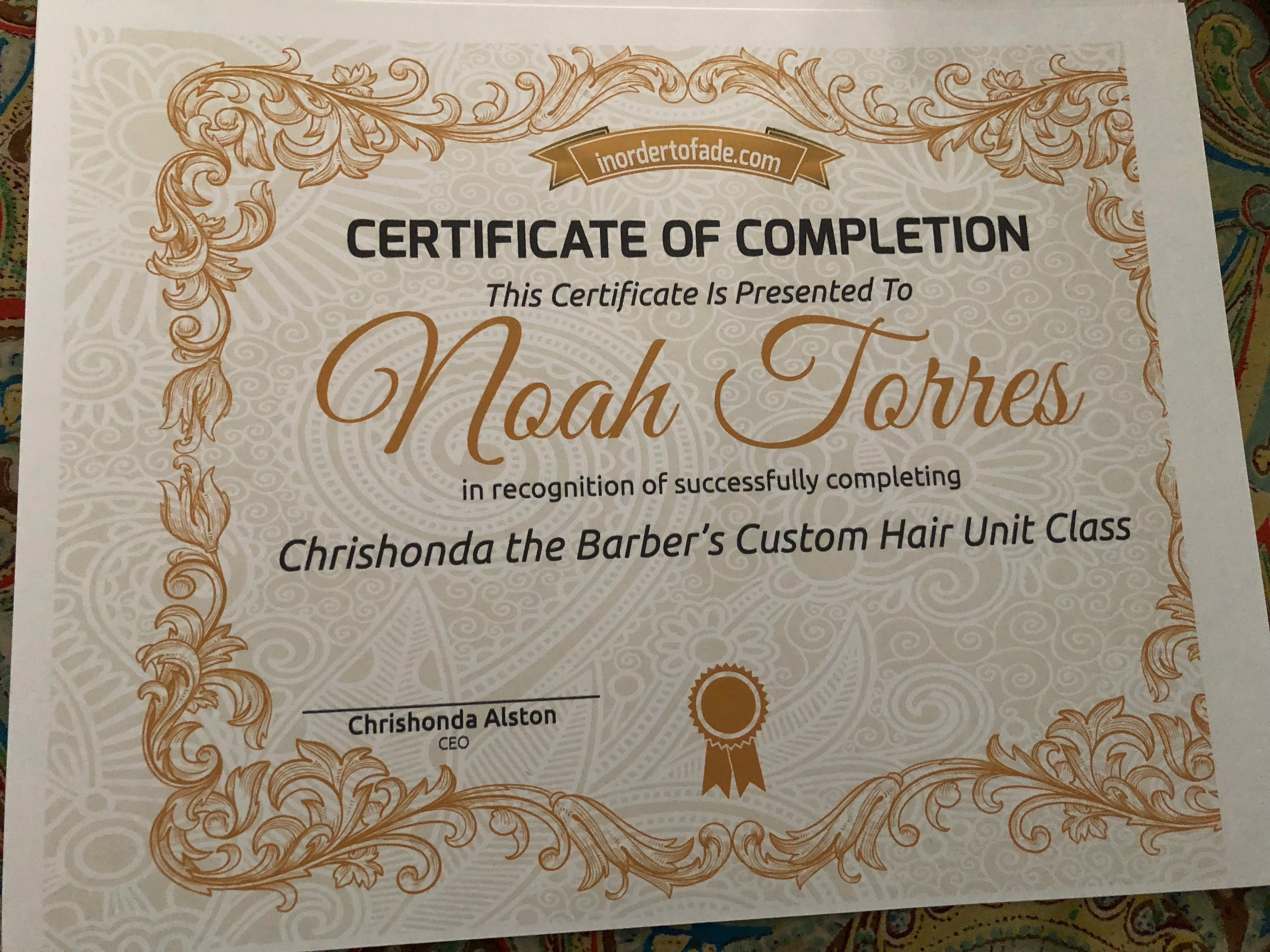
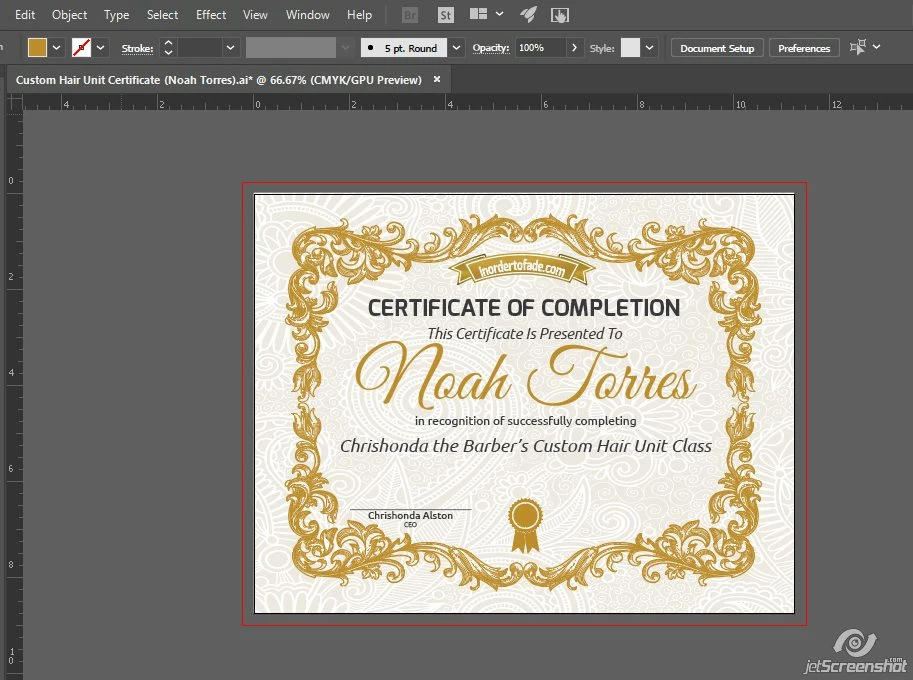
I've been trying to print out a 8.5x11 certificate. It keeps printing out like the photo below. I also posted a screen shot of what the design looks like in Illustrator and the settings I used. I would like for my certificate to fill the whole sheet.
    This topic has been closed for replies.
    Correct answer John Mensinger

    That's not Illustrator, that's your printer. In fact, the preview rather clearly shows that your design extends beyond the printable area. While there are printers that can print all the way to the edge of a sheet, most can't due to the way they pick up and feed the paper.

    The Printable Area specifications of your printer are here: Canon : PIXMA Manuals : MG3000 series : Specifications

    2 replies

    Theresa J
    Community Expert
    Community Expert
    April 13, 2018

    The dotted line in the preview window shows the area that your printer can image in.

    John Mensinger
    Community Expert
    John MensingerCommunity ExpertCorrect answer
    Community Expert
    April 11, 2018

    That's not Illustrator, that's your printer. In fact, the preview rather clearly shows that your design extends beyond the printable area. While there are printers that can print all the way to the edge of a sheet, most can't due to the way they pick up and feed the paper.

    The Printable Area specifications of your printer are here: Canon : PIXMA Manuals : MG3000 series : Specifications